Panasonic CF 33 Toughbook Buying Guide
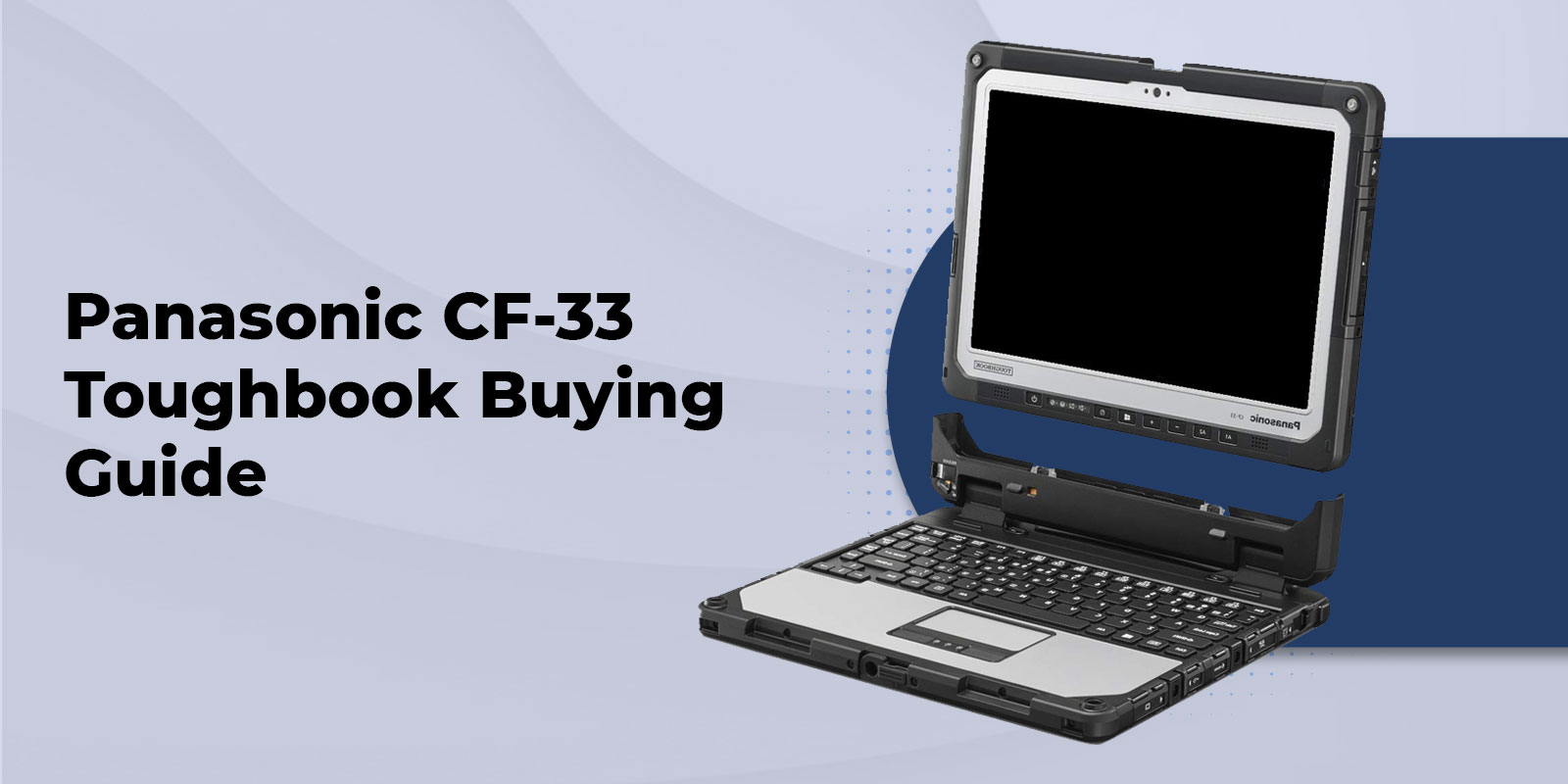
A field computer should not force you to choose between laptop productivity and tablet mobility. The Panasonic Toughbook CF 33 gives you both in one fully rugged Windows platform, with a detachable 12 inch display, professional connectivity, configurable security options and a design built for demanding work environments.
What Is the Panasonic CF 33 Toughbook?
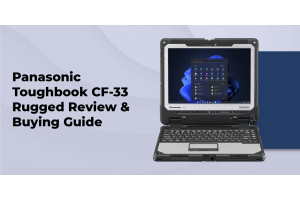
The Panasonic Toughbook CF 33 is a fully rugged detachable 2 in 1 Windows computer built around a 12 inch display. The screen separates from its keyboard so you can use the system as a standalone tablet or reconnect it for traditional laptop work. The current CF 33 platform uses Intel Core processors, a QHD 12-inch display, Wi-Fi 6E, optional cellular connectivity, GPS, and other field-focused options.
That design makes the CF 33 especially useful when your work changes throughout the day. You may need a keyboard for reports, forms, or data entry in a vehicle, then need a handheld touchscreen for inspections, field documentation, or equipment work.
See the current Panasonic Toughbook CF 33 configurations and available options.
Key Highlights
- Fully rugged detachable 2 in 1 design for laptop and tablet workflows
- Current platform uses an Intel Core i5 1345U vPro processor with an optional i7 1370P configuration
- 12 inch QHD 1200 nit multi touch and digitizer display on the current Panasonic platform
- MIL STD 810H, MIL STD 461G and IP65 testing on the current platform
- 7 hours of MobileMark 25 battery life with standard batteries and up to 15 hours with optional long life batteries
- Wi Fi 6E with optional GPS, 4G and 5G cellular connectivity
- Optional serial, SmartCard, barcode and additional USB connectivity
- New and refurbished CF 33 configurations are available through ToughRuggedLaptops
CF 33 Rugged Certifications
Rugged certification is one of the main reasons to consider the CF 33, but the exact certification should always be matched to the generation you are buying. Older CF 33 documentation uses MIL STD 810G, while the current Panasonic platform is documented to MIL STD 810H. Panasonic currently lists MIL STD 461G and IP65 as well.
MIL STD 810 is a test method standard for environmental engineering and laboratory testing. It does not mean a laptop is immune to every drop, vibration event or weather condition. The test method, procedure, severity, and exact configuration matter when evaluating a procurement requirement.
IP65 addresses ingress protection. The first digit indicates dust protection and the second indicates protection against water jets. IP65 should not be described as submersion protection.
For more detail, read our MIL STD 810G certification guide.
You can also review our IP65 rating explanation.
Display and Detachable Design
The current CF 33 uses a 12 inch QHD display with a 3 to 2 aspect ratio, 1200 nit brightness, multi-touch input, and digitizer support. Panasonic also supports glove and wet touch operation on applicable configurations.
The detachable display is more than a convenience feature. It changes how you can use the computer. With the keyboard attached, the CF 33 works as a conventional Windows laptop for extended typing, reporting and office applications. Detached, it becomes a standalone tablet for walking inspections, equipment checks, forms and field documentation.
That makes the CF 33 a practical choice for teams that move between vehicles, desks and outdoor work areas instead of staying in one working position.
If you are deciding between a rugged laptop and a rugged tablet, read our rugged laptop versus rugged tablet comparison.
Performance Across CF 33 Generations
The CF 33 name covers several hardware generations, so CF 33 specs can vary significantly between units. The original MK1 generation used older Intel processors. MK2 moved to 10th Generation Intel Core processors. MK3 moved to 12th Generation Intel Core processors. The current MK4 platform uses 13th Generation Intel Core processors.
The current Panasonic specification lists an Intel Core i5 1345U vPro processor with an optional Intel Core i7 1370P. ToughRuggedLaptops currently offers 16GB configurations and 32GB configurations, with 512GB SSD options and additional storage upgrades.
This distinction matters most when you are shopping refurbished. Two CF 33 units may look almost identical while having very different processors, memory, storage, and wireless options.
For refurbished inventory, visit Refurbished Toughbook Laptops.
Connectivity and Field Ready Features
The CF 33 is built for deployments where standard Wi Fi is not enough. Depending on the generation and configuration, available options include Wi Fi 6E, Bluetooth, GPS, 4G LTE, 5G, Ethernet, HDMI, USB, serial connectivity, SmartCard readers, fingerprint readers and barcode scanning.
The current Panasonic platform includes Thunderbolt 4 USB C, USB A, HDMI, Ethernet, optional true serial connectivity, dual SIM support, and a docking connector. The premium keyboard adds additional ports and connectivity.
This configurability is especially useful for organizations that already know what their field applications require. A technician may need serial connectivity for equipment. A public safety deployment may need cellular service, GPS, and security features. A logistics workflow may benefit from barcode scanning.
For vehicle deployments, review our vehicle mounts and compatible docking options.
Battery and Continuous Field Use
The current CF 33 uses a twin battery design and supports hot swap battery replacement. Panasonic lists approximately 7 hours of MobileMark 25 battery life with standard batteries and up to 15 hours with optional long life batteries.
Actual runtime depends on the configuration, display settings, wireless radios, applications and workload. For long shifts, the ability to replace a battery without shutting down can be more useful than a single battery life number.
Panasonic CF 33 Price Guide
CF 33 pricing varies by generation and configuration. At the time of this fact check, the current ToughRuggedLaptops new CF 33 configurator lists a base price of $3,999 with a special price of $3,970. Individual preconfigured systems can be priced differently depending on processor, memory, storage, cellular options, security hardware, batteries and warranty.
ToughRuggedLaptops also lists refurbished CF 33 systems. The refurbished category contains older generations and different configurations, so refurbished pricing should be compared by exact specification rather than by model name alone.
Compare current options in New Rugged Laptops.
For lower acquisition cost, compare Refurbished Toughbook Laptops.
For a broader purchasing framework, use our rugged laptop buying guide.
How to Choose the Right CF 33 Configuration
Start with the work, not the highest available specification. A field deployment should pay for the features that solve a real operational requirement.
- Choose the processor based on the software and workload rather than buying the fastest option by default.
- Choose 32GB memory when your applications or multitasking workload justify it.
- Choose additional SSD capacity when local data, mapping files, images or applications require more storage.
- Add cellular connectivity when users need reliable wide area connectivity away from trusted Wi Fi.
- Add GPS when location based applications require dedicated positioning.
- Consider barcode or SmartCard hardware when it replaces a separate device or supports a required security workflow.
- Choose long life batteries when shift length and limited access to power make runtime a priority.
- Confirm the keyboard configuration and docking requirements before ordering a fleet.
CF 33 Compared With Other Panasonic Toughbook Models
The CF 33 is not automatically the best Toughbook for every deployment. The right choice depends on whether your team needs a detachable 2 in 1, a traditional fully rugged laptop, a semi rugged laptop, or a tablet first platform.
|
Model |
Form |
Rugged Class |
Best Fit |
Relative Cost |
|
CF 33 |
12 inch detachable 2 in 1 |
Fully rugged |
Laptop and tablet workflows |
Premium |
|
CF 31 |
13.1 inch rugged laptop |
Fully rugged |
Existing vehicle fleets and traditional laptop work |
Refurbished value |
|
CF 54 |
14 inch laptop |
Semi rugged |
Mixed office and field work |
Lower |
|
FZ 55 |
14 inch laptop |
Semi rugged |
Larger screen and moderate field use |
Mid range |
|
FZ G2 |
10.1 inch tablet |
Fully rugged |
Tablet first field mobility |
Premium |
|
Toughbook 40 |
14 inch rugged laptop |
Fully rugged |
High performance and modular deployment |
Highest |
For a closer look at the Panasonic Toughbook CF 31, see its current and refurbished options.
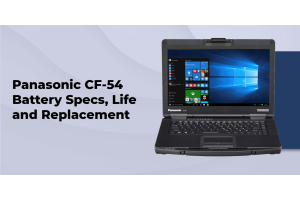
Compare the Panasonic Toughbook CF 54 for a semi rugged option.
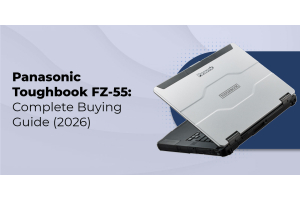
Compare the Panasonic Toughbook FZ 55 when you need a larger semi rugged laptop.
For a tablet first workflow, review the Panasonic Toughbook FZ G2.
For a larger fully rugged laptop, see the Panasonic Toughbook 40.
When a Fully Rugged 2 in 1 Makes Sense
A fully rugged 2 in 1 makes sense when the same user genuinely needs two working positions. If your team spends part of the day typing in a vehicle and part of the day walking through a site, a detachable system can eliminate the need to issue separate laptop and tablet devices.
A semi rugged laptop can be a better fit when most work happens indoors or in controlled vehicle and office environments. A tablet first system can be a better fit when handheld mobility is the priority and extended keyboard work is occasional.
Read our explanation of semi rugged versus fully rugged laptops before choosing a durability class.
Who Should Buy the CF 33
Law Enforcement
The CF 33 fits vehicle based workflows where an officer may need a mounted Windows computer for reporting and then detach the display for mobile work. The configurable cellular, GPS, camera, barcode and security options can also support agency specific requirements.
See our police laptops selection and our resource on why police departments choose rugged laptops.
Read why police departments choose rugged laptops for additional procurement considerations.
Government and Federal Work
Government deployments often require more than a durable computer. Procurement specifications may include security features, support requirements, configuration control and specific certifications.
Browse government laptops for government focused options.
TAA status should be confirmed for the exact CF 33 model and configuration when required by a contract. It should not be assumed from the product family alone.
Military and Defense
The CF 33 can fit demanding defense and field applications where a detachable platform, rugged construction, and configurable connectivity are useful. The exact statement of work should determine which environmental and electromagnetic testing requirements apply.
See our military grade laptops for additional rugged computing options.
Field Service and Construction
Field technicians, inspectors, utility workers and construction professionals often move between a vehicle, job site, and equipment. The CF 33 can serve as a laptop for documentation and as a tablet for mobile inspection and reference work.
Read our rugged laptops for field work resource.
For construction specific selection advice, see best rugged laptops for construction workers.
New Versus Refurbished CF 33
A new CF 33 is usually the better choice when you need current generation processing, a specific configuration, current warranty coverage, and predictable fleet planning. A refurbished CF 33 can be a strong value when an earlier generation meets your performance requirements and acquisition cost matters more.
Before buying refurbished, verify the exact:
- MK generation
- Processor
- RAM
- SSD
- Battery condition
- Cellular and GPS options
- Keyboard
- Included accessories
- Warranty
- Dock and vehicle compatibility
A lower purchase price is useful only when the configuration still meets the job. A refurbished unit with the wrong processor, missing cellular hardware or incompatible accessories can cost more after deployment.
Essential CF 33 Accessories
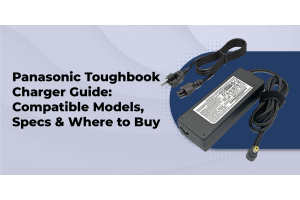
The right accessories can determine whether a rugged computer works smoothly in the field. Common CF 33 accessories include vehicle docks, port replicators, spare batteries, long life batteries, power adapters, and keyboard configurations.
Browse rugged accessories for compatible deployment equipment.
For vehicle based installations, see vehicle mounts.
ToughRuggedLaptops also lists docking solutions that support CF 33 deployments. Confirm the exact MK generation and dock before ordering because accessory compatibility can vary.
FAQs
1. Is the Panasonic CF 33 still available new?
Yes. ToughRuggedLaptops currently lists new CF 33 configurations, including current MK4 systems. Refurbished CF 33 systems are also available.
2. What certifications does the CF 33 carry?
Certification depends on generation. Older CF 33 documentation uses MIL STD 810G, while the current Panasonic platform lists MIL STD 810H, MIL STD 461G and IP65. Verify the exact configuration before procurement.
3. How much does a Panasonic CF 33 cost?
At the time of this fact check, the current ToughRuggedLaptops configurator lists the new CF 33 at $3,999 with a special price of $3,970. Preconfigured and refurbished systems can differ based on their specifications.
4. Can the CF 33 be used as a tablet without the keyboard?
Yes. The display detaches from the keyboard and operates as a standalone Windows tablet.
5. Can the CF 33 work with older vehicle installations?
Panasonic supports specific vehicle dock and adapter solutions for CF 33 deployments, including solutions intended to help organizations transition from earlier Toughbook vehicle installations. Confirm the exact dock and adapter combination before ordering.
6. What changed across CF 33 generations?
The major changes are in processor generation, connectivity, and platform capabilities. MK1 used older Intel hardware, MK2 moved to 10th Generation Intel Core processors, MK3 used 12th Generation Intel Core processors, and the current MK4 uses 13th Generation Intel Core processors.
7. Which industries use the CF 33?
Common applications include law enforcement, government, defense, field service, utilities, inspections, transportation, and construction where a rugged Windows 2 in 1 is useful.
8. Is the CF 33 TAA compliant?
TAA compliance should be confirmed for the exact model and configuration required by the procurement. Do not assume compliance without SKU level documentation.
Why Buy Your CF 33 From ToughRuggedLaptops
A rugged computer purchase often involves more than choosing a processor and screen size. You may also need a vehicle dock, additional batteries, cellular connectivity, security hardware, warranty coverage, or deployment services.
ToughRuggedLaptops focuses heavily on Panasonic Toughbook systems and provides configuration options for new and refurbished equipment. That specialization matters when you are building a fleet rather than buying a single office laptop.
See the full new rugged laptop inventory or compare the refurbished Toughbook inventory when acquisition cost is a primary consideration.
Choose the CF 33 for the Work You Actually Do
The Panasonic CF 33 is at its best when your workflow changes during the day. Use the keyboard for reports and data entry. Detach the display when you need to move. Add cellular connectivity, GPS, scanning, security hardware, additional storage, or long life batteries when those options solve a real requirement.
Before you order, match the exact MK generation and configuration to your software, connectivity, docking, and procurement requirements. If you are unsure which configuration makes sense, ToughRuggedLaptops can help you build a system around the way your team works.
Call to discuss a configured CF 33 quote, or request a quote online.
Fact Check Sources
- Panasonic North America CF 33 specifications
- ToughRuggedLaptops current CF 33 configurator
- ToughRuggedLaptops CF 33 product category
- ToughRuggedLaptops refurbished CF 33
- Panasonic Toughbook product documentation and model information
Note: The pricing and inventory statements above were checked against live listings on September 10, 2026. Product availability and promotional pricing can change, so confirm the live product page before publication.