Rugged Laptops for Field Work: Features That Matter
Rugged laptops for outdoor work differ from consumer laptops in ways that directly determine whether a device survives a field deployment or fails within its first year. The features that matter are MIL-STD-810G or 810H certification across all 28 test methods, an IP65 or higher ingress protection rating, a minimum 1,000-nit sunlight-readable display, hot-swap battery capability, and the connectivity options — Wi-Fi 6/6E, 4G LTE or 5G, dedicated GPS — that keep field teams operational without infrastructure support. Security features including TPM 2.0 and hardware-level encryption are increasingly required for professionals handling sensitive operational data in the field.
Field professionals across engineering, construction, law enforcement, EMS, utilities, and military operations face the same fundamental problem: consumer-grade laptops have a failure rate of 15-20% in field conditions, while properly certified rugged laptops fail at a rate of 3-4%. That 5x reliability gap translates directly into uptime, data integrity, and total cost of ownership over a 5-to-7-year deployment cycle. This guide covers every feature that drives that difference, with specific Panasonic Toughbook model recommendations by use case. For the broader buying decision, start with our rugged laptop buying guide.
Why Rugged Laptops Are Essential for Field Work
Reliability in Harsh Environments
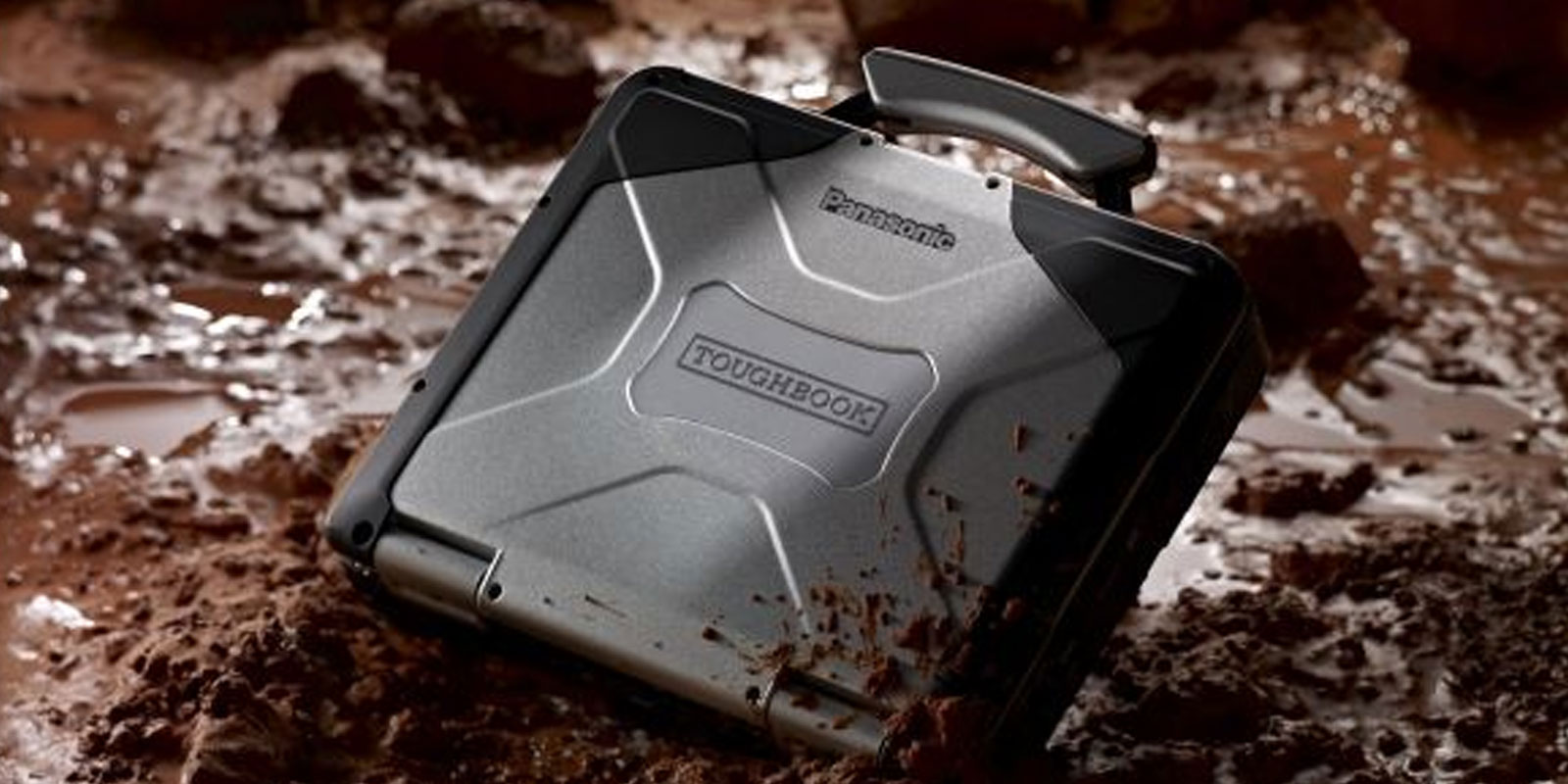
Standard laptops are engineered for temperature-controlled offices, clean desks, and predictable handling. Field environments — construction sites, patrol vehicles, oil rigs, disaster response zones — deliver none of these conditions. Rugged laptops are built with magnesium alloy chassis for strength-to-weight advantage, rubberised edges to absorb impact, shock-mounted internal drives to protect data integrity during drops and sustained vibration, and sealed keyboards and ports to prevent dust and water ingress.
The consequence of deploying non-rugged hardware in harsh conditions is not just device replacement cost. It is the data loss that accompanies an unexpected hardware failure — field data that cannot be recovered, operational records that must be reconstructed, and the downtime while a replacement is sourced and configured. Rugged laptops are the only practical solution for environments where failure is operationally unacceptable.
Cost-Effectiveness Over a 5-Year Deployment
While rugged laptops cost more upfront than consumer alternatives, they deliver a 36% lower total cost of ownership over five years (Panasonic field data). The drivers are straightforward: a 3-4% failure rate versus 15-20% for non-rugged devices, a field lifespan of 5-7 years versus 2-4 years for standard laptops, and significantly longer procurement cycles that reduce administrative and replacement overhead. For a fleet of 50 devices, the difference in TCO over five years routinely exceeds the entire initial purchase cost of the rugged fleet. For detailed TCO comparison across rugged categories, read our semi-rugged vs fully rugged guide.
Compliance and Safety Standards
Many field deployments have compliance requirements that consumer laptops cannot satisfy. Law enforcement and military operations require TAA-compliant hardware and often FIPS 140-2-certified data security. Utilities and industrial operations require MIL-STD-461G EMI/EMC compliance to prevent interference with sensitive electrical systems. Oil rigs and chemical plants require ATEX, IECEx, or C1D2 intrinsic safety certification to prevent ignition in explosive atmospheres. Rugged laptops from the Panasonic Toughbook line address all of these compliance requirements — consumer laptops address none of them. See our MIL-STD-810 explained guide and our guide on what military grade means on a laptop for the full certification breakdown.
Understanding Rugged Certifications
A rugged field laptop must pass MIL-STD-810G or MIL-STD-810H testing across all 28 environmental test methods and carry an IP65 or higher ingress protection rating. A device that passes only some MIL-STD test methods, or carries an IP rating below IP65, is not suitable for sustained harsh field deployment. Both certifications must be present and fully passed — not partially tested or self-certified.
MIL-STD-810G and MIL-STD-810H
MIL-STD-810G and its updated successor MIL-STD-810H are U.S. Department of Defense environmental engineering standards that define 28 test methods covering: drop and shock resistance, vibration (simulating vehicle transport over rough terrain), temperature extremes (both high and low), humidity, altitude, sand and dust ingress, solar radiation, salt fog, and acoustic noise. A device that passes all 28 test methods can reliably operate in the environmental conditions those tests simulate.
The MIL-STD-461G standard, which governs electromagnetic interference (EMI) and electromagnetic compatibility (EMC), is an additional certification relevant for deployments in environments with sensitive electrical systems — utility substations, military command environments, and industrial control rooms where device emissions could interfere with critical infrastructure.
IP Ratings — What They Mean for Field Selection
IP ratings classify a device's resistance to solid particulate and liquid ingress using two digits. For field laptops, the relevant ratings are:
- IP53: Protected against dust in harmful quantities, resistant to water spray at angles up to 60 degrees. Appropriate for semi-rugged deployments with occasional exposure.
- IP65: Fully dust-tight (no ingress permitted), protected against water jets from any direction. The minimum standard for fully rugged field deployment in rain, dusty construction environments, or vehicle wash-down scenarios.
- IP67: Fully dust-tight, protected against full submersion to 1 meter for 30 minutes. Required for maritime environments, flood response, and field work with standing water risk.
IP ratings are achieved through seals and gaskets around every port, keyboard, and display interface — the physical mechanisms that block moisture and particulate from entering the chassis. A higher IP rating means more sealing surfaces and tighter tolerances. For a full breakdown of IP rating grades, see our IP65 laptops explained guide.
Intrinsic Safety: ATEX, IECEx, and C1D2
For environments with explosive atmospheres — oil and gas platforms, chemical processing plants, grain elevators, mining operations — standard MIL-STD and IP certifications are not sufficient. Intrinsic safety certifications (ATEX and IECEx in international markets; Class 1 Division 2 in North America) verify that a device cannot generate a spark or electrical discharge capable of igniting a hazardous atmosphere.
The Toughbook 40 carries optional C1D2 certification for North American hazardous location deployments alongside its MIL-STD-810H, MIL-STD-461G, and IP66 ratings. No competitor field laptop article covers this certification combination — it is a genuine TRL differentiator for the oil and gas, chemical, and mining sectors.
Key Features to Look For in Field Work Laptops
Sunlight-Readable Displays
The display brightness benchmark for field laptops is 1,000 nits minimum. Standard indoor laptops deliver 200 to 600 nits — readable indoors but washed out in direct sunlight. A rugged field laptop must reach 1,000+ nits to remain readable outdoors, with 1,200+ nits recommended for direct sunlight environments.
Beyond raw brightness, display technology matters. Anti-glare coatings diffuse reflected light through a matte surface finish — reducing hotspots but slightly softening image sharpness. Anti-reflective coatings reduce the percentage of light that reflects back from the display surface, preserving image clarity while cutting glare. Both approaches improve outdoor readability but suit different environments: anti-reflective coatings are preferred for high-contrast mapping, CAD, and precision data work; anti-glare is better for general field use in variable light conditions. The Panasonic Toughbook CF-33 delivers a 1,200-nit display with high contrast ratio — see the CF-33 product page for specifications.
Battery Life and Hot-Swap Capability
Extended battery life is the non-negotiable requirement for any field deployment where charging infrastructure is unavailable or unreliable. For an 8-hour shift in a remote location, a standard 4-to-6 hour laptop battery requires charging mid-shift — not always feasible. For double shifts or 24-hour operations, a laptop that requires charging is operationally disqualified.
Hot-swap capability — replacing a depleted battery with a fully charged one while the laptop continues operating — is the most practical solution for zero-downtime deployments. The Toughbook 40 supports dual hot-swap batteries with up to 36 hours of continuous runtime, eliminating charging dependency across even the most extended field operations. Rugged laptop battery optimization also extends beyond raw capacity: power-saving technologies and energy-efficient processor configurations extend runtime further, making the actual field runtime of a properly configured rugged laptop significantly better than its rated capacity alone.
Connectivity: Wi-Fi 6/6E, 5G, and Dedicated GPS
Field connectivity requirements have evolved beyond basic Wi-Fi. Current fully rugged laptops should offer: Wi-Fi 6 or 6E for high-throughput local network access; 4G LTE or 5G cellular for remote locations without Wi-Fi infrastructure; and dedicated GPS hardware — a physical GPS module with antenna, not software-based location estimation — for accurate geolocation in surveying, mapping, emergency dispatch, and fleet management applications.
Connectivity reliability in the field is as important as raw speed. 4G LTE provides proven coverage across most of North America. 5G provides higher throughput where coverage exists and is increasingly available in urban and suburban field environments. Dual SIM slots — available on select Toughbook configurations — allow carrier switching for maximum coverage in remote deployments. Always confirm connectivity configuration at order time, as cellular and GPS modules are often optional additions.
Glove-Touch and Rain-Touch Capabilities
Field environments where protective gloves are standard — construction, utility work, emergency response, military operations — require touchscreens capable of registering gloved input. Standard capacitive touchscreens respond only to bare skin. Glove-touch mode increases touch sensitivity to register thicker gloved fingertips reliably. Rain-touch mode filters out the irregular contact patterns of water drops on the screen surface, maintaining accurate touch input in wet conditions.
The Toughbook CF-33's Full HD display includes a capacitive multi-touch panel with both glove-touch and rain-touch modes. The FZ-G2 tablet also supports glove-touch input alongside its stylus and digitizer, providing multiple input methods for different field conditions.
Security Features
Field laptops increasingly carry sensitive operational data — patient records, law enforcement databases, utility infrastructure diagrams, classified mission information. Physical toughness alone does not protect this data if the device is lost or stolen. Four security features define a field-grade secure laptop:
- TPM 2.0 (Trusted Platform Module): A dedicated hardware chip that stores encryption keys, certificates, and authentication credentials. TPM 2.0 makes it significantly harder for unauthorized parties to access encrypted data even with physical access to the device — keys are stored in hardware, not software.
- Biometric authentication: Fingerprint readers and facial recognition provide fast, password-free device access that cannot be shoulder-surfed or guessed. Both are standard on current Toughbook models and are particularly valuable in field environments where removing gloves to type a password is impractical.
- Hardware-level drive encryption: Encrypts all data stored on the device at the drive level. A device that is powered off and physically removed cannot have its data read without the correct decryption key — protecting sensitive information even if the hardware is stolen from an unattended vehicle.
- Secure boot: Verifies digital signatures of all software loading at startup. If unauthorized or modified software is detected, the system halts before the OS loads — preventing malware from gaining a foothold through physical access to the device.
For government and defense deployments, FIPS 140-2 (Federal Information Processing Standard) compliance is the applicable federal data security standard. FIPS 140-2 validates that cryptographic modules meet federal requirements — a requirement for devices handling classified or controlled unclassified information. Confirm FIPS 140-2 compliance with TRL before specifying a Toughbook for a federal deployment that requires it. Call 800-441-9165 for configuration guidance.
Ports and I/O
The I/O requirements of a field laptop depend entirely on what peripheral equipment it must connect to. Current field deployments commonly require: multiple USB-A ports for legacy peripherals; USB-C or Thunderbolt 4 for high-speed data transfer and modern peripherals; RJ-45 Ethernet for wired network connections in vehicle or base station deployments; HDMI or DisplayPort for external display connections; RS-232 serial ports for industrial equipment, diagnostic hardware, and legacy infrastructure systems; and dual SIM slots for cellular carrier redundancy.
Port covers are as important as port availability — every unsealed port is a potential water and dust ingress point. All ports on fully rugged Toughbook models include protective covers that maintain the device's IP rating when closed. Always verify that the port configuration you need is available on your chosen model, as some I/O options are model-specific or available only through configuration.
Weight and Portability Trade-offs
Fully rugged laptops are heavier than semi-rugged alternatives by design — the magnesium alloy chassis, sealed construction, and additional protective components add weight. The Toughbook CF-31 weighs approximately 8.7 pounds — substantial for constant foot-carry but irrelevant for vehicle-mounted deployments.
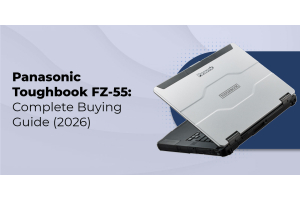
For professionals who require lighter weight without compromising connectivity, the FZ-55 semi-rugged 14-inch laptop offers a lighter form factor with a modular expansion bay that supports a second battery. This is the correct specification for office-to-field professionals who need durability during field transitions but do not face sustained harsh exposure. For a full comparison of semi-rugged vs fully rugged trade-offs, see our semi-rugged vs fully rugged guide.
Modular Design and Customisation
The most versatile field laptops allow hardware configuration at the point of order — and reconfiguration as mission requirements change. The Toughbook 40's xPAK modular expansion system allows field-configurable additions including barcode readers, RFID readers, optical drives, additional serial ports, and extended storage. This modular approach means a single device platform can serve different roles across different deployments without requiring a different laptop model for each mission type.
Customisation options also extend to vehicle mounting. Vehicle mounts from RAM and Gamber-Johnson integrate with specific Toughbook models to provide stable, vibration-isolated laptop positioning in police vehicles, ambulances, construction trucks, and utility fleet vehicles. A field laptop without a proper vehicle mount is both a safety hazard and a source of vibration damage over time.
|
Not sure which features and model match your specific deployment? Every field environment has different requirements. TRL specialists have configured Toughbook deployments for law enforcement, EMS, construction, utilities, and military organizations since 1999. Call 800-441-9165 for a free recommendation. |
Top Rugged Laptops for Field Work
The following Panasonic Toughbook models represent the current field-proven lineup for rugged outdoor work. Each is available new through ToughRuggedLaptops.com with full manufacturer warranty:
|
Model |
Category |
Key Field Features |
|---|---|---|
|
Toughbook 40 |
Fully Rugged |
MIL-STD-810H, IP66, MIL-STD-461G, C1D2, xPAK modular, up to 36 hrs dual hot-swap, 1,200-nit display |
|
CF-31 |
Fully Rugged |
MIL-STD-810G/H, IP65, hot-swap battery, law enforcement workhorse, proven 10+ year platform |
|
FZ-G2 |
Fully Rugged |
MIL-STD-810H, IP65, 10.1-inch tablet, 3 modular expansion areas, built-in camera, hot-swap |
|
CF-33 |
Fully Rugged |
MIL-STD-810H, IP65, 12-inch 2-in-1 convertible, dual batteries, detachable chiclet keyboard |
|
FZ-55 |
Semi-Rugged |
Modular expansion bay, 14-inch display, lighter weight for office-to-field transitions |
|
CF-54 |
Semi-Rugged |
14-inch FHD touchscreen, balance of portability and ruggedness for less extreme environments |
Panasonic Toughbook 40
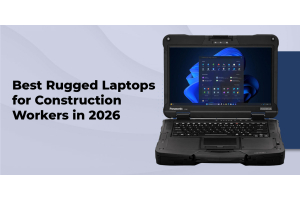
The Toughbook 40 is the current flagship fully rugged 14-inch laptop. It carries MIL-STD-810H, MIL-STD-461G, IP66, and optional C1D2 certifications — the most comprehensive rugged certification combination currently available in a laptop form factor. The xPAK modular design allows field configuration with barcode readers, optical drives, additional I/O ports, and extended storage. Dual hot-swap batteries deliver up to 36 hours of continuous operation. The 1,200-nit sunlight-readable touchscreen with glove-touch support is legible in direct sunlight. This is the correct specification for law enforcement, military, oil and gas, and utilities deployments requiring maximum certification coverage. For construction-specific guidance, see our best rugged laptops for construction workers.
Panasonic Toughbook CF-31
The CF-31 is the most widely deployed fully rugged laptop in law enforcement. It carries MIL-STD-810G/H and IP65 certifications, supports hot-swap batteries, and has an established ecosystem of vehicle docking solutions and accessories. The CF-31's platform longevity — it is deployable from Windows 7 through Windows 11 depending on mark generation — makes it a practical choice for organizations managing existing Toughbook fleets. For the law enforcement context specifically, read our guide on why police departments choose rugged laptops.
Panasonic FZ-G2
The FZ-G2 is Panasonic's fully rugged 10.1-inch tablet, powered by Intel Core Ultra processors with MIL-STD-810H and IP65 certifications. Three modular expansion areas allow configuration with barcode scanners, additional ports, and extended storage. The built-in high-resolution rear camera enables photo documentation, barcode scanning, and QR code reading from a single device. Hot-swap batteries and glove-touch input make it suited for EMS, healthcare, warehouse, and field inspection roles where constant mobility and camera access are primary requirements.
Panasonic CF-33
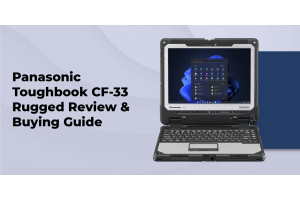
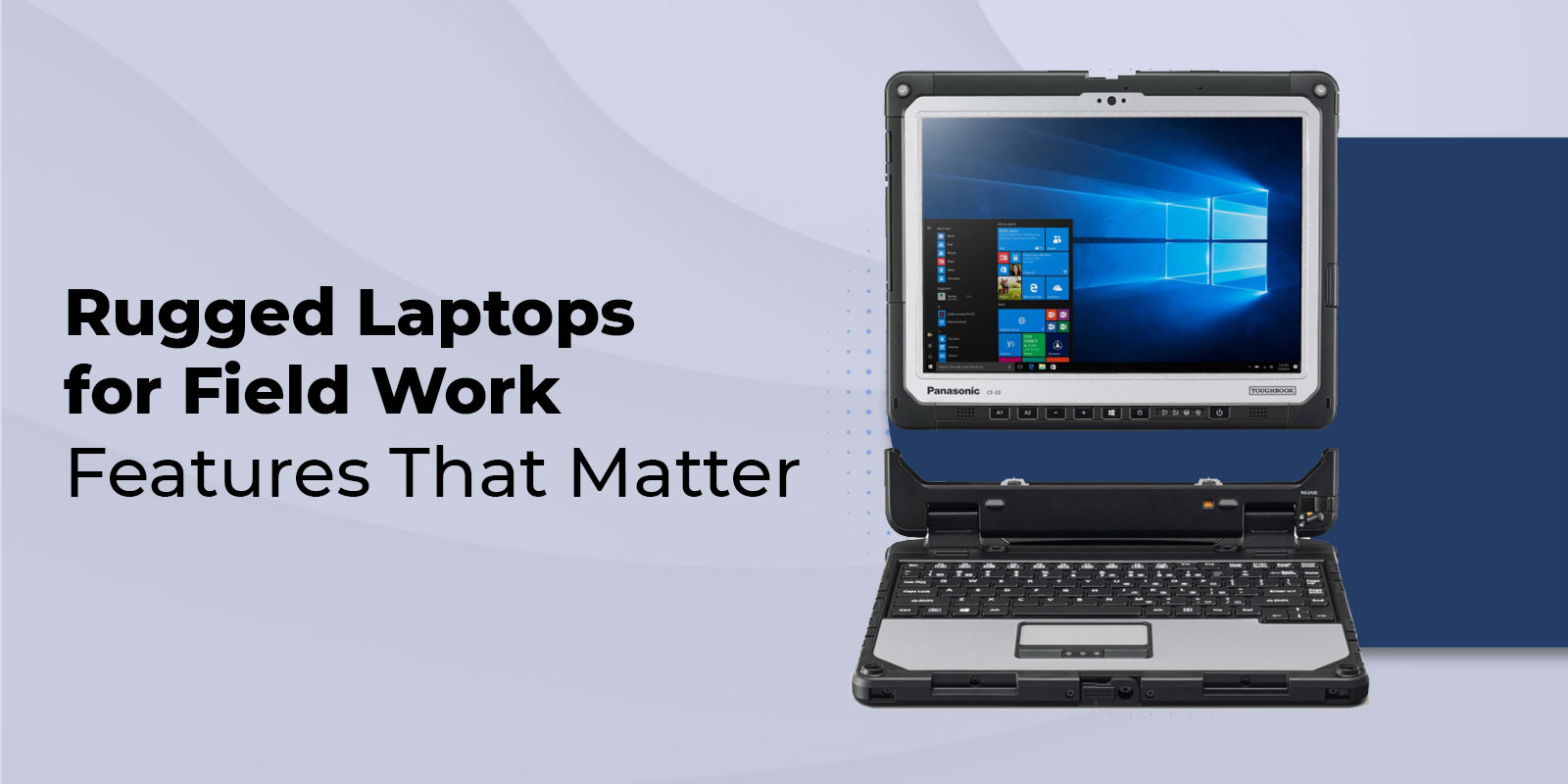
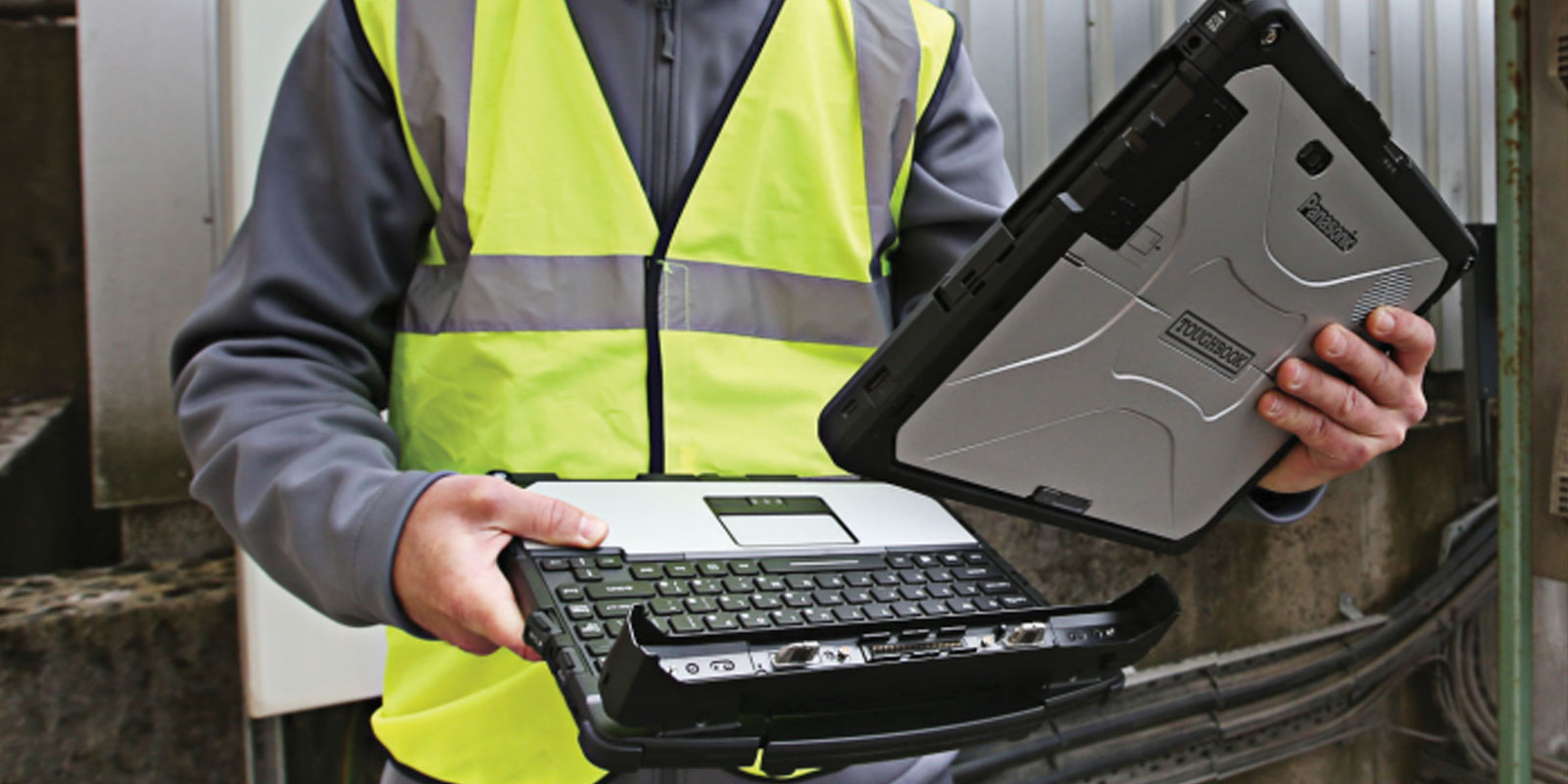
The CF-33 is Panasonic's fully rugged 12-inch 2-in-1 convertible. Its detachable chiclet keyboard converts the device from a full Windows laptop to a standalone tablet in a single motion. MIL-STD-810H and IP65 certification is maintained in both configurations. The CF-33 features a dual-battery system — one battery in the keyboard dock, one in the tablet — providing extended combined runtime as a laptop, and independent operation as a detached tablet. This is the specification for professionals who need both vehicle-based laptop use and handheld field mobility from a single device.
Rugged Laptops vs Consumer Notebooks: Total Cost of Ownership
Lifecycle Value and Equipment Longevity
Consumer notebooks typically require replacement within 2-4 years in field conditions — not because they reach their software end-of-life, but because physical degradation from drops, dust, moisture, and vibration accumulates beyond repair. Rugged laptops operate reliably for 5-7 years in the same conditions, with proper maintenance extending lifespan toward the upper bound. This difference in deployment duration directly reduces procurement frequency and the administrative overhead of fleet refreshes.
At end of service life, rugged laptops also retain higher resale values than consumer alternatives — their durable construction means usable hardware remains after the primary deployment cycle ends. Organizations can recoup a portion of the initial investment through resale or donate devices for secondary use, contributing to both cost recovery and sustainability goals.
Environmental, Safety, and Compliance Value
Non-rugged laptops often fail to meet the compliance requirements of regulated industries, potentially exposing organizations to safety violations or requiring unplanned emergency equipment upgrades mid-deployment. Rugged laptops specified correctly at the outset eliminate this risk. ATEX/C1D2 certification for hazardous locations, MIL-STD-461G for EMI compliance, and FIPS 140-2 for data security are all certifications that must be confirmed before deployment — retrofitting compliance after purchase is not possible.
Asset Management and Procurement Efficiency
Rugged laptop fleets simplify IT asset management through standardized builds, interchangeable components, and consistent maintenance procedures. A uniform fleet of Toughbook 40 units across a department means one driver package, one BIOS configuration, one repair procedure, and one accessory ecosystem. Consumer notebook fleets, typically mixed-brand and mixed-generation, require individualized support procedures and create maintenance complexity that increases total operational cost.
|
Managing a budget-sensitive fleet deployment? Certified refurbished Toughbooks deliver the same MIL-STD and IP-rated field protection at significantly lower upfront cost. TRL carries a full inventory of certified refurbished units with warranty. Browse toughruggedlaptops.com/refurbished-toughbook-tough-rugged-laptops.html or call 800-441-9165. |
How to Choose the Right Rugged Laptop for Your Field Use
- Match the laptop to your work environment. Identify the worst-case environmental conditions: construction sites, oil rigs, emergency response, and military operations each require different certification levels. Fully rugged models (IP65+, MIL-STD-810H) are required for sustained harsh exposure. Semi-rugged models suit professionals who transition between controlled and field environments but do not face continuous harsh exposure.
- Evaluate certifications and durability features. Confirm MIL-STD-810G or 810H, IP65 or higher, magnesium alloy or reinforced chassis, and sealed keyboard. For hazardous atmospheres, verify ATEX, IECEx, or C1D2 intrinsic safety certification. For EMI-sensitive industrial environments, verify MIL-STD-461G. See our guide on what military grade means on a laptop.
- Assess connectivity needs. Confirm Wi-Fi 6 or 6E for local network access, 4G LTE or 5G for remote cellular coverage, and dedicated GPS hardware for surveying or navigation. Verify serial port availability for industrial equipment, and Thunderbolt 4 for high-speed peripherals.
- Evaluate display and input features. Require 1,000+ nits minimum for outdoor use, 1,200+ for direct sunlight environments. Confirm anti-glare or anti-reflective coating based on your primary use environment. Verify glove-touch and rain-touch if protective handwear is standard.
- Evaluate battery life and hot-swap availability. For shifts exceeding 8 hours without reliable charging access, require hot-swap battery capability. For double-shift or 24-hour operations, the Toughbook 40's dual hot-swap system delivering up to 36 hours is the only specification that eliminates charging dependency entirely.
- Align with budget and calculate total cost of ownership. Factor in the full 5-year TCO, not just purchase price. For construction-specific procurement guidance, read our best rugged laptops for construction workers guide.
Maintenance Tips to Extend Your Rugged Laptop's Field Life
The 5-7 year field lifespan of a properly specified rugged laptop is achievable only with appropriate maintenance. Rugged construction reduces the impact of harsh conditions — it does not eliminate the gradual effects of field deployment entirely.
- Prevent dust buildup: Use compressed air to clear dust from vents and port covers periodically. Dust accumulation in cooling pathways raises operating temperatures and accelerates thermal wear on internal components. In high-particulate environments (construction, mining, agriculture), inspect and clear vents more frequently.
- Maintain seals and port covers: Inspect rubber port covers and keyboard seals regularly for damage or deformation. A cracked seal is an ingress path for moisture and particulate regardless of IP rating. Replace damaged covers immediately — replacement parts are available through TRL.
- Manage battery health: Avoid complete battery discharge where possible — deep discharge cycles accelerate battery cell degradation. If the laptop is used continuously on vehicle power or AC power for extended periods, remove the battery during plugged-in operation to prevent sustained high-charge heat stress on the cells.
- Clean the display properly: Use a soft microfiber cloth and an approved screen cleaning solution. Abrasive cloths and harsh chemical cleaners can degrade anti-glare and anti-reflective coatings, reducing display readability in the field conditions where it matters most.
- Inspect carrying hardware: Check shoulder straps, carrying handles, and vehicle mount attachment points for wear. A carrying handle that fails while the laptop is being transported is a drop event — the most common cause of field laptop damage even for rugged devices.
Summary
The right rugged laptop for field work is the one whose certifications, features, and configuration match the actual conditions of your deployment — not the most expensive model, and not a consumer laptop with a rugged-sounding name. MIL-STD-810H and IP65 certifications are the baseline for fully rugged field deployment. The display must reach 1,000+ nits for outdoor readability. Battery life and hot-swap capability must cover your shift length without charging access. Connectivity must match your remote operation requirements. And security features must match your data handling obligations.
ToughRuggedLaptops.com has specialized in Panasonic Toughbook field devices since 1999. We carry the full current Toughbook lineup — from the fully rugged Toughbook 40 to the FZ-55 semi-rugged option — alongside certified refurbished inventory for budget-sensitive deployments. Call 800-441-9165 to match your field requirements to the right model, or browse our new rugged laptop inventory now.
|
ToughRuggedLaptops.com — Toughbook Field Specialists Since 1999 Same-day shipping on in-stock items. Lifetime technical support included. Certified refurbished Toughbooks with full warranty. Call 800-441-9165 or browse the full inventory at toughruggedlaptops.com. |
Frequently Asked Questions
What defines a rugged laptop for field work?
A rugged field laptop must pass MIL-STD-810G or 810H testing across all 28 environmental test methods and carry an IP65 or higher ingress protection rating. It requires a magnesium alloy or reinforced chassis, sealed spill-resistant keyboard, shock-mounted internal drives, and a wide operating temperature range. A device that passes some but not all MIL-STD test methods, or carries an IP rating below IP65, is not suitable for sustained harsh field deployment. Both certifications must be fully passed — not partially tested or self-certified.
What is the difference between fully rugged and semi-rugged laptops for field work?
Fully rugged laptops (IP65+, MIL-STD-810H across all methods) are built for sustained direct exposure to drops, dust, water, vibration, and temperature extremes. Semi-rugged models provide protection against occasional field exposure and suit professionals who transition between office and field environments. For the complete comparison including weight, failure points, and TCO implications, read our semi-rugged vs fully rugged guide.
How many nits does a rugged laptop screen need to be readable outdoors?
Standard indoor laptops deliver 200 to 600 nits — inadequate for direct sunlight. A rugged field laptop requires a minimum of 1,000 nits for outdoor readability. For direct sunlight environments, 1,200+ nits is recommended. The Toughbook 40 and CF-33 both deliver 1,200-nit displays. Note that some sources incorrectly state higher figures — the correct minimum for field outdoor readability is 1,000 nits, not 11,000.
Are rugged laptops worth the investment for field work?
Yes. Rugged laptops deliver a 36% lower 5-year total cost of ownership than consumer-grade alternatives (Panasonic field data). Their 3-4% failure rate compares to 15-20% for non-rugged devices in field conditions. They operate reliably for 5-7 years versus 2-4 years for standard laptops. The per-productive-year cost is consistently lower once repairs, avoided downtime, and extended procurement cycles are factored into the calculation.
What IP rating do I need for my field environment?
IP53 suits semi-rugged deployments with occasional exposure. IP65 — fully dust-tight and protected against water jets from any direction — is the minimum for sustained fully rugged field deployment in rain or dusty environments. IP67 adds submersion protection to 1 meter for 30 minutes, required for maritime and flood response environments. Always match the rating to your worst-case exposure scenario, not your average conditions. Read our full IP65 laptops explained guide for detailed guidance.
How long do rugged laptops last in the field?
Rugged laptops last 5-7 years in harsh field deployment with proper maintenance. Standard laptops typically last 2-4 years under the same conditions. Regular maintenance — seal inspection, vent cleaning, proper battery care, and port cover checks — extends rugged laptop lifespan toward the upper end of this range. Panasonic Toughbook models are designed for extended procurement cycles, reducing the total frequency of fleet replacements across the ownership period.
What connectivity options should a rugged field laptop have?
Essential field connectivity includes Wi-Fi 6 or 6E, 4G LTE or 5G cellular, and dedicated GPS hardware. For industrial equipment integration, verify serial (RS-232) port availability. For high-speed peripherals, Thunderbolt 4 is preferred. Dual SIM slots provide carrier redundancy for remote deployments. Always confirm specific connectivity options at order time — cellular and GPS modules are configuration-dependent and not universally standard across all Toughbook models.
What security features matter for a rugged field laptop?
Field laptops handling sensitive data require TPM 2.0 for hardware-level encryption key storage, biometric authentication (fingerprint or facial recognition) for secure access, hardware-level drive encryption to protect data if the device is stolen, and secure boot to prevent unauthorized software loading. Government and defense deployments should additionally verify FIPS 140-2 compliance for federal data security standards. Call 800-441-9165 to confirm security configuration options for your specific compliance requirements.