Panasonic Toughbook FZ-55, The Complete Guide to a Semi-Rugged Workhorse
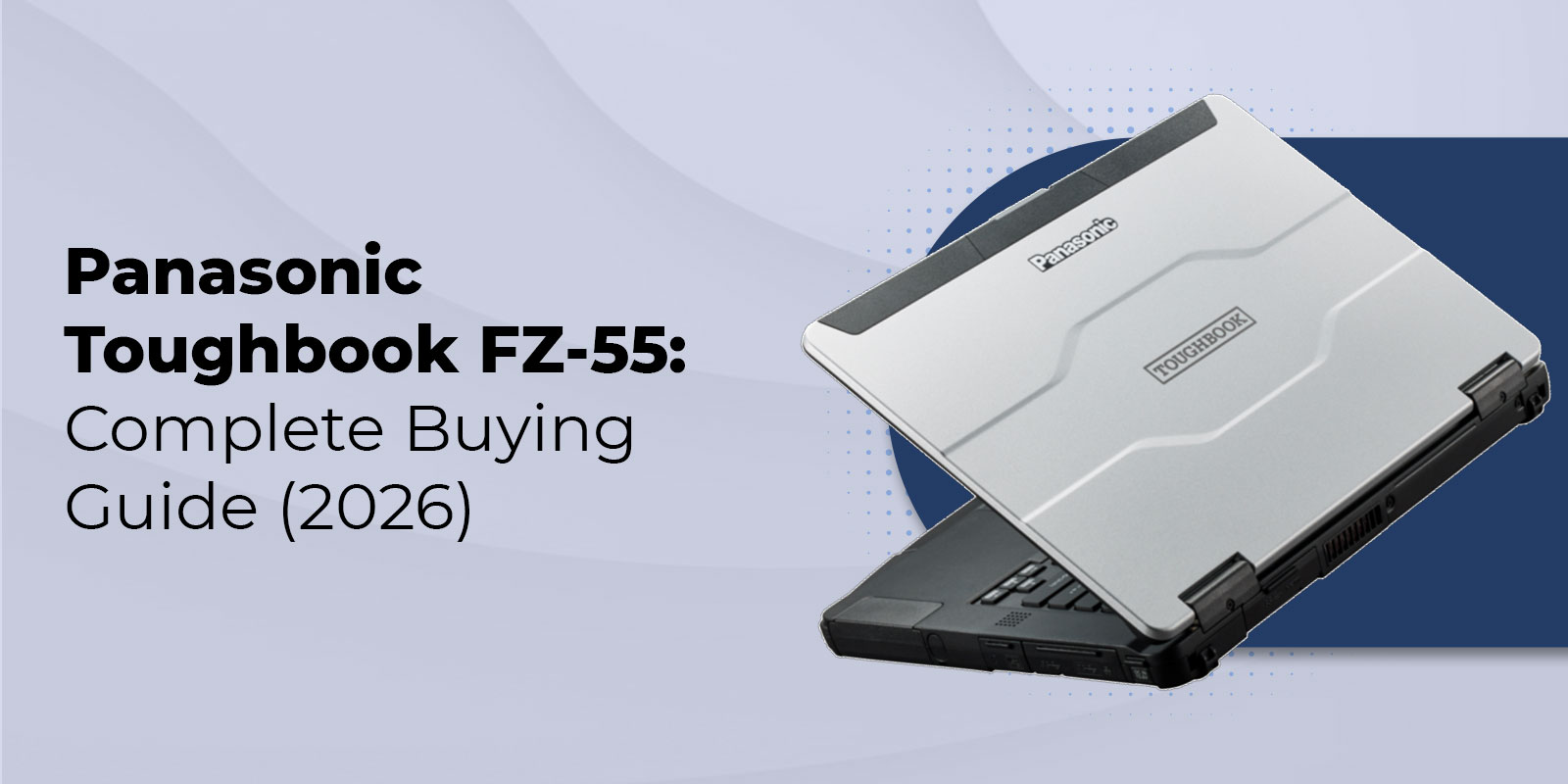
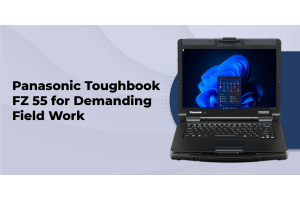
The Panasonic Toughbook FZ-55 is a semi-rugged 14-inch laptop built for field professionals in public safety, government, utilities, and construction. Certified to MIL-STD-810H with an IP53 rating, it handles drops, dust, and light moisture while offering modular xPAK expansion, 13th Gen Intel processing, and all-day battery life.
If you have looked at rugged laptops before, you already know the confusion that sets in fast. Is the FZ-55 the same laptop as the CF-54 it replaced? Does it match the Panasonic Toughbook 40 in durability, or is it a different class of machine entirely? And is a new unit worth the premium over a certified refurbished one? We put together this guide to answer those questions directly, using specs pulled from Panasonic's own Mk3 documentation and our own inventory rather than marketing language.
Below, we cover what makes the Panasonic Toughbook FZ-55 a semi-rugged device rather than a fully rugged one, walk through current Toughbook FZ-55 specs and configuration options, map out which industries and roles it fits best, and lay out a straightforward framework for choosing between the FZ-55, the CF-54, and the Toughbook 40.
What Is the Panasonic Toughbook FZ-55?
Semi-Rugged Classification Explained
Not every laptop marketed as tough belongs in the same category. Panasonic and most of the rugged computing industry split durability into three tiers, and understanding where the FZ-55 sits matters more than any single spec on the page.
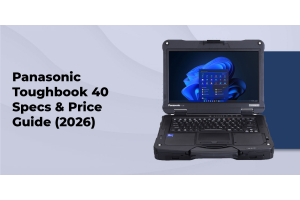
A standard business laptop with a reinforced case is not rugged in any certified sense. It carries no independent MIL-STD or IP rating, so there is no verified claim behind the durability marketing. A semi-rugged laptop, which is where the FZ-55 lives, adds a magnesium alloy chassis, a spill-resistant keyboard, and a shock-mounted drive, and it carries a real MIL-STD-810H and IP53 certification behind it. A fully rugged laptop, like the Toughbook 40, goes further still with full port sealing and a higher IP rating built for all-day outdoor exposure.
For a full side-by-side breakdown of what separates the two categories, our guide on semi-rugged vs fully rugged laptops walks through drop height, sealing, weight, and battery differences in more depth than we can cover here.
Key Certifications, MIL-STD-810H and IP53
The Panasonic Toughbook FZ-55 passes MIL-STD-810H testing, the current revision of the military durability standard covering shock, vibration, and moderate temperature swings, and it is rated for drops of roughly three feet onto concrete. That is meaningfully different from the four to six foot drop rating on fully rugged models, and it is worth knowing before you deploy the FZ-55 somewhere it was not built for.
On the sealing side, the FZ-55 carries an IP53 rating. The 5 means it is protected against dust, though not fully sealed against it, and the 3 means it tolerates water sprayed from above at up to a 60 degree angle, such as light rain. It is not rated for sideways-blown rain, direct water jets, or submersion. If your team works outdoors in variable weather all day, that is the point where a fully rugged, IP65-rated machine like the Toughbook 40 becomes the better fit rather than the FZ-55. Our IP65 laptops explained guide covers exactly what that higher rating protects against, and our breakdown of what military grade actually means is useful if a vendor has thrown that phrase around without backing it up with a test standard.
Toughbook FZ-55 Specs and Mk3 Configuration Options
The current Mk3 generation of the FZ-55 runs on 13th Gen Intel Core processors, and this is where the biggest jump from earlier generations shows up. It is also the section where competing buying guides tend to stop at a spec sheet reprint. We would rather walk you through what each option actually means for your team's day-to-day work.
Processor, Memory, and Storage Options
Base configurations run an Intel Core i5-1345U vPro processor, with an Intel Core i7-1370P vPro (up to 5.2GHz) available on higher-end builds. Both include Intel's AMT remote management, which your IT team will appreciate the first time a unit needs a BIOS update in the field without a truck roll. Memory tops out at 64GB, and storage runs up to 2TB on a self-encrypting Opal SSD, so a single build can handle everything from lightweight dispatch software to CAD files and GIS datasets.
Display, Battery, and xPAK Modularity
The FZ-55 uses a 14-inch FHD display rated at 1,000 nits, with a gloved multi-touch panel that stays usable in partial outdoor light and works with winter gloves or tactical gear on. Battery life runs up to roughly 20 hours on the standard pack, and Panasonic's hot-swap system lets you add a second battery and change it mid-shift without powering down, a feature that matters more than almost any spec on this page if your team works 10 or 12-hour shifts.
The modular xPAK expansion system is the FZ-55's real differentiator against every other laptop in this weight class. Instead of buying a fixed configuration and living with it for five years, you can add or swap a second SSD, a barcode reader, a smart card reader, or an optical drive as your team's needs change. Connectivity options include Wi-Fi 6E, Bluetooth, and optional 4G LTE with dedicated GPS, so field crews stay connected and locatable without a separate hotspot.
Not sure which FZ-55 configuration fits your team
Our specialists have configured Toughbooks for construction, law enforcement, utility, and healthcare fleets for more than 25 years. Call for a free, no-pressure recommendation based on the software your team actually runs.
Toughbook FZ-55 vs Toughbook 40 vs CF-54
The table below lines up the current FZ-55 against its fully rugged sibling and the discontinued model it replaced.
|
Spec |
FZ-55 (Semi-Rugged) |
Toughbook 40 (Fully Rugged) |
CF-54 (Predecessor, Discontinued) |
|
Rugged Class |
Semi-rugged |
Fully rugged |
Semi-rugged |
|
IP Rating |
IP53 |
IP66 |
IP53 |
|
MIL-STD |
810H |
810H |
810G |
|
Processor |
Intel 13th Gen vPro (Mk3) |
Intel Core Ultra vPro |
Intel 6th to 7th Gen |
|
Max RAM |
Up to 64GB |
Up to 64GB |
Up to 16GB |
|
Status |
Current |
Current |
Discontinued, refurbished only |
Who Uses the Toughbook FZ-55
Law Enforcement and Public Safety
Departments run the FZ-55 as a CAD and dispatch workstation for administrative roles, records units, and in-station work, where its lighter weight and lower price point compared to a fully rugged model make sense for staff who are not out in patrol vehicles all shift. For officers who spend most of a shift outdoors or in a cruiser exposed to weather, we typically point departments toward the fully rugged lineup instead. Our guide on why police departments choose rugged laptops breaks down that decision by role, and our police laptop solutions page has TAA-compliant options built specifically for CJIS environments.
Construction and Field Service
Project managers, superintendents, and inspectors who work primarily from a site office trailer and move to the field periodically are a strong match for the FZ-55, since its IP53 rating covers dust and light rain without the added weight of a fully rugged chassis. Crews working all day outdoors in concrete dust and unpredictable weather generally do better on the fully rugged side of the lineup. See our roundup of the best rugged laptops for construction workers for model recommendations broken out by job-site role.
Government and Utilities
Federal, state, and local agencies commonly require TAA compliance for procurement, and every current Toughbook configuration, including the FZ-55, meets that requirement. Utility teams that split time between the office, a truck, and periodic field visits also fit the FZ-55 well, particularly where budget standardization across a mixed fleet matters more than extreme weather protection. Our government laptop solutions page covers TAA-compliant configuration options in more detail.
Toughbook FZ-55 vs Alternatives, Choosing the Right Model
Once you know the FZ-55 is a semi-rugged laptop, the real decision usually comes down to two questions. Does your team's actual working environment call for semi-rugged protection or fully rugged protection? And does a new unit make sense, or would a certified refurbished FZ-55 stretch your budget further without giving up warranty coverage?
FZ-55 vs Toughbook 40, Matching Protection to Environment
|
Consideration |
FZ-55 (Semi-Rugged) |
Toughbook 40 (Fully Rugged) |
|
Best environment |
Office to field, light outdoor exposure |
Full-day outdoor, extreme weather |
|
Weight |
Lighter, easier all-day carry |
Heavier, built for durability first |
|
Sealing |
IP53, dust and light rain |
IP66, dust-tight and water jet rated |
|
Typical cost |
Lower upfront investment |
Higher upfront investment |
For a broader walk-through of this exact decision across every industry we serve, our rugged laptop buying guide is worth reading before you commit to a fleet-wide standard. And if your team is weighing a laptop against a rugged tablet for certain roles, particularly for staff who need mobility more than a keyboard, our rugged laptop vs rugged tablet comparison covers that fork in the decision too.
New vs Certified Refurbished FZ-55
|
Consideration |
New FZ-55 |
Certified Refurbished FZ-55 |
|
Upfront cost |
Higher |
Significantly lower |
|
Warranty |
Full manufacturer coverage |
Backed warranty through TRL |
|
Availability |
Configure to order |
Ready to ship from stock |
|
Best for |
Long deployment cycles, latest spec |
Budget-conscious fleets, fast rollout |
Browse our complete selection of new Toughbooks or our certified refurbished models to find the configuration that fits your budget and rollout timeline. Every refurbished unit we sell is tested and backed by our team, not just resold as-is.
Accessories and Deployment Add-Ons
Buyers who stop at the laptop itself often end up back on the phone with us a few weeks later asking about mounts and power. A few accessories are worth planning for at the time of purchase rather than after the fact.
- A vehicle mount or docking station for teams deploying the FZ-55 in a truck or patrol vehicle
- The dedicated FZ-55 accessories catalog, including batteries, docking stations, and replacement keyboards
- A second hot-swap battery for teams running shifts longer than the standard battery's runtime
If your fleet also includes any legacy CF-54 units, keep in mind that model has been discontinued by Panasonic. We still carry refurbished CF-54 units and accessories for departments mid-cycle, but new deployments should standardize on the FZ-55 going forward.
FAQs
1. Is the Panasonic Toughbook FZ-55 fully rugged or semi-rugged
The FZ-55 is a semi-rugged laptop. It carries MIL-STD-810H and IP53 certification, which covers moderate drops, dust, and light rain, but it does not match the sealing or drop protection of a fully rugged model like the Toughbook 40.
2. What replaced the Panasonic Toughbook CF-54
The Panasonic Toughbook FZ-55 is the direct successor to the CF-54, which Panasonic has discontinued. The FZ-55 carries forward the CF-54's semi-rugged positioning while adding 13th Gen processors, xPAK modularity, and updated connectivity.
3. How long does the Toughbook FZ-55 battery last
The standard battery runs up to approximately 20 hours under typical office productivity use. Teams running longer shifts can add an optional second hot-swap battery, which extends runtime further and can be swapped without powering the laptop down.
4. What is the difference between the FZ-55 and the Toughbook 40
The Toughbook 40 is fully rugged, with an IP66 rating and a heavier magnesium build designed for all-day outdoor exposure. The FZ-55 is semi-rugged, lighter, and built for teams that split time between an office or vehicle and occasional field exposure rather than sustained extreme conditions.
5. What IP rating does the FZ-55 have, and what does it protect against
The FZ-55 carries an IP53 rating. The 5 means it is protected against dust, and the 3 means it tolerates water sprayed from above at up to a 60 degree angle, such as light rain. It is not rated for direct water jets or submersion.
6. Can I buy a certified refurbished Toughbook FZ-55?
Yes. ToughRuggedLaptops.com carries certified refurbished FZ-55 units at a meaningful discount to new pricing, each tested and backed by warranty coverage through our team.
7. What industries commonly use the Toughbook FZ-55?
Field service, logistics, construction management, healthcare, utilities, and government agencies are the most common FZ-55 deployments, typically for staff who split time between an office or vehicle and periodic field work.
8. Does the FZ-55 support 4G LTE and GPS for field connectivity?
Yes. Current Mk3 configurations offer optional 4G LTE with dedicated GPS, along with Wi-Fi 6E and Bluetooth, so field teams stay connected and locatable without carrying a separate hotspot device.
Get the Right Configuration for Your Team
The Panasonic Toughbook FZ-55 earns its place as the best-selling semi-rugged Toughbook by covering the middle ground most field teams actually live in. Not a standard laptop that fails at the first spilled coffee or dropped bag, and not the added weight and cost of a fully rugged machine most office-to-field staff will never fully need. Between the MIL-STD-810H and IP53 certification, the xPAK modularity, and 13th Gen processing, it holds up as a five-year deployment for the roles it was built for.
If your team works all day outdoors in extreme weather, the fully rugged Toughbook 40 is worth a look instead. But for the office-to-field mix that describes most field service, construction management, healthcare, and government roles, the FZ-55 is the sensible starting point.
Ready to equip your team with the Panasonic Toughbook FZ-55
Request a custom quote for volume pricing, or call to speak with a rugged laptop specialist about the configuration that fits your team.