Best Rugged Laptops for Construction Workers in 2026
|
For construction professionals in 2026, the best rugged laptop is a MIL-STD-810H certified device with IP65 or higher protection, a sunlight-readable touchscreen, hot-swappable battery, and processing power for CAD and BIM software. The Panasonic Toughbook FZ-55 and Toughbook 40 MK2 are the top picks — built for job site conditions and backed by 25+ years of rugged computing expertise from ToughRuggedLaptops.com. |
A construction site tests technology the way no office ever will. By 7 AM on a poured-concrete foundation project, a laptop has been exposed to vibration from compaction equipment, temperature swings from a cold morning to midday sun, and the fine silica dust that infiltrates every unsealed port within hours. By the end of the shift, that same device may have been dropped from a scaffold, rained on, and wiped down with a pressurized hose. Standard business laptops are not designed for any of this — and the construction industry has the repair bills to prove it.
In 2026, rugged laptop technology has advanced significantly. The Panasonic Toughbook 40 MK2 now carries IP66 certification and Intel Core Ultra processors with a dedicated NPU for on-device AI processing — the first fully rugged laptop in its class to deliver this capability. Construction software platforms including Autodesk Construction Cloud and Revit are integrating AI-assisted tools that benefit directly from that hardware. And as job sites deploy more technology per worker than ever before, the case for purpose-built rugged hardware — new or certified refurbished — has never been clearer from a total-cost-of-ownership standpoint.
This guide covers what makes a laptop genuinely construction-ready in 2026, which models perform best across five specific job roles, how to match hardware to your software requirements, and how to calculate the real cost of a rugged investment over five years. For a broader introduction to the rugged computing category, start with our rugged laptop buying guide.
What Makes a Laptop Truly Rugged for Construction Use
MIL-STD-810H Certification — What It Actually Tests
MIL-STD-810H is a U.S. Department of Defense environmental testing standard covering 29 separate test methods, including drop shock, vibration, temperature shock, humidity, altitude, and dust ingress. A device that carries MIL-STD-810H certification has been physically subjected to these tests — not simply designed to pass them. Our complete MIL-STD-810G/H explainer breaks down each test method and what it means for real field use.
The H revision (current) tightened drop test protocols and added updated vibration and temperature cycling requirements compared to the older MIL-STD-810G. When comparing devices, always verify which revision is certified — H is the current standard for any new purchase. A device certified only to 810G was not tested to current requirements.
What MIL-STD-810H delivers in practice: drop survivability from at least 4 feet on concrete for most models (6 feet on the Toughbook 40 MK2), operational temperature ranges as wide as −29°C to +63°C, shock-mounted storage that protects data through sudden impacts, and vibration resistance suited to vehicle-mounted use on unpaved job site roads.
IP Ratings — IP65, IP66, IP67, and IP68 for Construction Environments
The IP (Ingress Protection) rating system uses two digits to define how well a device is sealed against solids and liquids. The first digit covers particulate protection (6 = fully dust-tight); the second covers liquid protection. For construction use, both matter. Our IP rating explainer covers the full technical breakdown.
|
Rating |
Dust |
Water |
Best Construction Use |
|
IP54 |
Partial dust protection |
Splash resistant only |
Site trailers and light outdoor transitions |
|
IP65 |
Fully dust-tight |
Low-pressure water jets |
Standard outdoor construction — rain, dust, hose cleaning |
|
IP66 |
Fully dust-tight |
High-pressure direct jets |
Toughbook 40 MK2 — demolition, concrete, wash-down |
|
IP67 |
Fully dust-tight |
1m immersion / 30 min |
Trench work, wet excavation, heavy rain runoff |
|
IP68 |
Fully dust-tight |
Extended depth immersion |
Flood-prone or underwater-exposure environments |
The key development for 2026: the Panasonic Toughbook 40 MK2 is now IP66 certified — a step above IP65 that adds resistance to powerful, direct water jets. For construction crews working on demolition sites, concrete pours, or environments where equipment is cleaned with high-pressure water, IP66 is a meaningful real-world upgrade. If your site involves trench work, standing water, or mud submersion events, specify IP67 or higher.
Fully Rugged vs Semi-Rugged — Which Standard Does Your Job Site Require?
The distinction between fully rugged and semi-rugged laptops determines the device’s baseline environmental protection, structural reinforcement, and weight. Choosing the wrong category costs money in either direction — overspending on full ruggedness for an office-to-site role, or under-specifying and absorbing the replacement and downtime costs of a device that fails in the field.
|
Spec |
Fully Rugged |
Semi-Rugged |
|
IP Rating |
IP65 minimum — IP66 on Toughbook 40 MK2 |
IP54 (partial protection) |
|
MIL-STD |
MIL-STD-810H (current revision) |
MIL-STD-810H or 810G |
|
Drop Resistance |
4–6+ feet on concrete |
3–4 feet |
|
Temp Range |
−29°C to +63°C typical |
0°C to 40°C typical |
|
Battery |
Hot-swappable, 20–38 hrs |
8–15 hrs, standard replacement |
|
Weight |
6–8 lbs typical |
4–6 lbs typical |
|
New Price |
$3,000–$5,000+ |
$1,800–$3,500 |
|
Best Role |
Outdoor crew, operators, field engineers |
Project managers, site supervisors |
Best Laptop for Construction by Job Role
Equipping every worker on a construction project with the same laptop is one of the most common and costly procurement mistakes. A site superintendent reviewing submittals in a trailer and a concrete finisher operating a laser screed have nothing in common in terms of hardware requirements. Matching the device to the actual job — not the job title — is where the real savings are found.
Project Managers — Connectivity and Endurance Over Maximum Ruggedness
Project managers need a device that can handle a full day of Procore updates, video calls with the engineering team, and plan reviews in the field — without dying halfway through the afternoon because they forgot a charger. The priority is battery endurance, reliable LTE connectivity, and a display large enough to read drawings without zooming constantly. Full IP65 or better protection matters because PMs do visit active job sites, but sustained outdoor exposure is less common than for field crew.
Field Engineers and Site Supervisors — CAD, BIM, and AI-Ready Performance
Site engineers doing structural calculations, reviewing 3D BIM models, or running Revit on an active job site need the most powerful hardware on this list. A device that cannot render a complex Navisworks clash detection model without stuttering wastes more time than it saves. See our guide to rugged laptops for technical field work for the full spec framework.
The Panasonic Toughbook 40 MK2 is purpose-built for this role. Intel Core Ultra 5 135H or Core Ultra 7 165H vPro processors, DDR5 RAM up to 64GB, a 1,200-nit anti-glare touchscreen, IP66 protection, and an 8-module expansion system that supports standalone 5G and Wi-Fi 7 give site engineers a workstation-class platform that functions in any weather condition.
What separates the Toughbook 40 MK2 from all previous rugged laptops for field engineers is its dedicated NPU. As Autodesk Revit, Navisworks, and Autodesk Construction Cloud increasingly integrate AI-assisted features — generative design, automated clash detection, AI-driven progress documentation — having a dedicated neural processing unit means those workloads run locally rather than queuing for cloud processing on a site with unreliable internet. The Toughbook 40 MK2 delivers up to 143% faster performance on AI-driven tasks compared to the previous generation. Its optional 8GB discrete GPU, the first in any fully rugged laptop, extends this capability to graphics-intensive rendering workflows.
Heavy Equipment Operators and Outdoor Field Crew — Maximum Ruggedness Required
Equipment operators, ironworkers, excavation crews, and others whose entire workday is spent outdoors in direct environmental exposure need the most rugged device on this list. Their laptops experience sustained vibration from machinery, routine drops from vehicle cabs and scaffolding, direct sun at all hours, and whatever precipitation the job site encounters. Vehicle mounts are a critical accessory for this role — securing the laptop in an excavator cab or service truck while maintaining full touchscreen usability.
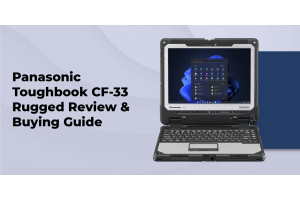
IP65 is the floor for this role. The Toughbook 40 MK2’s IP66 certification makes it the stronger long-term investment for crews working in demolition, site prep, or high-dust environments where high-pressure air or water is used for equipment cleaning. The Panasonic Toughbook CF-33 is a strong alternative for operators who want a 12-inch convertible form factor with detachable tablet mode — useful when switching between vehicle-mounted use and walking the site with gloves on.
Safety Inspectors and Compliance Officers — Mobility and One-Handed Operation
A safety inspector walking an active site logs compliance data, photographs conditions, scans QR codes on equipment, and generates reports — often while moving and with one hand occupied. The hardware requirement here is not maximum performance but maximum mobility: a compact form factor, glove-compatible multi-touch, barcode scanner expansion, and enough ruggedness to survive the constant handling and occasional drops of an active walkthrough. The Panasonic Toughbook FZ-G2 is purpose-built for this profile: a 10.1-inch rugged tablet with IP65 protection, MIL-STD-810H certification, optional 1D/2D barcode scanner, and an ergonomic grip for extended one-handed use during site inspections.
Best Rugged Laptops for Construction in 2026 — Model Breakdown
The following models are available through ToughRuggedLaptops.com and have been selected for their certification standards, verified field reliability, and fit for the specific environments construction teams work in. Each recommendation is tied to a specific job role.
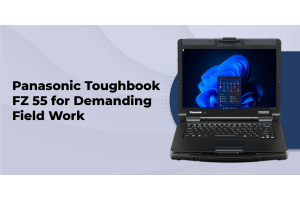
Panasonic Toughbook FZ-55 — Best Semi-Rugged Laptop for Construction
Panasonic Toughbook FZ-55 | MIL-STD-810H | IP65 | 14-inch FHD | Up to 38 hours (dual hot-swap battery)
The FZ-55 is the most configurable Toughbook for construction use and the right choice for any role that bridges office and field without requiring full outdoor exposure. Its defining feature is modularity: six user-removable expansion bays that can be loaded with 4G/5G LTE modules, barcode readers, smart card readers, NFC, or additional batteries — all without tools, all in the field. That means a project manager’s FZ-55 can be reconfigured for a different project’s connectivity and data-capture needs without returning to IT.
The dual hot-swap battery system extends runtime to 38 hours without ever powering down. On a large site where the nearest outlet is a construction trailer a quarter-mile from the active work zone, that is the difference between a device that works through the day and one that becomes a liability by 2 PM. The 14-inch FHD display handles sunlight reading at brightness levels suited to most outdoor conditions, and both gloved and ungloved multi-touch operation is supported.
Best for: Project managers, field engineers, construction supervisors, and any role requiring a portable semi-rugged device with premium battery endurance and flexible configuration. Also available as a certified refurbished unit with 30–50% savings.
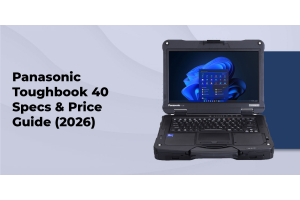
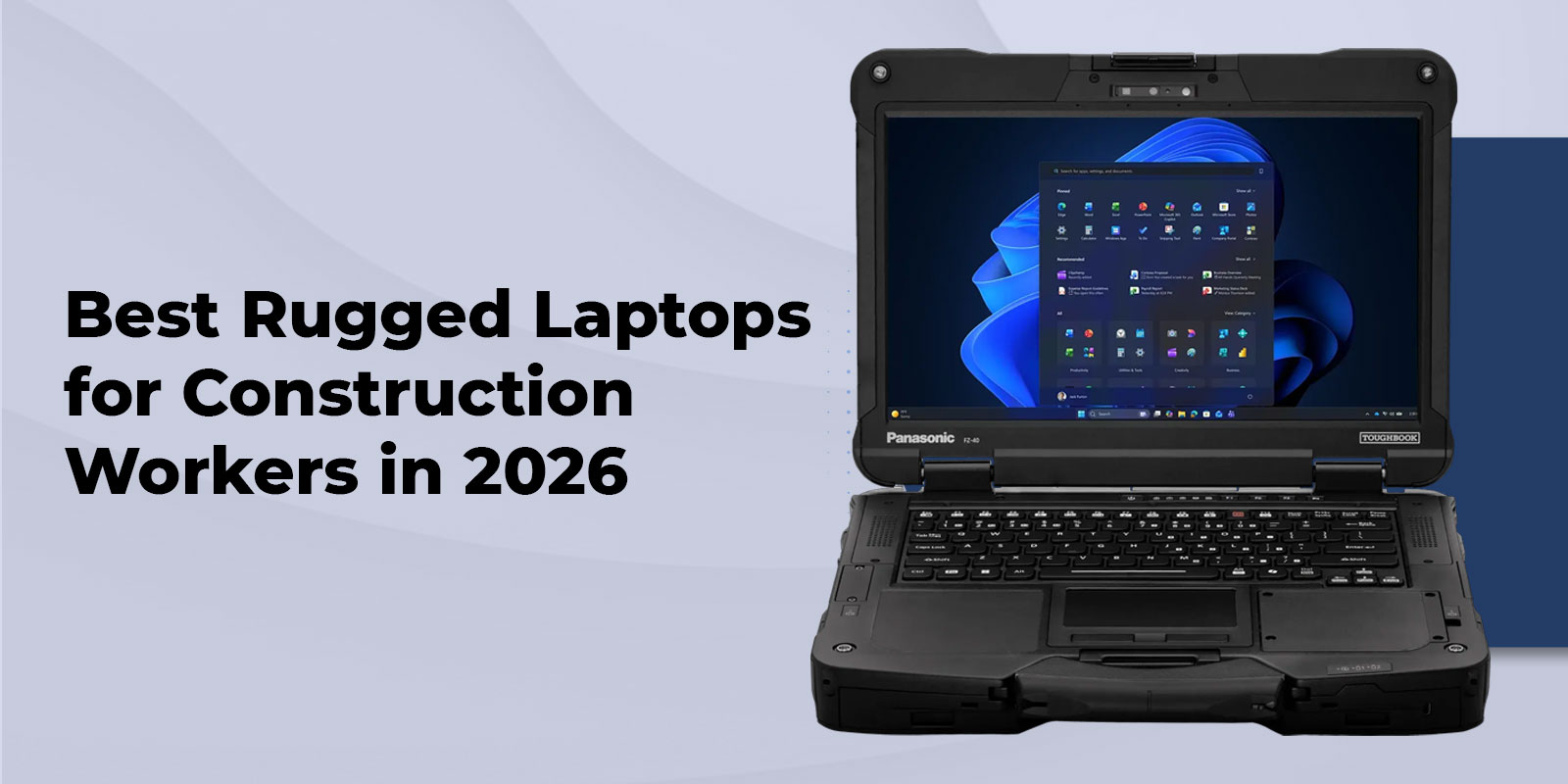
Panasonic Toughbook 40 MK2 — Best Fully Rugged Construction Laptop for 2026
Panasonic Toughbook 40 MK2 | MIL-STD-810H + MIL-STD-461G | IP66 | 14-inch FHD 1,200-nit | 8 Expansion Areas | Intel Core Ultra
The Toughbook 40 MK2 is the most significant generational upgrade in fully rugged laptop history in several years, and it changes the calculus for construction teams that need both field durability and serious computing power. The processor platform has moved to Intel Core Ultra 5 135H and Core Ultra 7 165H vPro — delivering DDR5 performance, 16 CPU cores, and an integrated NPU that opens the door to on-device AI workflows for the first time in a fully rugged form factor.
The IP rating has been upgraded from IP65 to IP66, meaning the Toughbook 40 MK2 now withstands high-pressure, direct water jets in addition to the low-pressure jet protection of IP65. This is not a marketing distinction: on demolition sites, in concrete environments, and anywhere pressurized cleaning is used, IP66 is the more defensible specification. The operating temperature window of −29°C to +63°C handles genuine winter construction work in cold-climate regions. MIL-STD-461G certification — covering electromagnetic interference — adds protection for sites with heavy electrical equipment.
For construction teams running AI-assisted software, the Toughbook 40 MK2 is currently the only fully rugged laptop that delivers: a dedicated NPU for on-device AI processing (up to 143% faster than the previous generation on AI tasks), an optional 8GB discrete GPU (the first in the fully rugged category), Wi-Fi 7 (BE200, up to 5.8 Gbps), and optional standalone 5G with eSIM. Eight modular expansion areas accommodate barcode scanners, optical drives, additional I/O, and more. Starting MSRP: $4,699.
Panasonic Toughbook CF-54 — Best Certified Refurbished Option for Construction Teams
Panasonic Toughbook CF-54 | MIL-STD-810G | IP54 | 14-inch FHD | Full Magnesium Alloy Chassis
The CF-54 is the right answer for construction teams that need proven rugged reliability at a manageable budget — particularly for fleet purchases where outfitting 20 or 30 workers with new fully rugged units is not economically viable. The full magnesium alloy chassis is shock-resistant and spill-protected, and the CF-54’s track record in construction environments across the government and commercial sectors is well established. Its IP54 rating is the primary limitation: it handles routine splashes and office-to-site transitions but is not sealed for sustained outdoor rain exposure.
Best for: Site administrators, project management teams, estimators, and any construction professional whose primary workspace is a site trailer or field office. The certified refurbished CF-54 is one of the best value propositions in fleet rugged computing.
Getac B360 G2 — Fully Rugged Alternative for Asset Tracking and Field Operations
Getac B360 G2 | MIL-STD-810H | IP65 | 13.3-inch Sunlight-Readable | Up to 28 hours (dual system)
For construction organizations that already standardize on Getac hardware, or for teams that need a slightly lighter fully rugged form factor than the Toughbook line, ToughRuggedLaptops.com carries the B360 G2 as a validated alternative. The 13.3-inch sunlight-readable display, Intel 12th Gen Core i7 processor, and modular expansion support for barcode scanners and RFID readers make it particularly effective for materials tracking, asset inventory, and site logistics roles alongside standard field computing.
Best for: Teams standardized on Getac hardware, field operations that require a lighter fully rugged chassis, and construction organizations running barcode-based materials tracking workflows.
Durabook S15AB — Large-Screen Option for Plan Review and Engineering Calculations
When the primary use case is reviewing large-format drawings, running engineering calculations, or analyzing site data from a data-rich software dashboard, the 15.6-inch FHD display of the Durabook S15AB provides meaningful screen real estate over a 14-inch unit without the full cost of a top-tier Toughbook. The MIL-STD-810H certified magnesium alloy chassis and swappable battery cover most construction office and light-field scenarios. IP53 protection is the limitation — adequate for brief outdoor exposure but not for sustained fieldwork in rain or dust. ToughRuggedLaptops.com offers the Durabook S15AB as an accessible entry point into rugged computing, also available fully refurbished.
2026 Model Comparison and Construction Rugged Laptops
|
Model |
Class |
IP |
MIL-STD |
Battery |
Display |
Best Role |
|
Toughbook FZ-55 |
Semi-Rugged |
IP65 |
810H |
Up to 38 hr (hot-swap) |
14-in FHD |
PM / Field Engineer |
|
Toughbook 40 MK2 |
Fully Rugged |
IP66 |
810H + 461G |
Up to 24 hr (hot-swap) |
14-in FHD 1200-nit |
Field Crew / Outdoor / CAD+AI |
|
Toughbook CF-54 |
Semi-Rugged |
IP54 |
810G |
Up to 11 hr |
14-in FHD |
Admin / Site Management |
|
Getac B360 G2 |
Fully Rugged |
IP65 |
810H |
Up to 28 hr |
13.3-in SR |
Field / Asset Tracking |
|
Durabook S15AB |
Semi-Rugged |
IP53 |
810H |
Up to 12 hr |
15.6-in FHD |
Budget / Office-to-Site |
Construction Software in 2026 - What Your Laptop Actually Needs to Run
Hardware specs are meaningless without context. The applications your crew runs every day are the true specification document for your rugged laptop purchase. Here is what the most demanding construction software categories require from the devices that run them.
CAD and BIM Applications - Why Underpowered Hardware Costs More Than It Saves
Minimum spec for BIM/CAD field use: Intel Core Ultra 5 or equivalent, 16-32GB DDR5 RAM, dedicated discrete GPU, 512GB+ NVMe SSD, and an anti-glare display that reads clearly in outdoor conditions. Do not configure a device for this role without a dedicated GPU - integrated graphics will extend render times by an order of magnitude on complex models.
The 2026 shift: AI-assisted tools are now embedded in the core BIM workflow. Autodesk’s generative design tools, AI-driven clash detection, and automated progress documentation in Autodesk Construction Cloud all run better - or exclusively - on hardware with a dedicated NPU. The Toughbook 40 MK2 is the only fully rugged device in 2026 that delivers an NPU alongside a dedicated GPU option and full MIL-STD-810H + IP66 protection. For site engineers running these tools remotely, this combination eliminates both hardware bottlenecks and cloud dependency in a single device.
Construction Management Platforms - Connectivity First
Procore, Autodesk Construction Cloud, Fieldwire, and PlanGrid are primarily cloud-connected platforms. Their hardware requirements are modest on the processing side - but their connectivity requirements are absolute. A project manager who cannot access RFIs, submittals, or updated plans because their hotspot is back in the truck has lost the value of the software entirely.
The solution is integrated, not add-on: a Toughbook FZ-55 or Toughbook 40 MK2 with a factory-installed LTE module provides always-on connectivity without an external hotspot that can be lost, forgotten, or shared with too many devices. The Toughbook 40 MK2’s standalone 5G capability with eSIM handles network transitions across carriers automatically - critical for crews working across multiple sites or in areas with inconsistent carrier coverage.
Field Data Collection and Inspection Applications
SafetyCulture (iAuditor), Fieldwire, and custom inspection platforms require a device that a safety inspector can operate with gloves on, in rain, while walking. The hardware requirement is not raw processing power but input reliability: a multi-touch display that responds accurately with Level 5 work gloves, a camera or barcode scanner for documentation, and a form factor light enough for extended one-handed carry. The Toughbook FZ-55 and Toughbook 40 MK2 both support optional barcode scanner expansion modules that turn either device into a full data-capture platform - eliminating the need for a separate handheld scanner on inspection rounds.
The Real Cost of Construction Laptops — New vs Certified Refurbished vs Consumer
|
|
Consumer Laptop |
New Rugged Toughbook |
Certified Refurb Toughbook |
|
Average unit cost |
$800–$1,200 |
$3,000–$5,000+ |
$1,200–$2,500 |
|
Field lifespan |
2–3 years |
7–10 years |
5–8 years |
|
Units needed / 10 yrs |
3–4 |
1 |
1–2 |
|
Unplanned downtime |
High |
Very low |
Very low |
|
Data loss risk |
High (no sealing) |
Minimal |
Minimal |
|
Technical support |
Manufacturer only |
TRL — lifetime |
TRL — lifetime |
|
10-yr cost per device |
$2,400–$4,800 |
$3,000–$5,000+ |
$1,200–$5,000 |
The consumer laptop column is not a theoretical worst case. It reflects what happens when a $1,000 business laptop is deployed on an active construction site: failure rates climb, data gets lost on failed drives, and IT spends more time on hardware triage than on projects. The rugged laptop column reflects field-verified reliability — Panasonic publishes that Toughbook devices are five times more reliable than standard business laptops, based on repair rate data across enterprise deployments.
Certified refurbished Toughbooks from ToughRuggedLaptops.com deliver that same reliability at 30–50% below new unit pricing. Every refurbished unit is inspected, tested, and reconditioned to verified operational standards before shipping, backed by a warranty and TRL’s lifetime technical support. For a 20-device fleet, the savings typically fund additional accessories, vehicle mounts, or spare batteries. Browse our refurbished Toughbook inventory including certified refurbished fully rugged models. For a detailed breakdown of device longevity in real field conditions, our Toughbook lifespan guide covers maintenance, battery cycles, and expected working life across deployment types.
|
Equipping a Construction Fleet? Our specialists configure Toughbooks for specific job roles and fleet sizes — at factory-direct pricing with same-day shipping on in-stock units. We’ve been doing this since 1999. Call 800-441-9165 — ToughRuggedLaptops.com | Lifetime technical support included. |
How to Choose a Rugged Laptop for Construction — A 5-Step Decision Framework
Most procurement decisions go wrong because they start with a model number rather than a set of requirements. These five steps force the right sequence.
- Identify the actual exposure level. Not the job title — the physical environment. Does this device spend its workday outdoors in direct weather, or primarily in a site trailer with occasional site visits? Outdoor sustained exposure requires fully rugged (IP65 minimum). Office-to-site hybrid roles can use semi-rugged. This decision alone eliminates half the field.
- Specify the right IP rating for your site conditions. IP65 covers rain, concrete dust, and standard hose-down cleaning. If your crew works in demolition, concrete pour environments, or uses high-pressure cleaning equipment, specify IP66 — the Toughbook 40 MK2 is currently the only fully rugged laptop that delivers this in a 14-inch form factor. For trench work or flood-prone conditions, specify IP67 or higher. Undershooting the IP rating is the most common and most expensive rugged laptop procurement mistake.
- Match the processor to the software. CAD, BIM, and AI-assisted construction tools require Intel Core Ultra or equivalent, 16–32GB DDR5 RAM, and a dedicated GPU. Construction management platforms (Procore, Fieldwire) run on Core i5 with 8GB RAM. Do not overspend on GPU for a device that will only run cloud-connected management platforms, and do not underspend on a device that will run Revit or Navisworks in the field.
- Plan the battery strategy before you order. Hot-swappable batteries are essential for all-day outdoor use without access to power. A Toughbook with dual hot-swap battery bays means a crew member can exchange a depleted battery in 30 seconds without powering down or stopping work. For roles that spend more than half the day in vehicles or trailers with power access, standard 8–12 hour batteries are typically sufficient.
- Run the 5-year TCO calculation before comparing sticker prices. A $1,000 consumer laptop on a construction site costs $3,000–$5,000 over 10 years when you account for 3–4 replacements, data recovery, and downtime. A certified refurbished Toughbook in the $1,500–$2,000 range typically covers the same period with one device and lifetime support included. For teams evaluating the refurbished CF-31 as a fleet option, our complete CF-31 buyer’s guide covers current configurations, available specs, and pricing.
Browse the full new Panasonic Toughbook lineup to configure the right unit for each role on your project.
Frequently Asked Questions — Rugged Laptops for Construction Workers in 2026
1. What certifications does a construction laptop need?
At minimum: MIL-STD-810H for drop, vibration, temperature, and humidity resistance, and IP65 for full dust sealing and low-pressure water jet protection. In 2026, the Panasonic Toughbook 40 MK2 raises the bar with IP66 certification (high-pressure water jets) and MIL-STD-461G (electromagnetic interference) — the most comprehensive certification package in the fully rugged laptop category. For government construction procurement, TAA compliance should also be confirmed; the Toughbook 40 MK2 offers TAA-compliant configurations.
2. What laptop specs do I need to run CAD and BIM software on a construction site?
Specify: Intel Core Ultra processor (or equivalent), 16–32GB DDR5 RAM (32GB recommended for Revit on complex models), dedicated discrete GPU, 512GB+ NVMe SSD, and a 1,000-nit or brighter anti-glare display. In 2026, add a dedicated NPU to the list if your team uses AI-assisted BIM tools — Autodesk’s generative design and AI-driven clash detection tools run locally on the Toughbook 40 MK2’s Core Ultra processor without cloud dependency.
3. What is the difference between IP65 and IP66 for construction laptops?
IP65 protects against low-pressure water jets from any direction — adequate for rain, concrete dust, and standard hose cleaning. IP66 adds resistance to high-pressure, direct water jets. On construction sites that use pressurized cleaning equipment, demolition water suppression, or concrete finishing wash-down, IP66 provides meaningfully better protection. The Panasonic Toughbook 40 MK2 is IP66 certified — see our IP rating guide for the full technical breakdown.
4. Should I buy a new or certified refurbished Toughbook for construction?
Certified refurbished Panasonic Toughbooks from ToughRuggedLaptops.com deliver 30–50% savings with the same field-proven durability, backed by TRL’s lifetime technical support. Buy new when you need the latest generation — the Core Ultra processor, IP66 rating, or NPU of the Toughbook 40 MK2. Buy certified refurbished when outfitting a fleet on a budget, replacing older units, or deploying devices for roles that don’t require the latest generation’s capabilities. Browse certified refurbished inventory for current availability.
5. Do I need a fully rugged or semi-rugged laptop for construction site use?
If the device will spend significant time outdoors in active weather, dust, or physical exposure, fully rugged is the right category — IP65 or higher and MIL-STD-810H. Semi-rugged (like the Toughbook FZ-55 or CF-54) is appropriate for roles that split time between office and site, where sustained field exposure is limited. When in doubt, fully rugged is the safer long-term investment: the cost differential at purchase is smaller than the cost of a device failure plus replacement on an active job site.
6. Can I use a gaming laptop on a construction site?
No. Gaming laptops have strong GPU specifications but zero field certifications: no MIL-STD, no IP protection, no sealed ports, no glove-compatible displays. Exposed to concrete dust, a drop from a scaffold, or a direct rain shower, a gaming laptop will fail. The repair or replacement cost, plus project data loss risk, reliably exceeds the cost difference between a gaming laptop and a certified refurbished Toughbook within the first year of construction site deployment.
7. Does the Toughbook 40 MK2 support AI tools used in construction?
Yes. The Toughbook 40 MK2 is the only fully rugged laptop in 2026 with a dedicated NPU for on-device AI processing — delivering up to 143% faster performance on AI tasks versus the previous generation. For construction teams, this enables AI-assisted BIM workflows in Autodesk Revit, on-device clash detection in Navisworks, and generative design tools without cloud connectivity. An optional 8GB discrete GPU — the first available in the fully rugged category — further accelerates graphics-intensive CAD and GIS mapping workloads.
Choosing the Right Rugged Laptop for Your Construction Operation
The best rugged laptop for construction in 2026 is not the most expensive device in the category — it is the device that matches the environmental exposure of the job site, the software requirements of the role, and the total cost budget over five years, not just the purchase order. For most construction teams, that framework leads to one of two conclusions: the Panasonic Toughbook FZ-55 for office-to-site hybrid roles, or the fully rugged Toughbook 40 MK2 for sustained outdoor crews, equipment operators, and field engineers who need CAD, BIM, and AI-ready performance in any weather.
ToughRuggedLaptops.com has been configuring rugged computing for field environments since 1999 — 25+ years of expertise in matching the right device to the right job at factory-direct pricing. We carry the full Panasonic Toughbook lineup both new and certified refurbished, plus Getac and Durabook alternatives for organizations with specific hardware requirements. Every purchase includes lifetime technical support and same-day shipping on in-stock inventory.
For government and law enforcement construction-related procurement with TAA compliance requirements, see our government laptops and police laptops pages for certified configurations.