Panasonic Toughbook 40 Specs and Price Guide 2026
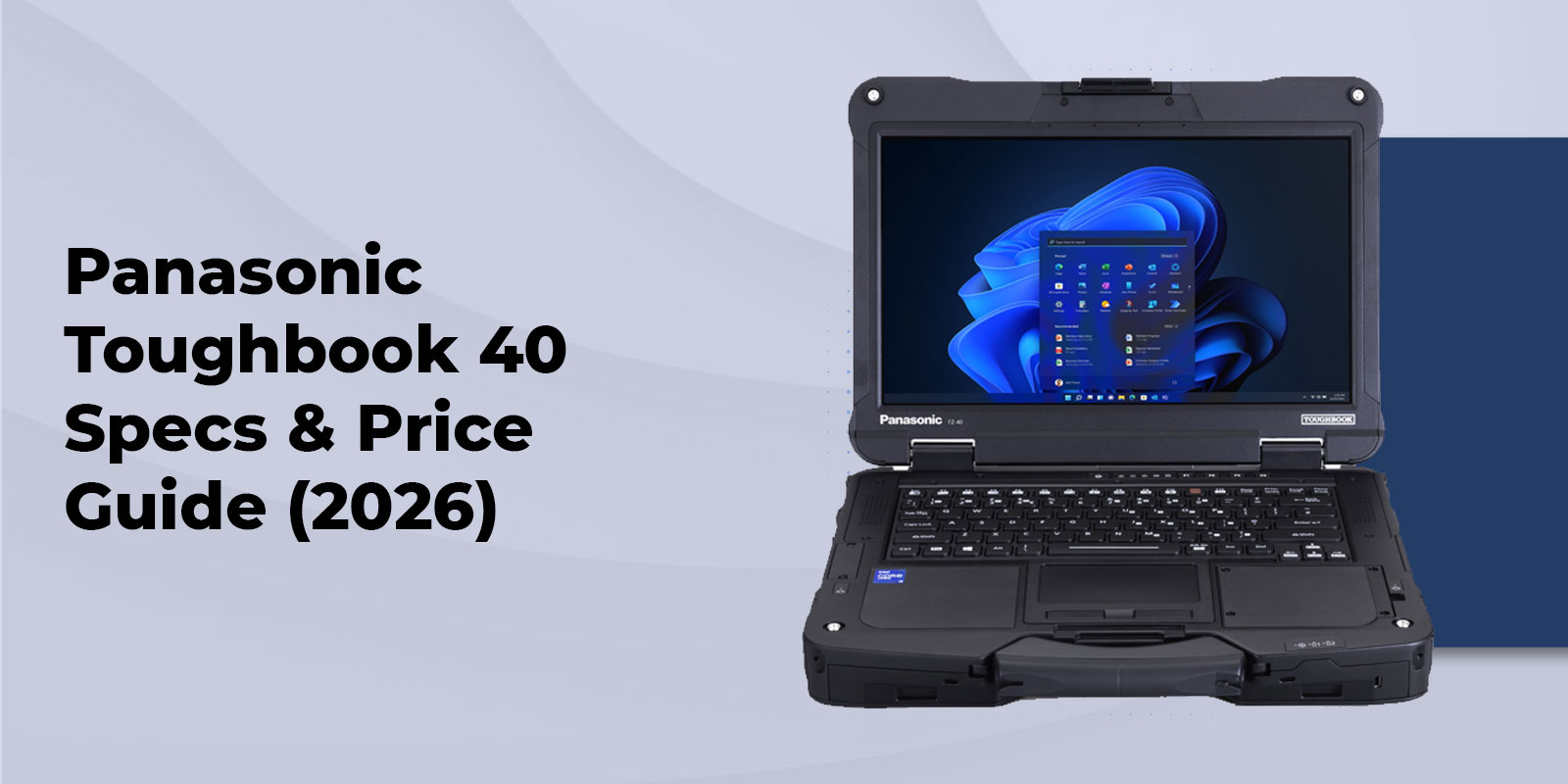
A laptop that spends its day on a construction site, in a patrol vehicle, at a utility location, or in a field service truck has a very different job from one sitting on an office desk. The Panasonic Toughbook 40 is designed for that difference. It is a fully rugged 14 inch laptop with a bright outdoor display, modular expansion, hot swappable battery capability, strong environmental protection, and configuration options built around demanding mobile work.
What Is the Panasonic Toughbook 40?
The Panasonic Toughbook 40 is a fully rugged laptop designed for users who need dependable computing outside controlled office conditions. Panasonic positions the platform for demanding work in areas such as defense, law enforcement, utilities, manufacturing, and field operations.
The current Toughbook 40 family includes the MK2 and MK3 generations. The MK2 introduced Intel Core Ultra processors and AI processing capabilities to the fully rugged platform. The MK3 moves to newer Intel Core Ultra Series 2 processors while keeping the same core rugged concept and modular design.
At ToughRuggedLaptops.com, we focus heavily on Panasonic Toughbooks because the right rugged computer depends on more than a processor number. Your work environment, connectivity needs, mounting setup, storage requirements, security requirements, and battery expectations all matter.
For specialized deployments, you can also review our police laptops, government laptops, and military laptops.
Key Highlights
- Fully rugged 14 inch laptop designed for demanding field conditions
- 14 inch Full HD display with brightness up to 1200 nits
- Glove enabled capacitive touchscreen for outdoor work
- MIL STD 810H testing and IP66 protection on current Toughbook 40 specifications
- Drop resistance up to 180 cm on current Panasonic specifications
- MK2 uses Intel Core Ultra 5 135H or optional Core Ultra 7 165H processors in the configuration sold by TRL
- MK3 moves to Intel Core Ultra 5 235H or optional Core Ultra 7 265H processors in current Panasonic specifications
- Up to 64GB DDR5 memory on MK2 and MK3 configurations
- Main and second SSD options with up to 4TB total storage on MK2
- Optional 4G and 5G connectivity with GPS options
- Eight user replaceable modular areas
- Optional second battery for extended field operation
- Configuration choices for smart cards, barcode scanning, serial ports, additional USB, HDMI, optical drives, and more
Panasonic Toughbook 40 Specifications
Display and build
The Toughbook 40 uses a 14 inch Full HD display with a 1920 by 1080 resolution and brightness of up to 1200 cd per square meter. The capacitive touchscreen supports glove operation, which is useful when workers cannot remove protective gloves simply to operate a computer.
The fully rugged chassis is designed for physical protection and repeated field use. Current Panasonic specifications list drop resistance up to 180 cm and IP66 protection. Weight varies by generation and configuration, so buyers should check the exact configuration before ordering.
Processor and performance
The Toughbook 40 MK2 sold through ToughRuggedLaptops.com is configurable with an Intel Core Ultra 5 135H vPro processor or an optional Intel Core Ultra 7 165H vPro processor. Panasonic introduced the MK2 as its first AI enabled Toughbook PC with Intel Core Ultra processing and an NPU.
The newer MK3 uses Intel Core Ultra 5 235H or optional Core Ultra 7 265H processors with Intel vPro technology. That makes the MK3 the newer platform where current generation processing is the priority.
Optional dedicated graphics are available on applicable Toughbook 40 configurations. Panasonic identifies Intel Arc graphics and AMD Radeon Pro graphics options for the MK2, while its current defense material also identifies an optional 8GB discrete GPU configuration. Always confirm the exact graphics option on the quote because hardware availability can vary by model and procurement configuration.
Memory and storage
Current MK2 specifications support 16GB to 64GB of DDR5 memory. The main storage configuration can be selected from 512GB through 2TB, with an optional second SSD allowing total storage of up to 4TB on the MK2.
The storage modules are designed to be user replaceable. Panasonic also offers FIPS 140 2 hardware encrypted SSD options for applicable configurations. That can be important when a deployment requires additional data protection.
For replacement and expansion options, see the Toughbook 40 storage options.
Modular expansion
Modularity is one of the strongest reasons to consider the Toughbook 40. Panasonic describes eight user interchangeable modular areas. These include areas for the battery, memory, storage, keyboard, and additional expansion modules.
Depending on configuration, expansion options can include smart card readers, contactless smart card readers, barcode scanning, optical drives, additional storage, serial connectivity, VGA, LAN, HDMI, USB A, USB C, and other field specific connections.
You can see available Toughbook 40 accessories on the TRL website.
Battery and connectivity
Current Panasonic MK3 specifications list up to 12 hours with the standard battery or up to 24 hours with an optional second battery. Panasonic's MK2 announcement also lists up to 24 hours under MobileMark 25 with the optional second battery.
Battery life depends on brightness, workload, wireless use, processor activity, and configuration. Published benchmark results should be treated as comparison figures rather than a promise of identical runtime in every field situation.
Connectivity can include Wi Fi, Bluetooth, Ethernet, Thunderbolt 4, USB, HDMI, 4G LTE, 5G, and GPS depending on configuration. Current Panasonic support documentation also lists a 5G cellular option for the MK3.
For vehicle based deployments, consider pairing the laptop with a suitable Toughbook vehicle docking solution and confirm compatibility with your selected configuration before ordering.
Understanding the Rugged Protection
MIL STD 810H testing
MIL STD 810H is an environmental testing standard used to evaluate equipment under defined conditions. It is more useful to ask which test methods were performed than to treat the phrase military grade as a blanket guarantee.
Panasonic lists MIL STD 810H testing for the Toughbook 40 and specifies drop resistance up to 180 cm. These test results describe controlled conditions. They do not mean a laptop is immune to damage from every possible fall or environmental event.
For more context, read our MIL STD 810 laptop testing guide.
IP66 protection
IP66 means the device is rated as dust tight and protected against powerful water jets under the applicable ingress protection test. It does not mean the laptop is designed for immersion.
That distinction matters in the field. A laptop working around rain, dust, spray, or outdoor debris needs a different level of protection from one that only needs to survive an occasional spill.
Our IP rating explainer explains the practical difference between common ingress ratings.
Other certifications and compliance
Panasonic documentation for the Toughbook 40 identifies MIL STD 461H on applicable MK2 specifications and C1D2 options for hazardous locations. Panasonic also describes TAA compliant TOUGHBOOK solutions for government and defense procurement.
Compliance is configuration specific. If your purchase has a federal, defense, hazardous location, or security requirement, we recommend confirming the exact model, option package, and documentation before placing an order.
For procurement questions, our TAA compliant rugged laptop resource provides additional information.
Panasonic Toughbook 40 Price in 2026
The Panasonic Toughbook 40 is available in several configurations, so the price can vary based on the hardware and features your work requires. Processor selection, memory, storage, cellular connectivity, battery options, security features, and modular accessories can all affect the final configuration.
We offer the Toughbook 40 MK2 in a range of configurations to help you balance performance and budget without paying for hardware you do not need. Our current configurations start at $4,532, with additional options available for customers who need more memory, storage, connectivity, battery capacity, or specialized expansion features.
Rather than choosing a configuration based on price alone, we recommend starting with how you plan to use the laptop. A field technician may need a different setup from a police department, utility crew, or government team, and configuring the Toughbook around that workload can help you get the most value from your investment.
View the current Toughbook 40 configurations or contact us if you would like help selecting the right setup for your application.
Which Configuration Should You Choose
|
Configuration |
Good fit for |
Recommended priorities |
Why |
|
Core Ultra 5 with 16GB |
General field service and mobile work |
Processor, 16GB memory, 512GB storage |
Keeps the system focused on core field requirements |
|
Core Ultra 5 with 32GB |
Public safety, utilities, government work |
32GB memory, larger SSD, cellular and GPS |
Adds capacity for multitasking and connected field work |
|
Core Ultra 7 with 64GB |
Engineering, defense, technical workloads |
Higher processor tier, 64GB memory, larger storage |
Provides more headroom for demanding applications |
|
Expanded configuration |
Specialized fleet deployments |
Second SSD, second battery, smart card, barcode, ports |
Builds the computer around a specific operational workflow |
We recommend starting with your application rather than automatically choosing every available upgrade. If your team mainly runs web based applications, mapping, dispatch, office software, or service documentation, a mid range configuration may be sufficient. If you run large engineering files, advanced graphics applications, local AI workloads, or several demanding applications at once, additional memory, storage, processor performance, and graphics capability can be worthwhile.
Where the Toughbook 40 Fits in the Toughbook Lineup
The Toughbook 40 is the right choice when you need a fully rugged clamshell laptop with a larger 14 inch display and extensive modularity.
If your work environment is demanding but does not require a fully rugged platform, a semi rugged Toughbook may provide a lighter and lower cost alternative.
The Toughbook 56 is worth considering for teams that need a modern semi rugged platform.
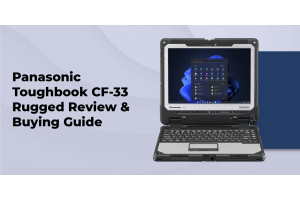
If a smaller fully rugged two in one is more practical, consider the Toughbook 33.
For a compact fully rugged tablet platform, see the Toughbook G2.
Toughbook 40 for Field Work
Law enforcement and public safety
Patrol vehicles and emergency response environments put computers through constant movement, temperature changes, vibration, and frequent handling. The Toughbook 40 can be configured with cellular connectivity, GPS, smart card options, a bright glove enabled display, and a second battery for extended shifts.
See our resource on rugged laptops for police departments.
Construction and utilities
Construction and utility crews often work around dust, rain, vibration, vehicles, equipment, and direct sunlight. The Toughbook 40 addresses those conditions with a sealed rugged design, IP66 protection, drop testing, a bright outdoor display, and modular configuration options.
For more application specific guidance, see our rugged laptops for construction.
Utility teams can also review our rugged laptop recommendations for utility workers.
Government and defense
Government and defense deployments can require more than rugged construction. Procurement eligibility, storage security, wireless configuration, smart card support, electromagnetic compatibility, and documentation can all matter.
The Toughbook 40 supports configurations that address many of these requirements, but procurement teams should verify the exact configuration and required compliance documentation before purchase.
New or Refurbished Toughbook
A new Toughbook 40 is the straightforward choice when you need the latest platform, new components, current connectivity, standardized fleet hardware, or a specific procurement configuration.
Refurbished Toughbooks can make sense when budget matters more than having the newest processor. The key is to evaluate the actual unit, battery health, storage, condition, testing, warranty, and configuration.
If cost efficiency is your priority, review our refurbished Toughbook selection.
Our rugged laptop buying guide also covers the main specifications that should influence a purchase.
FAQs
1. How much does the Panasonic Toughbook 40 cost
As of September 10, 2026, ToughRuggedLaptops.com lists the Toughbook 40 MK2 at $4532 special price from a listed regular price of $5299 for the displayed base configuration. Upgrades change the final price.
2. What is the difference between the Toughbook 40 MK2 and MK3
The MK2 uses Intel Core Ultra Series 1 processors. The MK3 uses newer Intel Core Ultra Series 2 processors. Both continue the fully rugged 14 inch format, modular design, bright display, IP66 protection, and MIL STD 810H testing.
3. How long does the Toughbook 40 battery last
Current Panasonic MK3 specifications list up to 12 hours with the standard battery or up to 24 hours with an optional second battery. Panasonic lists the same 24 hour maximum for the MK2 under MobileMark 25 with the optional second battery.
4. Is the Toughbook 40 waterproof?
It is not correct to call the Toughbook 40 waterproof in the sense of being submersible. Its IP66 rating means it is dust tight and protected against powerful water jets under defined test conditions.
5. Can the Toughbook 40 be customized?
Yes. The platform has extensive modular options covering memory, storage, batteries, wireless connectivity, smart cards, barcode scanning, optical drives, serial connectivity, HDMI, USB, and other expansion requirements.
6. What certifications does the Toughbook 40 have
Current Panasonic specifications list MIL STD 810H testing, IP66 protection, and drop resistance up to 180 cm. Applicable configurations can also include MIL STD 461H and C1D2 options.
7. Is the Toughbook 40 TAA compliant?
Panasonic identifies TAA compliant TOUGHBOOK solutions for government and defense procurement. Because procurement requirements can depend on the exact model and configuration, verify the documentation for the system you are purchasing.
8. Should I buy a new or refurbished Toughbook?
Choose new when you need current generation hardware, new components, fleet consistency, or a specific procurement configuration. Consider refurbished when reducing acquisition cost is the main priority and an older platform meets your software and field requirements.
Get the Right Toughbook 40 Configuration
Every Toughbook 40 can be configured to suit the work it needs to handle. Whether you are equipping a field service team, upgrading a patrol vehicle, or setting up laptops for a larger organization, the right combination of performance, storage, connectivity, battery capacity, and expansion options can make a real difference.
We recommend starting with your day to day requirements and building from there. You may need additional memory for demanding applications, more storage for large files, cellular connectivity for work in the field, or a second battery for longer shifts. Choosing only the options that support your workflow can help you get the capability you need while keeping the configuration practical.
View the Panasonic Toughbook 40 to see the available configurations and options.
Have questions about which setup makes sense for your application? Call us, and we will be happy to help you choose a Toughbook 40 configuration that fits your requirements.