How Long Do ToughBooks Last? Complete Lifespan Guide (2026)
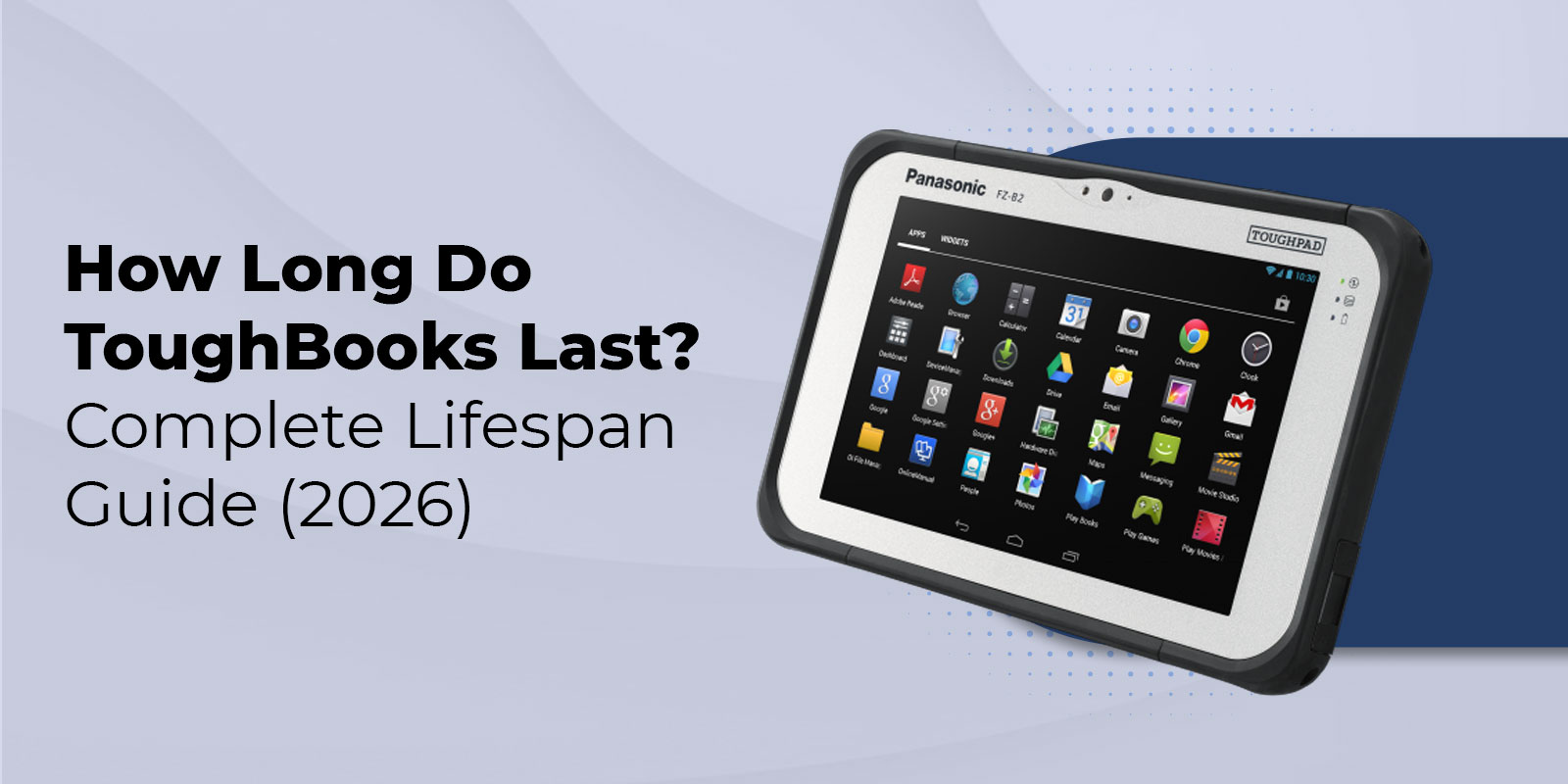
A well-maintained Panasonic Toughbook lasts between 5 and 10 years in demanding field environments. Fully rugged models certified to MIL-STD-810H and IP65 standards routinely reach 7 to 10 years of service life. Semi-rugged models deliver 4-7 years. Both tiers last 3 to 5 times longer than a standard consumer laptop used under the same conditions, and that gap is the whole story when you are equipping a law enforcement fleet, a construction crew, a utility team, or a military unit where downtime is not an option.
What follows is a full breakdown of expected service life by model, the variables that push a unit toward the high or low end of its range, how usage hours work and what to do with them, and a decision framework for choosing between repair and replacement.
Key Highlights
- Fully rugged Toughbooks (MIL-STD-810H, IP65+) typically last 7 to 10 years.
- Semi-rugged Toughbooks average 4 to 7 years of service.
- Toughbooks last 3 to 5 times longer than consumer laptops in the same conditions.
- Most models are rated for 30,000+ operating hours, with some exceeding 70,000 hours.
- OS support expiration, not hardware failure, is the most common reason for replacement.
- An SSD upgrade or battery replacement can extend lifespan by 2 to 3 years.
- A certified refurbished Toughbook with under 8,000 hours of use can offer a lifespan similar to a new unit at 60% to 75% lower cost.
- Panasonic provides spare parts support for five years after the end of life (EOL).
How Long Does a Toughbook Typically Last?
The most accurate answer depends on one variable: the ruggedization tier the model is built for. Panasonic engineers Toughbooks across two primary levels, and each tier carries a different expected service window.
Fully Rugged Toughbooks
Fully rugged Toughbooks are built to meet MIL-STD-810H military standards and carry an IP65 or higher ingress protection rating. That means they are completely sealed against dust and rated to withstand water jets from any direction. In active field conditions, drops, vibration, extreme temperatures, and continuous daily use, fully rugged Toughbooks routinely deliver 7 to 10 years of service life. Some fleet deployments with proper maintenance extend well past 10 years.
Semi-Rugged Toughbooks
Semi-rugged Toughbooks meet MIL-STD-810G/H certification but are not fully sealed to IP65. They are designed for mixed office-and-field use rather than continuous outdoor exposure. In moderate-use environments, semi-rugged models average 4 to 7 years before hardware or software support considerations prompt replacement. For a full breakdown of how these two tiers compare across specifications and use cases, see our semi-rugged vs. fully rugged laptop guide.
Compared to Consumer and Business Laptops
A standard consumer laptop used in the same field conditions as a fully rugged Toughbook typically fails within 12 to 18 months. A mid-range business laptop in a moderate environment averages 2 to 4 years. The Toughbook's magnesium alloy chassis, sealed ports, shock-mounted storage, and replaceable components account for the difference. According to Panasonic's own field data, the annual failure rate for rugged laptops in harsh environments is 3 to 4%, compared to 15 to 20% for standard laptops used in the same conditions.
Toughbook Lifespan by Model
Different Toughbook models are built for different operational intensities. Here is what you can realistically expect from the most widely deployed units.
|
Model |
Rugged Level |
Certification |
Expected Lifespan |
Primary Deployment |
|
Fully Rugged |
MIL-STD-810G/H, IP65 |
7-10 years |
Law enforcement, field services |
|
|
Fully Rugged |
MIL-STD-810H, MIL-STD-461G, IP66 |
8-10+ years |
Military, utilities, government |
|
|
Fully Rugged |
MIL-STD-810H, IP65 |
7-9 years |
Inspectors, field technicians |
|
|
Fully Rugged |
MIL-STD-810H, IP65 |
7-9 years |
Public safety, vehicle-mounted |
|
|
Semi-Rugged |
MIL-STD-810H |
4-7 years |
Enterprise, logistics, field service |
The CF-31 is the most widely deployed fully rugged Toughbook in North American law enforcement and continues to operate in active patrol fleets 8 to 10 years after original manufacture. Certified refurbished CF-31 units with appropriate upgrades routinely outlast newer consumer-grade replacements in side-by-side fleet comparisons.
The Toughbook 40 represents the current generation of fully rugged design. Its IP66 rating -- one step above the standard IP65 protects against powerful water jets, making it the right choice for the most demanding environments. Properly maintained Toughbook 40 deployments are expected to exceed a decade of service life as the model matures.
The FZ-55 is the best-selling semi-rugged Toughbook. Its modular expansion bay -- which supports a field-swappable second battery, USB port, optical drive, or barcode reader -- makes it exceptionally serviceable and extends usable life in enterprise settings where components can be swapped rather than replaced entirely.
What Factors Affect Toughbook Lifespan?
Operational Environment: Harsh conditions, such as construction, mining, and emergency response, accelerate wear compared to climate-controlled environments.
Maintenance History: Regular cleaning, battery replacements, and timely upgrades can significantly extend service life.
Component Upgrades: SSD and battery upgrades are the most effective ways to add 2–3 years of usable life.
Storage Type: SSD-equipped Toughbooks are more reliable and durable than models with traditional hard drives.
Usage Intensity: Higher daily usage accumulates operating hours faster and increases maintenance needs.
Temperature Exposure: Excessive heat, especially in parked vehicles, shortens battery and component lifespan. Proper storage and charging practices help maximize longevity.
Understanding Toughbook Usage Hours
Usage hours represent the total number of hours a Toughbook has been powered on and running. Think of it as the odometer reading on a vehicle: it tells you how much of the machine's service life has been consumed, regardless of calendar age.
Most Panasonic Toughbooks are engineered to run for more than 30,000 hours across their service life. At 8 hours of use per day, 5 days per week, that translates to roughly 14 years of single-shift operation. Some refurbished units have been documented at 70,000 hours and continue operating reliably with proper maintenance in place.
How to Check Toughbook Usage Hours via BIOS
- Power on the Toughbook.
- Press F2 during startup to enter the BIOS before the operating system loads.
- Navigate to the main information screen. Panasonic Toughbooks display the total usage hours counter directly on this screen.
- Record the hours figure and use the benchmarks below to assess remaining service life.
Usage Hours Benchmarks
|
Usage Hours |
Status |
Recommended Action |
|
Under 5,000 hours |
Lightly used |
No action needed. Full remaining service life expected. |
|
5,000 to 15,000 hours |
Normal operating range |
Review battery health. Upgrade to an SSD if still running a spinning drive. |
|
15,000 to 25,000 hours |
Mid-to-late stage |
Inspect battery and storage health. Schedule component replacement proactively. |
|
Over 25,000 hours |
Advanced stage |
Unit remains fully functional with maintenance. Begin planning replacement timeline. |
Why Most Toughbooks Are Retired, Not Dead
The most important and least discussed fact about Toughbook's lifespan is this: hardware failure is rarely what ends service life.
The primary reason Toughbooks are retired from active deployment is operating system support expiration, not mechanical failure. When Microsoft ends support for a Windows version, organizations running mission-critical or industry-specific software must either migrate to a supported OS or retire the hardware. For many fleets running dispatch, GIS, patient care, or military logistics applications, an OS transition triggers device replacement even when the Toughbook itself is in perfect working condition with thousands of usable hours remaining.
This has a practical implication for purchasing decisions: the useful life of a Toughbook is often determined by your software vendor's compatibility requirements, not by the hardware itself.
A six-year deployment review by the Danish Army found that only 1 percent of deployed Toughbook tablets required any repair over the full service period. The rest continued operating without intervention. Four of the five units that required service had fixable hardware issues. The fifth had been run over by a heavy vehicle and was still functioning after the incident.
Planning Tip
Establish a clear Windows lifecycle plan before finalizing a replacement cycle. Factoring in OS upgrade paths in advance can safely extend Toughbook service life by 2 to 3 years beyond a default replacement schedule.
Panasonic guarantees the availability of spare parts and service for 5 years after the end of life on every Toughbook model, which is not an unusual deployment lifespan for a Toughbook.
Toughbook Lifespan vs. Standard Laptops
|
Laptop Type |
Lab Lifespan |
Field Lifespan |
Primary Failure Driver |
TCO Over 8 Years |
|
Fully Rugged Toughbook |
7-10 years |
7-10+ years |
OS lifecycle |
1 unit: ~$4,000-$6,000 |
|
Semi-Rugged Toughbook |
4-7 years |
4-7 years |
OS lifecycle |
1-2 units: ~$3,000-$5,000 |
|
Business Laptop |
3-5 years |
1-3 years in the field |
Hardware failure |
2-4 units: ~$4,000-$8,000 |
|
Consumer Laptop |
2-3 years |
6-18 months in the field |
Hardware failure |
5-8 units: ~$5,000-$10,000 |
Consumer laptops are not designed for field conditions. Their plastic chassis, unsealed ports, and consumer-grade components make them unsuitable for environments involving regular drops, vibration, dust, or moisture. The total cost of ownership comparison above assumes a $1,200 to $1,500 consumer laptop replaced every 12 to 18 months in field conditions versus a single Toughbook investment that runs for the full 8-year window.
Panasonic's own research demonstrates that rugged notebooks deliver a 36% lower 5-year total cost of ownership than non-rugged alternatives. For teams where downtime means delayed emergency response, lost revenue, or safety risk, that figure understates the real advantage. For more context on what makes these laptops field-ready from the ground up, our rugged laptop buying guide covers every specification that drives procurement decisions.
New vs. Certified Refurbished Toughbook: Does It Affect Lifespan?
This is one of the most common questions buyers ask before purchase, and the answer is more nuanced than most sources explain.
New Toughbooks
A new Toughbook starts its service life at zero usage hours and carries a full 3-year manufacturer warranty. It delivers the maximum possible service window and is the right choice for TAA-compliant government contracts, large fleet standardization programs, or deployments requiring the latest hardware specifications -- such as the current-generation Intel Core Ultra processors in the Toughbook 40 MK2.
Certified Refurbished Toughbooks
A certified refurbished Toughbook has been professionally cleaned, tested, and restored to full working condition. At ToughRuggedLaptops.com, every refurbished unit goes through battery health testing, component replacement, full functional validation, and quality certification before it ships. A unit with 3,000 to 8,000 usage hours at the time of purchase has the same practical remaining service life as a new unit for most operational deployments -- at 60 to 75 percent lower cost.
The lifespan difference between new and certified refurbished depends entirely on the usage hours at the time of purchase, not on refurbished status itself. A certified refurbished CF-31 with 5,000 hours and an SSD upgrade will outlast a new off-the-shelf consumer laptop every time.
Choose New
When TAA compliance is required, when deploying a standardized fleet, or when the latest hardware generation is operationally necessary.
Choose Certified Refurbished
When budget efficiency is the priority, when running a pilot program, or when sourcing backup and reserve units for an existing fleet.
How to Extend the Life of Your Toughbook
Toughbook longevity is not passive. The steps below, applied consistently, are the difference between a 5-year unit and a 10-year unit.
- Check usage hours annually via BIOS. Log the reading and track the rate of accumulation. This is your primary early warning system.
- Replace the battery before it fails. Toughbook batteries degrade gradually. A battery delivering less than 60 percent of its original rated capacity should be replaced proactively. Hot-swappable battery models allow field replacement without downtime.
- Upgrade to an SSD if still running a spinning drive. This single upgrade eliminates the most failure-prone moving component in the system and extends usable life by 2 to 3 years.
- Clean cooling vents every 6 months. Dust accumulation causes thermal stress on the processor and accelerates component wear. A can of compressed air takes two minutes and prevents significant long-term damage.
- Keep port covers closed when connectors are not in use. Water and dust ingress through open ports is the most common preventable failure mode.
- Track OS support timelines. Know when Windows support ends for your deployed OS version. Plan upgrades 12 to 18 months in advance to avoid forced hardware retirement.
- Store and charge at appropriate temperatures. Lithium-ion batteries degrade faster when stored or charged in extreme heat. Bring ToughBooks indoors when vehicles are not in use during hot weather.
- Use vehicle mounts and docking stations for in-vehicle deployments. Secure mounting reduces vibration stress on internal components and chassis fasteners over the service life of the unit.
When to Repair vs. Replace Your Toughbook
Not every aging Toughbook needs to be replaced. Use this framework to make the right call.
|
Scenario |
Usage Hours |
OS Status |
Recommendation |
|
Single component failure (battery, HDD) |
Any |
Supported (2+ years remaining) |
Repair/upgrade. Cost is a fraction of the replacement. |
|
SSD replacement needed |
Under 20,000 |
Supported |
Repair. High ROI upgrade that extends life 2-3 years. |
|
Multiple component failures |
Over 20,000 |
Within 12-18 months of EOL |
Plan replacement. Component cost approaches the new unit cost. |
|
Hardware failure + OS approaching EOL |
Over 25,000 |
EOL within 12 months |
Replace. The repair investment will not be recovered. |
|
Chassis damage (non-functional) |
Any |
Any |
Assess repair cost vs. certified refurbished alternative. |
When repair costs exceed 50 percent of the cost of a comparable certified refurbished replacement unit with lower usage hours, replacement is the stronger financial decision. Certified refurbished Toughbooks carry warranty coverage and validated performance at 60 to 75 percent below new pricing. If your unit needs professional Toughbook repair, our technicians can assess the condition and give you a clear cost comparison before you commit.
FAQs
1. What is the lifespan of a Toughbook?
Most ToughBooks last 5–10 years. Fully rugged models typically reach 7–10 years, while semi-rugged models average 4–7 years.
2. Are refurbished ToughBooks worth it?
Yes. A certified refurbished Toughbook with low usage hours can deliver performance and lifespan similar to a new unit at a significantly lower cost. See our refurbished Toughbook page for our full certification process and available inventory.
3. What laptops do law enforcement agencies use?
Law enforcement agencies primarily deploy the Panasonic Toughbook CF-31 for vehicle-mounted and field operations. The CF-31 is certified to MIL-STD-810G/H and IP65 standards and features a sunlight-readable display designed for in-vehicle use. Newer fleets are migrating to the Toughbook 40 for its updated hardware and expanded modular options. For department-specific configurations, see our police laptops page.
4. Does the military use ToughBooks?
Yes. Military organizations worldwide use Toughbooks for field, logistics, and command applications due to their rugged design and reliability. For mission-ready configurations, see our military laptops page.
5. Are ToughBooks worth the price?
For demanding environments, yes. Their longer lifespan and lower failure rates often result in a lower total cost of ownership than consumer laptops.
6. What shortens laptop battery life the most?
Excessive heat, constant charging, and long-term storage at 100% charge are the biggest causes of battery degradation.
7. Can a laptop last 10 years?
Most consumer laptops cannot. A well-maintained, fully rugged Toughbook can realistically remain in service for 10 years or more. For context on what the MIL-STD-810 certification actually covers, see our guide on what military grade means in a laptop.
8. Why are ToughBooks so expensive?
They use ruggedized components, sealed ports, sunlight-readable displays, and undergo extensive durability testing to meet military-grade standards.
9. When should I repair vs. replace my Toughbook?
Repair is usually worthwhile if the unit has moderate usage hours and supported software. Replacement is often the better option when repair costs exceed 50% of a comparable refurbished unit.
Get the Right Toughbook for Your Deployment
Toughbook's lifespan is not determined by luck; it is the result of the right model for the right environment, proactive maintenance, and a clear plan for OS upgrades. A fully rugged unit in law enforcement or military service, properly maintained, will regularly outlast the hardware cycles organizations plan for.
Whether you are outfitting a new fleet, replacing aging units, or looking to extend the life of the hardware already in your hands, we can help you make the right call.
Browse our full inventory of new Toughbooks and certified refurbished Toughbooks, or call our team at 800-441-9165 for a free recommendation based on your exact use case and operating environment. Same-day shipping on in-stock items. Lifetime technical support included.