Panasonic Toughbook 55 Rugged Laptop: Features, Benefits, and Buying Guide
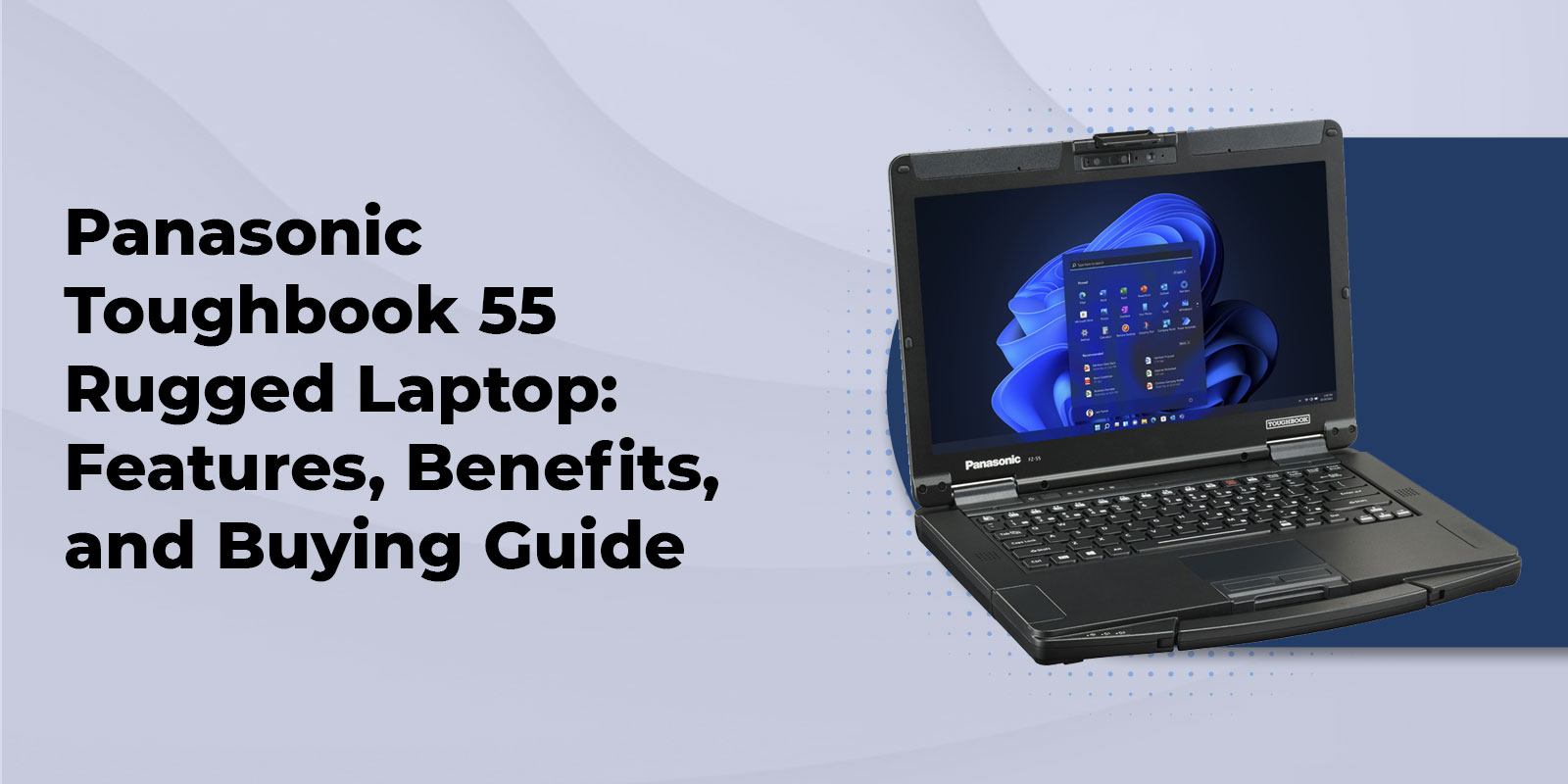
Choosing a rugged laptop is about more than durability. You need a device that supports your applications, connects to your essential equipment, and fits the demands of your working environment. The Panasonic Toughbook 55 combines a 14-inch display with a semi-rugged design and configurable features for professionals who need reliable computing beyond a traditional office setup.
At Tough Rugged Laptops, we help you understand what each configuration offers so you can make an informed purchasing decision. Let's look at the Toughbook 55's key features, practical benefits, and the factors to consider when deciding whether it's the right fit for your work.
Key Highlights
- 14-inch semi-rugged design: A practical laptop format for mobile professionals and field-based teams.
- Rugged construction: A magnesium-alloy chassis and tested drop resistance help support demanding work environments.
- IP53 protection: Provides limited protection against dust and water spray, but does not make the laptop waterproof.
- Modular expansion: Selected configurations support additional storage, ports, and specialised hardware.
- Flexible configurations: Display, processor, memory, storage, connectivity, and battery options vary by model and SKU.
- Purchasing assistance: We help customers evaluate available configurations, accessories, and compatibility requirements.
What Is the Panasonic Toughbook 55?
The Panasonic Toughbook 55 is a 14-inch semi-rugged laptop designed for professionals who need a full computing experience while working outside a conventional office.
We recommend considering this model if your team needs to access business applications, service records, diagnostic software, inventory systems, or operational data while moving between locations.
It can be a suitable option for:
- Field service technicians who need access to manuals and diagnostic tools.
- Fleet operators who manage vehicle inspections, dispatch, and maintenance.
- Utilities and infrastructure teams working across multiple sites.
- Warehouse and manufacturing personnel who use business systems near equipment.
- Public safety and government professionals who require mobile computing capabilities.
One of the main advantages of the Toughbook 55 family is its configurable design. Depending on the generation and exact configuration, you may have options for displays, memory, storage, wireless connectivity, and expansion modules.
Our recommendation: Before choosing a model, identify the applications you need to run, the accessories you already use, and the conditions in which you'll operate the laptop. We'll help you narrow down the available options based on those requirements.
Explore the Panasonic Toughbook 55 at Tough Rugged Laptops to review the available product listing.
Features That Matter When Choosing a Toughbook 55
1. Rugged Construction for Demanding Work
If your laptop travels between vehicles, workshops, warehouses, and outdoor job sites, durability should be one of your first considerations.
The Panasonic Toughbook 55 features a magnesium-alloy chassis with a honeycomb-style structure designed to balance strength and portability. Panasonic lists an IP53 rating and drop resistance for the platform, although specifications and testing conditions can vary by generation and configuration.
These features can help the laptop withstand the knocks and environmental challenges associated with mobile work. However, IP53 protection does not mean the laptop is waterproof or suitable for submersion.
When choosing a rugged laptop, consider the conditions it will face regularly. If your work involves heavy rain, direct water jets, or substantial exposure to fine dust, check whether the Toughbook 55's protection level meets your needs.
We recommend reviewing the specifications for your exact model before making a purchase.
For additional technical information, visit the official Panasonic Toughbook 55 product page.
2. A 14-Inch Display for Mobile Productivity
A screen that's comfortable to work on can make a noticeable difference when you're reviewing documents, completing service reports, checking inventory, or using diagnostic applications.
The Toughbook 55 features a 14-inch display, giving you a traditional laptop workspace while remaining suitable for mobile use. Display resolution, brightness, and touchscreen availability depend on the selected configuration.
Some versions offer high-brightness displays for improved visibility in bright working environments, while compatible touchscreen configurations support glove input modes.
Here's how we suggest approaching your display selection:
- Working outdoors or in bright conditions? Check the display's rated brightness and suitability for your environment.
- Using the laptop with gloves? Confirm that the selected touchscreen supports the input mode you require.
- Working with detailed documents or spreadsheets? Compare available display resolutions before ordering.
- Primarily using a keyboard and mouse? Consider whether a touchscreen is necessary for your workflow.
We recommend checking the specifications of the exact unit you're considering rather than assuming every Toughbook 55 includes the same display features.
3. Modular Expansion and Upgrade Flexibility
Do you rely on specialist peripherals, legacy equipment, or particular hardware connections? If so, the laptop's expansion options deserve careful attention.
The Toughbook 55 family offers a modular design that allows selected configurations to support additional components. Depending on the model and available options, these may include extra storage, specialised ports, optical drives, or authentication readers.
This flexibility can be useful for businesses that need their laptops to work with existing equipment rather than replace an entire workflow.
Before you order, we suggest making a list of everything your team needs to connect to the laptop, including:
- USB devices and external peripherals.
- Diagnostic equipment and specialist interfaces.
- External displays and other video equipment.
- Additional storage or authentication hardware.
- Existing vehicle docks and mounting systems.
Once you've identified your requirements, check which modules and upgrades are compatible with the specific model you're purchasing. Not every expansion option is included in the base configuration, and compatibility should always be confirmed.
4. Battery Life for Work Away From a Desk
When you're travelling between service calls or spending long hours at a job site, battery performance becomes an important purchasing consideration.
Battery life on the Toughbook 55 varies according to the configuration, workload, screen brightness, wireless activity, battery setup, and testing method. Selected configurations support an optional second battery and hot-swapping functionality, which can help extend working time without shutting down the laptop.
However, manufacturer battery-life estimates are based on specific testing conditions and may differ from your everyday experience.
To help you choose the right setup, consider:
- How many hours you typically work away from a power outlet.
- Whether you regularly use cellular connectivity, GPS, or demanding applications.
- Whether your team can recharge devices between shifts.
- Whether additional batteries or hot-swapping are necessary for uninterrupted work.
If you're equipping an entire team, confirm battery compatibility and the availability of additional batteries before placing your order.
5. Connectivity for Vehicles and Remote Work Sites
A rugged laptop needs to connect to the equipment and systems you use every day. Choosing a configuration with the right ports and wireless capabilities can help prevent compatibility problems later.
Depending on the model and configuration, the Toughbook 55 may offer USB ports, USB Type-C, HDMI, Ethernet, Wi-Fi, Bluetooth, optional mobile broadband, and GPS. Selected configurations can also support additional interfaces through modular expansion options.
These capabilities can help you connect peripherals, transfer files, access business networks, and integrate the laptop into compatible vehicle systems.
Before purchasing, we recommend checking three things:
Your existing equipment: Make sure the laptop has the ports required by your diagnostic tools, external displays, and other peripherals.
Your connectivity needs: Determine whether Wi-Fi is sufficient or whether optional cellular connectivity or GPS is necessary for your work.
Your vehicle setup: If the laptop will be used in a vehicle, confirm compatibility with your docking station, mounting hardware, power supply, and antenna arrangement.
Remember that cellular connectivity, GPS, and certain expansion modules may be optional. We'll help you identify the requirements you should verify against the product listing before you commit to a configuration.
6. Security Features for Business Data
If your laptop stores customer records, service reports, business documents, or operational information, security should be part of your purchasing decision.
Depending on the configuration, the Panasonic Toughbook 55 supports security capabilities that may include TPM 2.0, Microsoft Secured Core PC features, and compatible authentication options. Selected configurations may also support OPAL self-encrypting SSDs, Windows Hello facial recognition, and optional fingerprint or smart card readers.
These capabilities can support your organisation's data-protection and access-control requirements. However, available features vary by configuration, and some require optional hardware.
We recommend checking your organisation's security policies before choosing a model. If your team requires specific authentication hardware, drive encryption capabilities, or compatibility with device-management systems, confirm those requirements in advance.
Remember that hardware features are only one part of an effective security strategy. Keeping software updated, enforcing access controls, and configuring approved security tools are also important.
Who Should Consider the Panasonic Toughbook 55?
The Toughbook 55 may be a good fit if you need a traditional laptop that combines semi-rugged construction with configurable features.
Here's how we would evaluate it for different working environments:
- Field service and maintenance: Useful for professionals who need access to work orders, equipment manuals, diagnostic applications, and customer records.
- Fleet and transportation: Worth considering for compatible in-vehicle workflows involving dispatch, inspections, and maintenance.
- Utilities and infrastructure: A potential fit for teams that access asset records and field applications across multiple locations.
- Manufacturing and warehousing: Suitable for evaluating mobile computing needs around equipment, inventory, and production systems.
- Public safety and government: May meet certain mobile computing requirements, provided the configuration satisfies the organisation's hardware, mounting, connectivity, and security needs.
The best choice depends on your actual working conditions. If you need a fully rugged laptop for more demanding exposure, we recommend comparing the Toughbook 55 with other models before making your decision.
How to Choose the Right Toughbook 55 Configuration
Choosing a rugged laptop isn't just about selecting a model name. It's about making sure the hardware supports your daily work.
We suggest working through these six steps before ordering.
1. Start With Your Software Requirements
List the applications your team uses and check their processor, memory, storage, graphics, and operating-system requirements. This will help you identify a configuration that meets your performance needs.
2. Select the Right Display
Compare available resolutions, brightness levels, and touchscreen options. If you work outdoors or wear gloves, pay particular attention to the display specifications and supported input modes.
3. Confirm Ports and Connectivity
Check USB, video output, Ethernet, Wi-Fi, mobile broadband, GPS, and any specialist interfaces your workflow requires. Don't assume every configuration includes every connection.
4. Plan for Your Working Hours
Consider how long you need to operate away from a power outlet. If you work extended shifts, check battery specifications and the compatibility of additional batteries or hot-swapping features.
5. Check Accessories and Mounting Compatibility
If you're replacing existing equipment, confirm compatibility with your docking station, vehicle mount, charger, carrying accessories, and expansion modules before purchasing.
6. Review Warranty and Support
Check the warranty terms associated with the specific unit, including any conditions relating to product condition and additional service options. For business deployments, consider how technical support and servicing will fit into your operations.
Need help narrowing down your options? At Tough Rugged Laptops, we encourage customers to confirm these details before ordering so they can make a more informed decision.
Why Buy Through Tough Rugged Laptops?
Choosing a rugged laptop can involve more than comparing specifications. You may also need help checking accessory compatibility, understanding configuration differences, or identifying a suitable device for your working environment.
At Tough Rugged Laptops, we focus on rugged mobile computing, with particular attention to Panasonic Toughbook systems. We aim to help customers make informed purchasing decisions by considering their intended applications, hardware requirements, and deployment needs.
We encourage you to check the following before placing an order:
- Product compatibility: Confirm that the selected laptop works with your required peripherals, docks, and accessories.
- Configuration details: Review the exact processor, memory, storage, display, and connectivity options listed for the unit.
- Warranty coverage: Understand the applicable warranty terms and any conditions attached to the product.
- Technical assistance: Contact our team if you need help understanding product specifications or evaluating configuration requirements.
Learn more about our company on the About Tough Rugged Laptops page.
For additional purchasing information, visit our Frequently Asked Questions page, or contact our team at sales@toughruggedlaptops.com.
We also recommend reviewing our warranty information before purchasing. Coverage may vary according to the product, its condition, manufacturer policy, and any additional service options.
Frequently Asked Questions
Is the Panasonic Toughbook 55 waterproof?
No. The Toughbook 55 has an IP53 rating on relevant configurations, providing limited protection against dust and water spray. It is not waterproof and is not designed for submersion. Check the specifications for your exact model before using it in wet environments.
Is the Toughbook 55 fully rugged?
No. The Toughbook 55 is generally classified as semi-rugged. If your work requires a fully rugged notebook, we recommend comparing it with the Panasonic Toughbook 40 and checking which model meets your environmental requirements.
How long does the Toughbook 55 battery last?
Battery life depends on the model, battery configuration, workload, screen brightness, and wireless usage. Review the manufacturer's runtime estimates for the specific configuration you're considering, and allow for differences in real-world use.
Can the Toughbook 55 be upgraded?
Selected Toughbook 55 configurations support modular expansion and certain upgrades. Available options depend on the model and generation. Check compatibility for memory, storage, ports, and other components before purchasing.
Can I use the Toughbook 55 in a vehicle?
Yes, the Toughbook 55 can be used in compatible vehicle-based workflows. You may need a suitable docking station, mounting hardware, power supply, or other accessories. Confirm compatibility with your existing equipment before ordering.
Does Tough Rugged Laptops sell refurbished Toughbooks?
You can check the available inventory at Tough Rugged Laptops. For any refurbished product, review the individual listing for its condition, included accessories, warranty coverage, and return eligibility.