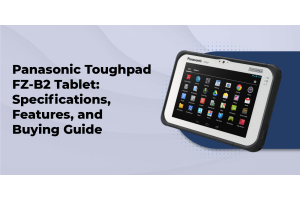
Panasonic Toughpad FZ-B2 Tablet: Specifications, Features, and Buying Guide
When your work takes you across warehouses, service routes, and outdoor job sites, you need a device that can keep up with your daily routine. A standard tablet may not be the right fit for environments where dust, accidental knocks, and frequent handling are part of the job.
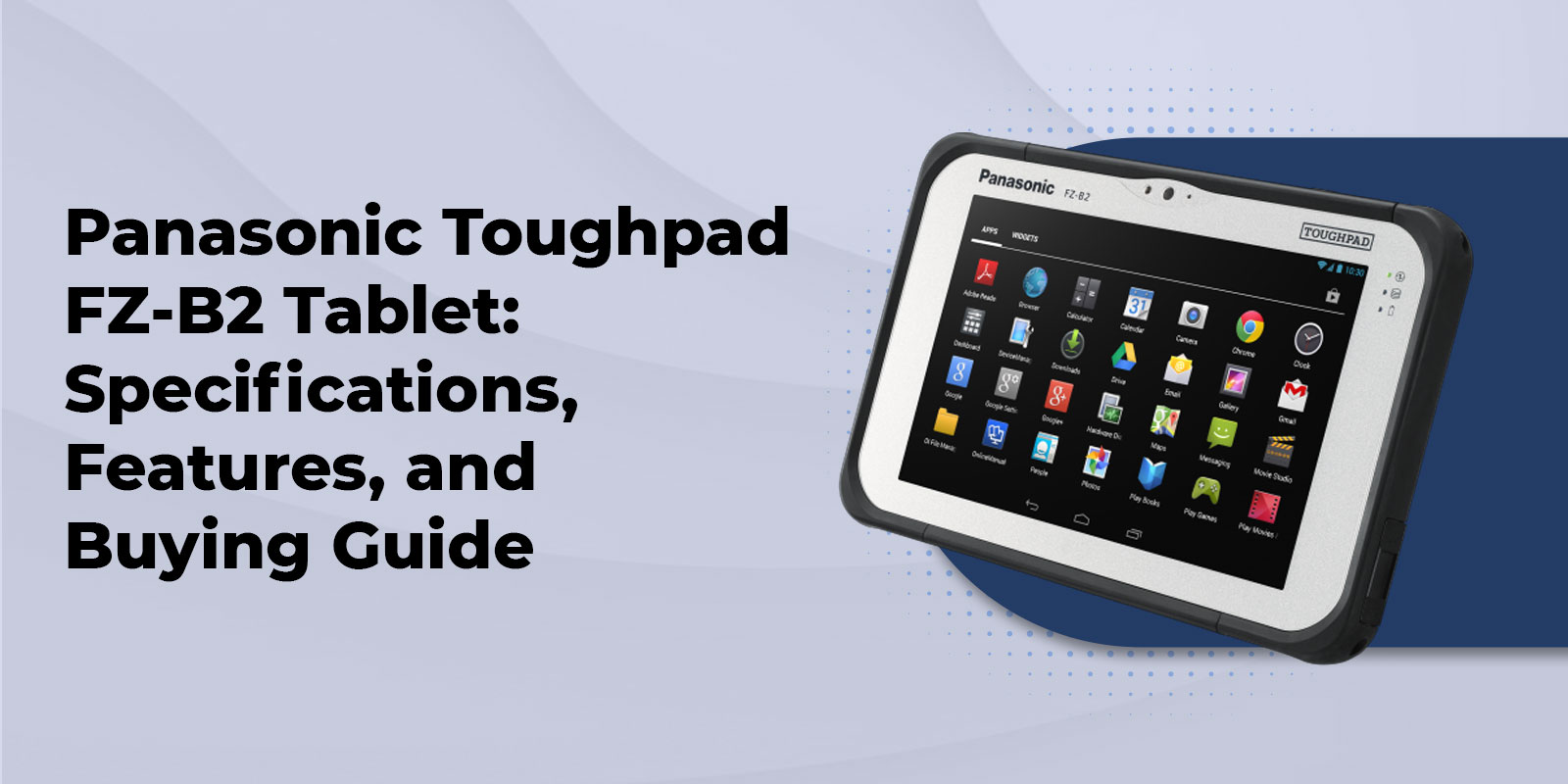
The Panasonic Toughpad FZ-B2 tablet is a compact, 7-inch rugged tablet designed for mobile and field-based tasks.
However, choosing this model requires a little extra attention because the FZ-B2 is a legacy device. Its operating system, hardware configuration, battery condition, and available accessories can vary depending on the exact model.
Below, we'll walk you through the FZ-B2's specifications, explain what they mean for your work, and highlight the checks you should complete before purchasing a used or refurbished unit.
Key Highlights
- Compact display: A 7-inch WXGA touchscreen with a resolution of 1280 × 800 and advertised brightness of up to 500 nits.
- Rugged construction: An IP65 rating and MIL-STD-810G design claims in Panasonic's specifications, subject to the applicable test conditions.
- Portable design: A fanless construction, magnesium-alloy chassis, and protective corner guards.
- Configuration-dependent features: Processor, operating system, touch input, connectivity, and expansion options vary by generation and model.
- Important compatibility checks: Verify software requirements, battery health, accessories, and warranty coverage before ordering.
What Is the Panasonic Toughpad FZ-B2 Tablet?
The Panasonic Toughpad FZ-B2 is a fully rugged, 7-inch Android tablet developed for mobile workers who need a compact device for business tasks.
Its smaller form factor makes it practical for carrying between work locations, checking service records, recording inspection results, and accessing supported inventory applications. Depending on the configuration, you may also find options for barcode scanning, mobile broadband, GPS, and additional business interfaces.
Which FZ-B2 configuration is right for you? That depends on the applications you use and the features your team needs.
The FZ-B2 is available in different generations, and their specifications are not identical:
- FZ-B2B series: Uses an Intel Celeron N2930 processor and Android 4.4.4.
- FZ-B2D series: Uses an Intel Atom x5-Z8550 processor and Android 6.0.1.
The original FZ-B2B series has a five-point capacitive touchscreen, while the later FZ-B2D series supports ten-point capacitive multitouch.
Before you choose a unit, confirm its complete model number. This helps you check whether its hardware, operating system, and installed options match your requirements.
Panasonic Toughpad FZ-B2 Specifications
Use the following table to compare the main specifications and understand what to verify before purchasing.
|
Specification |
Details |
|
Display |
7-inch WXGA touchscreen, 1280 × 800 resolution, up to 500 nits, and anti-reflective treatment |
|
Processor |
Intel Celeron N2930 or Intel Atom x5-Z8550, depending on generation |
|
Memory and storage |
Common configurations include 2 GB RAM and 32 GB eMMC storage |
|
Operating system |
Android 4.4.4 or Android 6.0.1, depending on model |
|
Durability |
IP65 protection and MIL-STD-810G design claims in Panasonic documentation |
|
Wireless connectivity |
Wi-Fi and Bluetooth; optional 4G LTE and GPS, depending on configuration |
|
Cameras |
Front and rear cameras, with specifications varying by generation |
|
Battery |
Standard and extended-capacity options were offered |
|
Expansion options |
Depending on configuration, barcode reader, wired LAN, SmartCard reader, or magnetic-stripe reader |
|
Accessories |
Model-dependent chargers, hand straps, cases, and cradles |
|
Approximate dimensions |
7.98 × 5.20 × 0.71 inches |
|
Approximate weight |
1.2 lb |
Specifications and available options can differ between individual models. We recommend checking the exact product listing and confirming any requirements with our team before placing your order.
What Makes the FZ-B2 Suitable for Field Work?
1. Rugged Construction for Demanding Environments
The Panasonic Toughpad FZ-B2 features a sealed design, magnesium-alloy chassis, protective corner guards, and an IP65 rating for dust and water-jet resistance under specified conditions. These features make it a practical option for demanding work environments.
If you're buying a used or refurbished unit, we recommend checking the housing, seals, and port covers for damage that could affect its protection.
2. Compact Design for Mobile Tasks
With its 7-inch display, the FZ-B2 is easy to carry between workstations and job sites. It's suitable for supported tasks such as checking work orders, managing inventory, and recording inspections.
For easier handling, consider a compatible hand strap and confirm its availability before ordering.
3. Display Visibility in Changing Light
The FZ-B2 offers a 7-inch WXGA display with 1280 × 800 resolution, anti-reflective treatment, and brightness of up to 500 nits, helping improve readability in brighter environments.
Before purchasing, we recommend checking the screen condition and touch response. Also, confirm the model generation, as multitouch capabilities differ between FZ-B2B and FZ-B2D configurations.
Performance and Software: Will the FZ-B2 Run Your Applications?
The right tablet isn't just about rugged construction. It also needs to run the applications your business depends on.
Common FZ-B2 configurations include 2 GB RAM and 32 GB of eMMC storage. The available processing power and storage are modest by current standards, so we recommend checking your software requirements carefully.
The FZ-B2B series runs Android 4.4.4, while the FZ-B2D series runs Android 6.0.1. Both are legacy operating systems.
Panasonic's published update history includes updates for these series through 2019, but you should not assume that either model receives current security updates.
Before choosing an FZ-B2, ask yourself:
- Does your application support the installed Android version?
- Can the tablet connect to your company's network under its current security requirements?
- Will your device-management software work with this model?
- Can your business continue using the device if a required application or accessory becomes unavailable?
If your team handles sensitive information or relies on modern enterprise applications, consult your IT team before deploying a legacy Android tablet.
At Tough Rugged Laptops, we encourage you to check software compatibility before committing to a device. A rugged tablet is only useful if it supports the work you need to complete.
Connectivity and Configuration Options
Not every Panasonic Toughpad FZ-B2 comes with the same connectivity features. The configuration you choose can affect how easily the tablet fits into your existing workflow.
Depending on the model, available features may include:
- Wi-Fi and Bluetooth connectivity.
- Optional 4G LTE mobile broadband and GPS.
- Optional 1D or 2D barcode scanning.
- Wired Ethernet through supported configurations.
- SmartCard or magnetic-stripe readers on applicable models.
Which connectivity features do you need?
If your employees work away from a reliable Wi-Fi network, check whether the particular unit includes cellular connectivity. You should also verify SIM requirements and carrier-band compatibility.
If you plan to use the tablet for inventory management, confirm that the barcode reader is installed and works with your application and labels.
For businesses that require wired networking or card-reading capabilities, check the exact model's interfaces and installed modules before ordering.
Our recommendation: Don't rely on the FZ-B2 model name alone. Confirm each feature you need against the specific product configuration.
Battery Life and Charging
Battery life matters when your team spends long periods away from a charging point. Panasonic offered standard and extended-capacity battery options for the FZ-B2, with estimated runtimes varying by generation.
|
FZ-B2 generation |
Standard battery estimate |
Extended-capacity battery estimate |
|
FZ-B2B series |
Up to 7 hours |
Up to 14 hours |
|
FZ-B2D series |
Up to 8 hours |
Up to 16 hours |
These are manufacturer estimates under specified test conditions, not guarantees of real-world performance. Battery age, previous usage, storage history, screen brightness, wireless connectivity, and application workload can all affect runtime.
For a used or refurbished unit, we recommend confirming:
- Whether the battery is included.
- The battery's current condition and charging behaviour.
- Whether a compatible replacement battery is available.
- Whether the supplied charger is compatible with the exact model.
- Whether your team needs spare batteries or an external charging solution.
If you operate multiple tablets across shifts, battery availability can be particularly important. Check accessory compatibility before planning your charging setup.
You can also browse our Tough Rugged Laptops accessories page for related accessories. Always verify model-specific compatibility before purchasing.
Who Should Consider the Panasonic Toughpad FZ-B2?
The FZ-B2 may be worth considering if you need a compact rugged tablet for a specific task and have confirmed that its legacy hardware and software remain suitable.
Potential applications include:
Field-service teams: Accessing supported work-order systems and recording inspection results while travelling between locations.
Warehouse and inventory teams: Using compatible applications for stock checks and barcode-based workflows, provided the required scanner is installed.
Technicians and inspectors: Collecting information and reviewing records in environments where a compact, rugged device is practical.
Businesses maintaining existing equipment: Replacing a tablet within an established FZ-B2 fleet when the replacement's specifications and accessories match the existing setup.
When should you consider a different device?
The FZ-B2 may not be the right choice if you need current Android security support, compatibility with modern applications, a long remaining service life, or assured access to replacement batteries and parts.
In those situations, compare the requirements of your business with the capabilities of a newer rugged tablet before making a decision.
Our goal is to help you choose equipment that suits your actual workflow, rather than recommending a device simply because it has a rugged design.
What to Check Before Buying a Used or Refurbished FZ-B2
Before purchasing a legacy tablet, take a moment to verify the details that will affect its usability and long-term value.
- Exact model number: Match the complete model number to the relevant specifications. The FZ-B2B and FZ-B2D series have important differences.
- Operating system and application support: Confirm that your required applications, security controls, and device-management tools work with the installed Android version.
- Battery condition: Ask about battery health, charging behaviour, and compatible replacement options.
- Screen and touch response: Check the display for scratches, dead pixels, uneven brightness, and unresponsive touch areas.
- Connectivity and ports: Verify Wi-Fi, Bluetooth, cellular connectivity, GPS, USB, and any additional interfaces your workflow requires.
- Optional hardware: Confirm that the required barcode scanner, card reader, or wired networking module is actually installed.
- Rugged housing: Inspect the corners, seals, port covers, buttons, and screen bezel for damage or signs of repair.
- Included accessories: Check whether the charger, hand strap, case, cradle, or other required accessories are included in the listing.
- Warranty and returns: Review the applicable warranty, return window, and support terms before ordering.
- Availability and compatibility: Confirm that the listed configuration is currently available and that any required accessories can be sourced.
If you're unsure about any of these details, contact us with the full model number and a description of how you plan to use the tablet. This makes it easier to identify the questions that need answering before you buy.
Explore Panasonic Toughpad FZ-B2 Listings at Tough Rugged Laptops
If the FZ-B2 looks suitable for your requirements, start by reviewing the specific configurations listed on our website.
- Panasonic Toughbook FZ-B2DP04GBM — Review the listed configuration and current availability.
- Panasonic FZ-B2B005BBM — Check the product listing for configuration details.
- Panasonic FZ-B2B008CBM — Review the listing and confirm whether it meets your requirements.
Product availability, installed features, and included accessories may differ between listings. Check the current product details rather than assuming that every FZ-B2 unit has identical specifications.
If you're comparing models, focus on the operating system, connectivity, installed options, battery condition, and the applications you need to run. These details will help you decide whether the listed device is appropriate for your work.
FAQs
Is the Panasonic Toughpad FZ-B2 waterproof?
No. Panasonic lists an IP65 rating, which indicates protection against dust and water jets under specified test conditions. The tablet is not designed for immersion, and damage or wear on a used device may affect its original protective seals.
Which operating system does the FZ-B2 use?
The original FZ-B2B series uses Android 4.4.4 and an Intel Celeron N2930 processor. The later FZ-B2D series uses Android 6.0.1 and an Intel Atom x5-Z8550 processor.
Check the complete model number and installed software before purchasing to ensure compatibility with your applications.
Does every FZ-B2 include 4G LTE and GPS?
No. Cellular broadband and GPS depend on the configuration. If you need mobile connectivity, verify the installed hardware, SIM requirements, and supported carrier bands for the exact unit.
Can the FZ-B2 scan barcodes?
Some configurations were offered with integrated 1D or 2D barcode readers. However, not every FZ-B2 includes a scanner.
If barcode scanning is essential to your workflow, confirm that the specific unit includes the required hardware and supports your application.
How long does the FZ-B2 battery last?
Panasonic's estimates vary by generation. The FZ-B2B series is listed at up to 7 hours with the standard battery or 14 hours with the optional long-life battery. The FZ-B2D series is listed at up to 8 hours with the standard battery or 16 hours with the high-capacity battery in Panasonic's European specifications.
Actual runtime depends on battery age, condition, settings, and workload. Ask about the condition of the battery supplied with a pre-owned unit.
Is the FZ-B2 suitable for modern business applications?
It depends on the applications and security requirements involved. The FZ-B2 runs legacy Android versions, so you should verify application compatibility, security support, and enterprise device-management requirements before deploying it.
If your business relies on modern applications or current security standards, compare the FZ-B2 with newer supported devices.
Where can I find compatible FZ-B2 accessories?
Start with our accessories page and identify your complete tablet model number before ordering batteries, chargers, straps, cases, or cradles.
Compatibility can vary by generation and configuration. Confirm the part number and compatibility requirements before purchasing an accessory.