Panasonic Toughbook CF-54 Complete Review, MK Generations Explained and Buyer's Guide
What Is the Panasonic Toughbook CF-54?
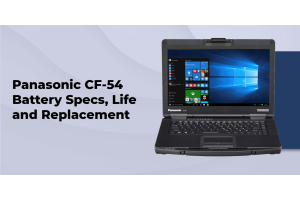
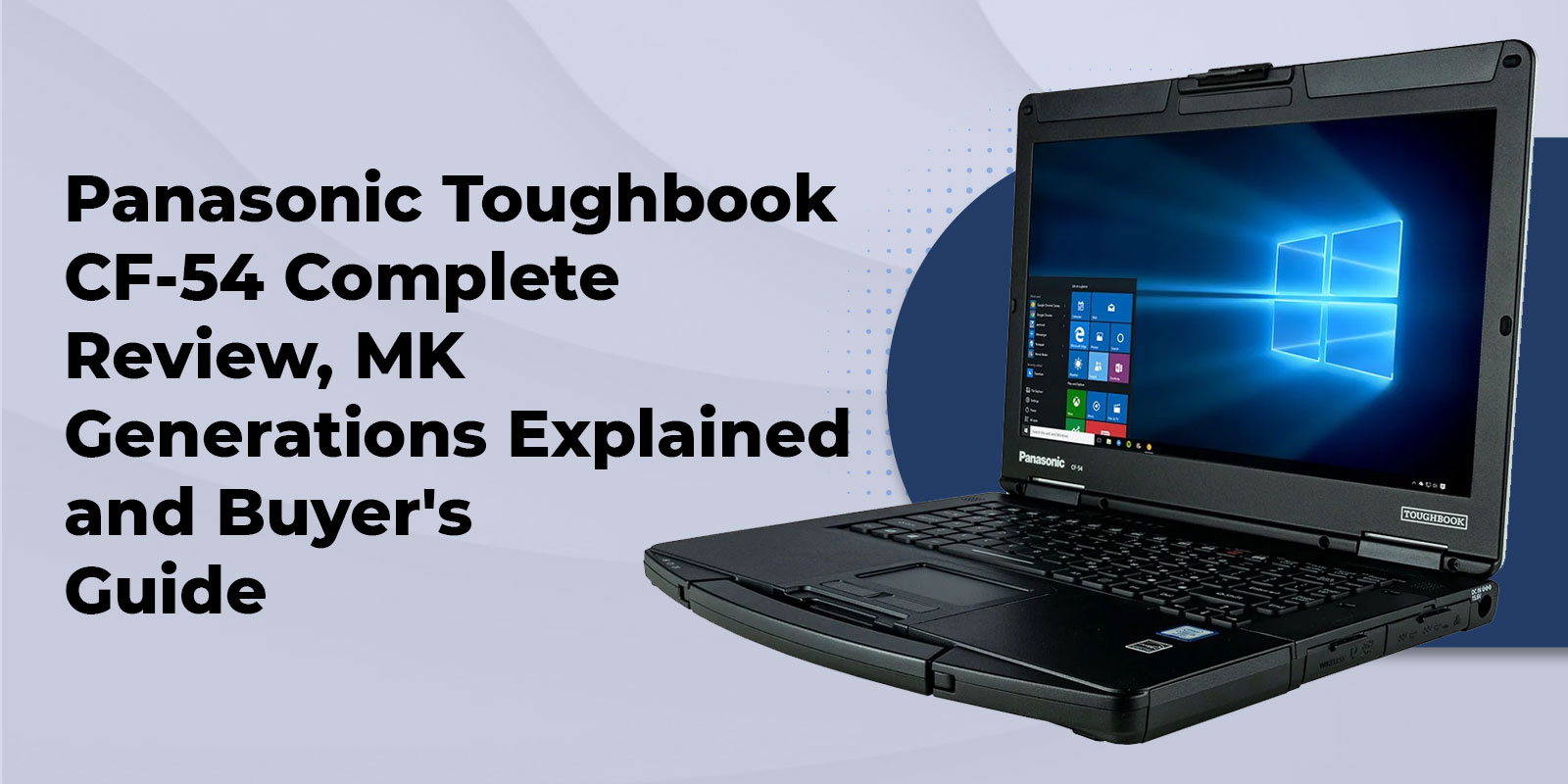
The Panasonic Toughbook CF-54 is a cf-54 semi-rugged laptop built for field professionals who need real durability without carrying a fully rugged, oversized machine. It is tested to MIL-STD-810G and IP51 standards, weighs approximately 4.2 lbs, and has shipped across three generations, MK1 through MK3, each carrying Intel Core i5 or i7 vPro processors. If you have worked a shift in a patrol car, a utility truck, or a job site trailer, there is a decent chance you have already put your hands on one.
Semi-rugged sits between a standard business laptop and a fully rugged brick. You get magnesium alloy construction, a spill-resistant keyboard, and 3-foot drop protection, without the weight or the price premium of a device built to survive a six-foot drop onto concrete. For a closer look at where that line sits, see our guide to semi-rugged versus fully rugged laptops.
Below, we will walk through the full ToughBook CF-54 specs sheet, break down what actually changed between the MK1, MK2, and MK3 generations, show where the CF-54 fits by industry, compare it directly to the FZ-55 and the FZ-56, and give you a straight answer on whether to buy new or certified refurbished.
Key Specs and Technical Overview
Display, Form Factor and Physical Design
The CF-54 ships with a 14-inch display, either a standard 1366 x 768 HD panel or an optional 1920 x 1080 FHD 10-point gloved multi-touch panel rated at 1,000 nits for daylight visibility. The chassis is a full magnesium alloy design with an integrated carry handle, measuring 10.7″ (L) x 13.6″ (W) x 1.2″ (H) and weighing 4.2 to 4.6 lbs depending on configuration. The keyboard is spill-resistant, with an optional emissive backlit keyboard for low-light work.
Processor, Memory and Storage
Across its three generations, the CF-54 has used 5th through 7th generation Intel Core i5 vPro and i7 vPro processors. RAM tops out at 16 GB DDR3 on the MK1 and MK2, and 32 GB DDR4 on the MK3. Storage is a shock-mounted, quick-release HDD or SSD, with an optional m.2 SSD upgrade path and a media bay that can hold a DVD drive, a second battery, a second storage drive, or a stylus holder, though those options are mutually exclusive.
Durability Certifications
Panasonic tested the CF-54 by an independent third-party lab against MIL-STD-810G, Method 516.6 Procedure IV for the transit drop test, alongside IEC 60529 sections covering IP51 ingress protection. In plain terms, the CF-54 survives 3-foot drops, vibration, altitude, and temperature shock, and is sealed against dust and dripping water, though not rain or pressurized water jets. For a deeper explanation of what this certification actually measures, read our breakdown of MIL-STD-810G laptops explained, and for a full comparison of IP ratings across the rugged laptop category, see the real guide to waterproof laptops and IP ratings. A ToughBook CF-54 IP rating of IP51 is genuinely good for a semi-rugged device, but it is not a substitute for IP65 or higher if your crew works in sustained rain or wash-down environments.
Table 1. CF-54 MK1 vs MK2 vs MK3 Generation Comparison
|
Feature |
MK1 |
MK2 |
MK3 |
|---|---|---|---|
|
Processor |
5th Gen Intel Core i5 (2.3 GHz) |
6th Gen Intel Core i5 or i7 (2.4 GHz) |
7th Gen Intel Core i5 or i7 (2.6 GHz) |
|
Max RAM |
16 GB DDR3 |
16 GB DDR3 |
32 GB DDR4 |
|
Standard Storage |
HDD, 500 GB |
HDD or SSD, 500 GB |
SSD, 256 GB or more |
|
Touchscreen Option |
Yes, FHD, 1,000 nit |
Yes, FHD, 1,000 nit |
Yes, FHD, 1,000 nit |
|
4G LTE / GPS |
Optional |
Optional |
Optional |
|
Windows 11 Support |
No (TPM 1.2) |
No (TPM 1.2 default) |
Yes (TPM 2.0) |
|
IP Rating |
IP51 |
IP51 |
IP51 |
CF-54 MK1 vs MK2 vs MK3, Which Generation Should You Buy
The generation question is the one competitors barely touch, and it is usually the most important decision in the whole purchase. Here is how the three stack up in practice, referencing Table 1 above.
MK1:Best for Budget Fleet Replacement
The MK1 runs a 5th Gen Broadwell Intel Core i5-5300U (2.3 GHz, Turbo to 2.9 GHz), up to 16 GB of DDR3 RAM, and a standard HDD or SSD. It runs Windows 10 Pro and cannot be upgraded to Windows 11 because of its TPM 1.2 chip. It is the right call for organizations replacing an aging CF-53 fleet on the tightest possible budget.
MK2: Best for Windows 10 Stability
The MK2 steps up to a 6th Gen Skylake Intel Core i5 (2.4 GHz) or i7 (2.6 GHz) vPro processor, with the same 16 GB DDR3 ceiling and an optional SSD. Like the MK1, it defaults to TPM 1.2 and is not Windows 11 compatible without a hardware modification. It is a strong fit for stable Windows 10 deployments, in-vehicle law enforcement use, and field data collection where the software environment is locked down.
MK3: Best Performance and Windows 11 Readiness
The MK3 is the generation to buy if longevity matters. It runs a 7th Gen Kaby Lake CF-54 MK3 configuration, either an Intel Core i5-7300U (2.6 GHz) or i7-7600U vPro, with up to 32 GB DDR4 RAM, the most this platform supports. Its TPM 2.0 chip makes it the only CF-54 generation that supports Panasonic ToughBook CF-54 Windows 11, and it can be configured with an optional AMD Radeon Pro WX 4150 discrete GPU.
Certified ToughBook CF-54 refurbished units currently start at $299 through our refurbished CF-54 configurator, with final pricing depending on the generation, RAM, storage, and options you select. Give us a call, and we will walk you through which generation actually fits your workflow, rather than just quoting you the cheapest box on the shelf.
Not sure which CF-54 generation fits your deployment?
Call our specialists. We have been matching teams with the right Toughbook since 1999.
Who Uses the Panasonic Toughbook CF-54, Industry Applications
Law Enforcement and Public Safety
The CF-54 is a common sight mounted in patrol vehicles, with direct CAC SmartCard access for secure credential login. MK2 and MK3 units are popular with police fleets because of wide vehicle docking compatibility. Optional features that matter for this use case include an insertable or contactless CAC reader, a dimmer for nighttime use, and a serial port for legacy in-car equipment. For a full walkthrough of hardware requirements, CJIS compliance, and refurbished options, read our complete police laptop buying guide.
Construction and Field Service
The magnesium alloy build and integrated carry handle mean the CF-54 can move around a job site without living inside a padded bag. It is drop-tested to 3 feet, which covers the everyday knocks of a construction environment, and its IP51 rating handles dust and light moisture, though not sustained rain. The touchscreen models are genuinely useful for glove-compatible field data entry. For model-specific recommendations by crew role, see our guide to the best rugged laptops for construction workers.
Utilities, Government and Transportation
Optional integrated GPS (u-blox) and 4G LTE multi-carrier mobile broadband, plus dual antenna pass-through, make the CF-54 a solid fit for vehicle-mounted utility and transportation deployments. TAA-compliant configurations are available for federal, state, and local procurement. For a full breakdown of TAA requirements and current government-ready models, browse our TAA-compliant rugged laptop buyer's guide, and for defense and DoD-specific procurement, see our military Toughbook laptop guide.
Panasonic Toughbook CF-54 vs FZ-55, Should You Upgrade
This is the comparison almost nobody covers in plain language, and it is the one that actually decides whether an upgrade makes financial sense.
Table 2. Panasonic Toughbook CF-54 MK3 vs FZ-55 Side by Side
|
Feature |
CF-54 MK3 |
FZ-55 |
|---|---|---|
|
Processor |
7th Gen Core i5 or i7 Kaby Lake, dual-core |
8th Gen Core i5 or i7 Whiskey Lake, quad-core |
|
Max RAM |
32 GB DDR4 |
Up to 64 GB DDR4 |
|
IP Rating |
IP51, dust and limited splash |
IP53, dust and spray |
|
Drop Rating |
3 ft, MIL-STD-810G |
3 ft, MIL-STD-810G / 810H |
|
Windows 11 |
Yes, MK3 with TPM 2.0 |
Yes, native support |
|
Modular Expansion |
No |
Yes, xPak modules (barcode, 2nd battery, etc.) |
|
Webcam |
Optional on i7 MK3 |
Standard on most configurations |
|
Typical Starting Price |
$299 certified refurbished |
$699 certified refurbished |
When the CF-54 Still Makes Sense
Budget is the biggest reason teams stick with the CF-54. Certified refurbished units start at $299 versus roughly $699 for a refurbished FZ-55, and existing Havis or Gamber-Johnson docking stations from a CF-54 fleet carry over without a replacement cost. If your software environment is still standardized on Windows 10, or you simply need TAA-compliant, proven hardware without paying for features you will not use, the CF-54 remains a defensible choice, and the MK3 generation closes most of the Windows 11 gap on its own.
When the FZ-55, or the New FZ-56, Is the Better Investment
The FZ-55 brings a quad-core processor, xPak modular expansion for barcode scanners or a second battery, IP53 spray resistance, and native Windows 11 support with no caveats. One thing worth flagging for anyone doing this research on their own, because most comparison content online has not caught up to it yet: Panasonic has since released the FZ-56 as the FZ-55's direct successor, with Intel Core Ultra 200H processors and three xPak expansion slots. New FZ-56 units currently start around $2,933 through our current inventory. If you are weighing a brand-new purchase rather than a refurbished CF-54 or FZ-55, it is worth comparing against the Toughbook FZ-56 buyer's guide before you commit, since it is now the current-generation platform rather than the FZ-55.
Weighing your options?
Browse certified refurbished CF-54 configurations, or compare specs on the FZ-55 and the newer FZ-56, and our team will help you land on the right generation for your budget and timeline.
Buying the CF-54, New vs Certified Refurbished
Our Certified Refurbishment Process
We have specialized in Panasonic Toughbooks since 1999. Every ToughBook CF-54 refurbished unit that leaves our warehouse is tested, cleaned, upgraded where requested, and warranted before it ships, and it comes with lifetime technical support and same-day shipping on in-stock inventory. Because we work factory-direct, there is no reseller markup layered on top.
What to Ask Before You Buy
- Which MK generation fits your software environment? MK3 is the only generation ready for Windows 11.
- Touchscreen or non-touch? The FHD touch panel adds 1,000-nit daylight visibility, useful for outdoor field entry.
Need CF-54 accessories such as keyboards, batteries, or a hard drive caddy? Browse our full Panasonic CF-54 accessories catalog, or request a custom quote and we will build out a configuration around your existing docks and peripherals.
FAQs
1. What is the difference between the CF-54 MK1, MK2, and MK3?
The three generations differ primarily in processor generation (5th, 6th, and 7th Gen Intel), maximum RAM (16 GB DDR3 for the MK1 and MK2 versus 32 GB DDR4 for the MK3), and Windows 11 compatibility, which is limited to the MK3 through its TPM 2.0 chip. The MK3 is the most capable and longest-supported generation.
2. Does the Panasonic Toughbook CF-54 support Windows 11?
Only the CF-54 MK3 supports Panasonic ToughBook CF-54 Windows 11. The MK1 and MK2 use TPM 1.2, which does not meet Microsoft's Windows 11 hardware requirements. Organizations that need Windows 11 should look at the CF-54 MK3, or step up to the FZ-55 or FZ-56.
3. What is the IP rating of the Toughbook CF-54?
The CF-54 carries a Toughbook CF-54 IP rating of IP51, meaning it is dust-protected and resistant to dripping water, but not rated for rain or direct water jets (IP65 or IP67). For environments with heavier liquid exposure, the FZ-55, at IP53, or a fully rugged Toughbook is the better fit.
4. How does the CF-54 compare to the FZ-55?
The FZ-55 is the CF-54's direct successor, adding an 8th Gen quad-core processor, xPak modular expansion, IP53 ingress protection, and native Windows 11 support. The CF-54 remains competitive on price, since the Toughbook 54 price for a certified refurbished unit starts around $299, making it attractive for budget-constrained fleets. It is also worth knowing that Panasonic has since released the FZ-56 as the FZ-55's own successor.
5. Is the Toughbook CF-54 suitable for law enforcement in-vehicle use?
Yes. The CF-54 is widely deployed in patrol vehicles. Features that matter most for this use case include an optional SmartCard CAC reader, wide vehicle docking station compatibility, 4G LTE and GPS integration, and a dimmer for night operations.
6. What battery life can I expect from a CF-54?
Standard configurations run roughly 10 hours of active use, with published figures showing up to about 17 hours when paired with the optional second battery loaded into the media bay for hot-swap capability, letting you keep working without powering down.
7. Is the Toughbook CF-54 still worth buying in 2026?
Yes, for the right buyer. Is the Toughbook CF-54 still worth buying is a fair question given its age, and the honest answer is that a $299 certified refurbished MK3 unit still delivers genuine Toughbook durability, MIL-STD-810G certification, and a mature accessory ecosystem at a price no current-production laptop matches at this ruggedness level. Teams that specifically need Windows 11 out of the box, modular expansion, or the latest processor generation should evaluate the FZ-55 or the newer FZ-56 instead.
Get the Right CF-54 Configuration for Your Team
The Panasonic ToughBook CF-54 review story, in short, is that this is still a proven, cost-effective semi-rugged workhorse, and the MK3 generation in particular remains viable well into 2026. If you are working with a tight budget or replacing an aging fleet, the MK1 or MK2 will do the job. If you need Windows 11 and the longest runway before your next refresh, the MK3 is the right call. If you are starting a new deployment from scratch and want modular expansion or the latest processor generation, it is worth putting the FZ-55 and the FZ-56 on your shortlist alongside it.
We have been matching teams with the right Panasonic Toughbook CF-54 configuration since 1999, and every unit we ship comes with lifetime technical support, factory-direct pricing, and same-day shipping on in-stock inventory. Request a custom quote for volume pricing, or call to talk through your configuration with a specialist who has been doing this for a long time.