The Best Rugged Laptop for Utility Workers: A Buyer's Guide
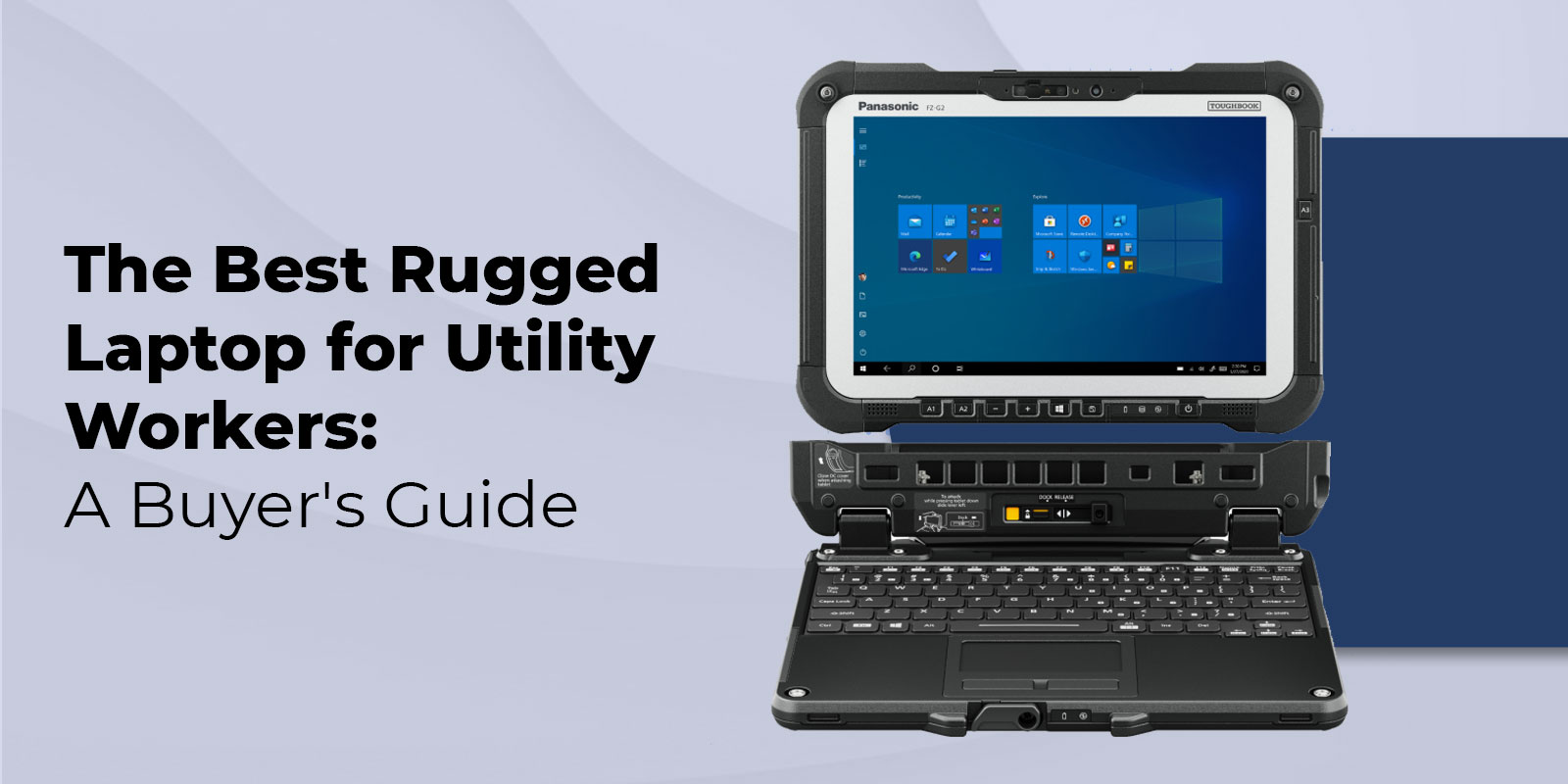
A rugged laptop for utility workers is a field-hardened computing device certified to MIL-STD-810H and IP65 or higher, built to survive the drops, truck vibration, extreme temperature swings, and remote connectivity demands of electric grid, gas pipeline, and water utility operations. Unlike consumer laptops that fail within months of field exposure, rugged models are purpose-built for shifts that take crews far beyond any desk or controlled environment.
What Makes a Laptop Truly Rugged
The word 'rugged' is applied loosely across the laptop market. The devices that earn it legitimately have passed independent military and industrial certification tests that replicate real-world field stresses. Two standards define the baseline for utility work.
MIL-STD-810H Certification
MIL-STD-810H is a United States Department of Defense testing standard covering 29 environmental test methods. These include 6-foot drop tests onto concrete, vibration simulation replicating vehicle operation, altitude testing, salt fog exposure, and temperature cycling from -20°F to 140°F. A laptop carrying this certification has been physically tested and proven to survive these conditions, not simply designed to meet them on paper.
For utility workers operating in substations, climbing poles, or riding in service vehicles across rough terrain, MIL-STD-810H compliance is the non-negotiable starting point. Always confirm the exact revision before purchasing. The current standard, 810H, includes updated test methods for vibration and drop that better reflect modern field conditions versus the older 810G.
IP Ratings for Utility Field Workers
The Ingress Protection (IP) rating defines precisely how well a laptop resists dust and water penetration. The IEC 60529 standard governs IP classifications globally. For utility crews, the two ratings that matter most are IP65 and IP66.
- IP65 blocks complete dust ingress and protects against low-pressure water jets from any direction. This is the practical minimum for most outdoor utility work.
- IP66 adds resistance against sustained, more powerful water jets. Water and wastewater crews who work near high-pressure spray environments or facility washdowns should prioritize IP66 to cover those operating conditions.
For a full breakdown of how these rugged standards translate to real job site conditions, see our guide on MIL-STD-810 certifications explained.
Why Consumer Laptops Fail on Utility Job Sites
A standard consumer laptop is engineered for office environments. Its average lifespan in those conditions is 3.9 years, according to IDC research. On a utility job site, that timeline compresses sharply. The combination of constant vibration inside service vehicles, temperature swings between winter substation vaults and summer outdoor work, dust and moisture exposure, and the occasional drop from a truck running board creates failure conditions that consumer hardware was never designed to handle.
The financial case for rugged hardware is well-documented. An IDC study commissioned by Panasonic found that companies switching from consumer to rugged laptops save an average of $1,045 per device over its full ownership lifecycle. Those savings come from reduced repair costs, fewer emergency replacements, and less operational downtime when a device fails mid-shift. For a utility company managing a fleet of 100 field devices, that represents more than $100,000 in avoided costs -- before accounting for the productivity losses that come with a failed device during a storm response or emergency maintenance call.
Essential Features for a Rugged Laptop on Utility Job Sites
Not every rugged laptop is equally suited to utility work. The features that matter most in this sector differ from those prioritized for law enforcement or military use. These are the specifications your procurement team should evaluate first.
Battery Life and Hot-Swap Capability
Utility field crews regularly work 10 to 12-hour shifts in locations without power access. A rugged laptop should deliver at least 8 to 10 hours of real-world battery life under active field use, not just manufacturer-claimed performance under ideal lab conditions.
Hot-swappable battery capability, the ability to replace a depleted battery without powering down the device, is particularly valuable for linemen and pipeline crews who cannot lose connectivity or close active work orders mid-task. The Panasonic Toughbook 40 delivers up to 20 hours with dual batteries. The Toughbook 55 reaches up to 23 hours, making it one of the longest-endurance options available for extended deployments or storm response rotations.
Sunlight-Readable Displays and Glove-Friendly Operation
Standard laptop displays become difficult to read at around 250 nits of brightness in direct sunlight. For crews working at outdoor substations, on utility poles, or inspecting above-ground metering equipment, a minimum of 1,000 nits is the practical threshold for consistent readability. The Toughbook 40 reaches 1,200 nits, providing clear screen visibility even in bright midday conditions.
Equally important for crews wearing PPE is a touchscreen calibrated for glove use. Capacitive screens that respond reliably through standard work gloves eliminate the need to remove hand protection every time a technician interacts with the device, reducing both workflow friction and safety risk.
Connectivity: 4G LTE, WiFi 6, and Integrated GPS
Utility field teams depend on real-time data access for GIS mapping, work order management through IBM Maximo, outage management systems, and direct communication with dispatch. In remote service areas, cellular connectivity (4G LTE at minimum, with 5G available in newer models) is the primary network path. Rugged laptops for utility work should include integrated cellular modems as a standard specification, not an optional add-on.
Integrated GPS is equally essential for crews running mobile GIS applications like Esri ArcGIS Field Maps, which support infrastructure inspection, outage response routing, and utility asset location in the field.
Vehicle Docking and Modular Expansion
Most utility field technicians operate from service vehicles. A rugged laptop with vehicle docking capability transforms the cab into a fully connected mobile office. Vehicle docks provide secure mounting, continuous powered operation, and antenna pass-through connections that significantly improve cellular and GPS signal quality in low-coverage rural service areas. The Toughbook 40 features eight user-replaceable modular areas offering more than 10,000 configuration combinations, allowing devices to be field-configured with additional storage, barcode readers, fingerprint readers, or serial port modules to match each crew's specific workflow without requiring a different base unit.
EMI and EMC Protection for High-Voltage Environments
Electric distribution workers operate near live high-voltage equipment that generates significant electromagnetic interference (EMI). Laptops deployed near energized switchgear, transformers, or substations should carry MIL-STD-461G EMI/EMC certification, which confirms the device neither emits interference that could disrupt surrounding equipment nor is susceptible to interference from it. This specification is often overlooked in general rugged laptop comparisons, but is critical for electric grid deployments.
Fully Rugged vs. Semi-Rugged
The two primary rugged laptop categories serve different operational profiles. Choosing the wrong category means either overspending on protection that your crew does not need or deploying a device that cannot survive the work environment.
|
Feature |
Fully Rugged |
Semi-Rugged |
|---|---|---|
|
Drop Protection |
6 ft onto concrete (MIL-STD-810H) |
3 ft onto carpeted surface |
|
IP Rating |
IP65 or IP66 (fully sealed) |
IP53 (dust-protected, limited water) |
|
Temperature Range |
-20°F to 140°F certified |
Narrower certified operating range |
|
Weight |
6 to 9 lbs typical |
4 to 6 lbs typical |
|
Best For |
Outdoor linemen, pipeline crews, water/wastewater, storm response |
AMI installers, field supervisors, mixed indoor/outdoor roles |
|
Toughbook Models |
Toughbook 40, CF-31, Toughbook G2 |
Toughbook 55, CF-54 |
For a deeper breakdown of which scenarios call for which category, see our detailed guide on fully rugged vs. semi-rugged laptops.
Rugged Laptop Requirements by Utility Sub-Sector
Utility work is not uniform, and neither are the computing requirements that support it. The hardware specifications that serve an electric distribution lineman differ significantly from those needed by a gas pipeline inspector or a water meter technician. Matching the laptop to the specific sub-sector prevents both over-specification and costly under-specification.
Electric Distribution Crews
Electric distribution workers operate near live high-voltage equipment and need devices carrying both MIL-STD-810H and MIL-STD-461G certification. Core software requirements for this segment include outage management systems, Esri ArcGIS Field Maps for infrastructure and network mapping, CAD file viewers for reviewing pole and substation schematics, and crew communication platforms. The Toughbook 40 and Toughbook 55 both carry full MIL-STD-810H and MIL-STD-461G certification, making them strong choices for electric distribution deployment.
Gas Pipeline Technicians
Gas pipeline work introduces one hardware requirement that no other utility sub-sector demands: intrinsic safety certification. Technicians working in locations where combustible or explosive gases may be present, such as compressor stations, pipeline inspection zones, and gas storage facilities, need devices certified to ATEX standards for international deployments, or Class I Division 2 (NEC Class I Div 2) for domestic operations. These certifications confirm the device will not generate sparks or excessive surface heat capable of igniting an ambient gas atmosphere. Not all rugged laptops carry this certification, and deploying uncertified devices in classified hazardous gas locations is a serious compliance and safety violation. Verify ATEX or Class I Div 2 status explicitly before any deployment in gas-classified areas.
Water and Wastewater Field Teams
Water utility crews work in consistently wet operating environments. Treatment plants, pump stations, and meter vaults involve regular water exposure, and facility cleaning procedures often include high-pressure hose use. An IP66-rated device is the stronger choice for this sector over standard IP65, providing certified resistance against high-pressure water jets during washdown operations. As Panasonic notes in their water utility resource, service delays for water utilities can result in service interruptions, expensive fines, and even public safety risks. Water utility teams typically run SCADA interfaces, IBM Maximo for asset and work order management, and GIS inspection tools. The larger screen real estate of a 14-inch or 15.6-inch rugged laptop supports these multi-window workflows more effectively than a compact tablet form factor.
Smart Meter Installation and AMI Rollouts
Advanced Metering Infrastructure (AMI) rollouts represent one of the largest active technology investments across the utility sector. Field crews installing or commissioning smart meters require a laptop that runs meter programming and commissioning software, maintains cellular connectivity for real-time installation verification, and logs completed work into utility management platforms. Installation volume per shift is high, placing a premium on fast keyboard responsiveness, intuitive touchscreen operation, and reliable cellular data performance in residential and rural service areas.
The Toughbook 55 and CF-54 series are well-matched to this workflow, combining semi-rugged durability with the keyboard quality and connectivity performance necessary for high-volume data entry.
Best Panasonic Toughbook Models for Utility Workers
These Toughbook models cover the range of utility field roles from heavy outdoor crew deployment to smart meter installation and mobile supervision.
|
Model |
Type |
IP Rating |
Battery |
Best Utility Role |
Display |
|---|---|---|---|---|---|
|
Toughbook 40 |
Fully Rugged |
IP65 |
Up to 20 hrs |
Electric distribution, storm response, and all-sector outdoor crew use |
14 in, 1200 nits |
|
Toughbook 55 |
Semi-Rugged |
IP53 |
Up to 23 hrs |
AMI rollouts, mobile supervision, and light outdoor field use |
15.6 in, modular |
|
Toughbook G2 |
Fully Rugged 2-in-1 |
IP65 |
Up to 15 hrs |
Field inspections, confined space access, tablet/laptop hybrid |
10.1 in, 1000+ nits |
|
CF-31 (Refurb) |
Fully Rugged |
IP65 |
8 to 10 hrs |
Budget fleet deployment, vehicle-mounted use, cost-sensitive procurement |
13.1 in, sunlight-readable |
|
CF-54 (Refurb) |
Semi-Rugged |
IP53 |
10 to 12 hrs |
AMI installation crews, data-heavy inspections, warm-climate roles |
14 in, IPS |
Why Certified Refurbished Toughbooks Make Sense for Fleet Procurement
Utility companies deploying rugged laptops at scale face a familiar procurement tension. New fully rugged Toughbooks typically cost $2,500 to $4,500 per unit. For a fleet of 100 devices, that is $250,000 to $450,000 in upfront capital expenditure. Certified refurbished Toughbooks offer a direct path to the same field performance at 40 to 60 percent of the new unit cost.
The critical insight for procurement teams is that ruggedness is a design and manufacturing characteristic, not a feature that degrades with prior ownership. MIL-STD-810H and IP65 ratings are built into the chassis, sealing, and component selection at the factory. A refurbished Toughbook CF-31 or CF-54, properly recertified with battery replacement and documented BIOS hours, provides the same 6-foot drop protection, IP65 water resistance, and extreme temperature operation as when it left the production line.
For utility IT teams managing device refresh cycles, certified refurbished units also provide operational flexibility. When a device fails mid-cycle before the budget is approved for new units, a recertified replacement bridges the gap without compromising field capability. Every Toughbook sold by Tough Rugged Laptops goes through documented battery health testing, grading, and warranty coverage before it ships.
Contact our team at sales@toughruggedlaptops.com to discuss fleet pricing, trade-in valuations, and payment options.
FAQs
1. What makes a laptop rugged enough for utility field work?
A rugged utility laptop should meet MIL-STD-810H standards for drops, vibration, and extreme temperatures, plus an IP65 or higher rating for dust and water protection. Long battery life, a glove-friendly touchscreen, and cellular connectivity are also important for field crews.
2. Do utility workers need fully rugged or semi-rugged laptops?
Fully rugged laptops are best for crews working outdoors in harsh conditions. Semi-rugged models are suitable for inspectors, supervisors, and users who spend most of their time in vehicles or controlled environments.
3. What IP rating does a laptop need for outdoor utility work?
IP65 is the recommended minimum for utility field work because it protects against dust and water jets. For water and wastewater operations, IP66 offers additional protection against higher-pressure water exposure.
4. Can utility workers use a regular laptop instead of a rugged one?
Consumer laptops are not designed for constant vibration, drops, moisture, or extreme temperatures. Rugged laptops typically last longer in field environments and help reduce repair costs and downtime.
5. How long should a rugged laptop battery last on a utility shift?
A rugged laptop should provide at least 8 to 10 hours of battery life. For extended shifts, hot-swappable batteries allow workers to replace batteries without shutting down the device.
6. What software do utility workers typically run on rugged laptops?
Utility crews commonly use GIS mapping software, asset management systems, outage management platforms, SCADA interfaces, CAD viewers, and field service applications. These programs often require higher processing power and memory than standard office software.
7. Are refurbished rugged laptops reliable enough for utility fleet use?
Yes. Certified refurbished rugged laptops can provide the same rugged design and environmental protection as new models when sourced from a reputable reseller with verified testing and battery health checks.
8. How much does a rugged laptop cost compared to replacing a broken consumer laptop?
New rugged laptops typically cost between $2,500 and $4,500, while certified refurbished models are often available for significantly less. Over time, rugged devices can lower costs by reducing repairs, replacements, and downtime.
9. What is the difference between MIL-STD-810G and MIL-STD-810H?
MIL-STD-810H is the newer standard and includes updated testing methods that better reflect modern field conditions. For the most demanding utility environments, 810H-certified devices are generally the preferred choice.
Get Your Crew the Right Hardware
A laptop failure mid-shift is not just an IT inconvenience on a utility job site. It can mean a delayed storm restoration, a missed work order, or a crew member without the GIS data they need to safely locate underground infrastructure. The right device does not draw attention to itself. It just works, through the drop, through the temperature swing, through the full shift.
We carry new and certified refurbished Panasonic Toughbooks specifically matched to utility field deployments. Whether you are outfitting a single crew or managing a 100-device fleet refresh, our team can help you match the right model to the right role at the right cost. Browse our full rugged laptop inventory, or reach out to sales@toughruggedlaptops.com for fleet pricing and trade-in valuations.