Panasonic Toughbook CF-53: Complete Buyer’s Guide, Specs, and All Generations Explained
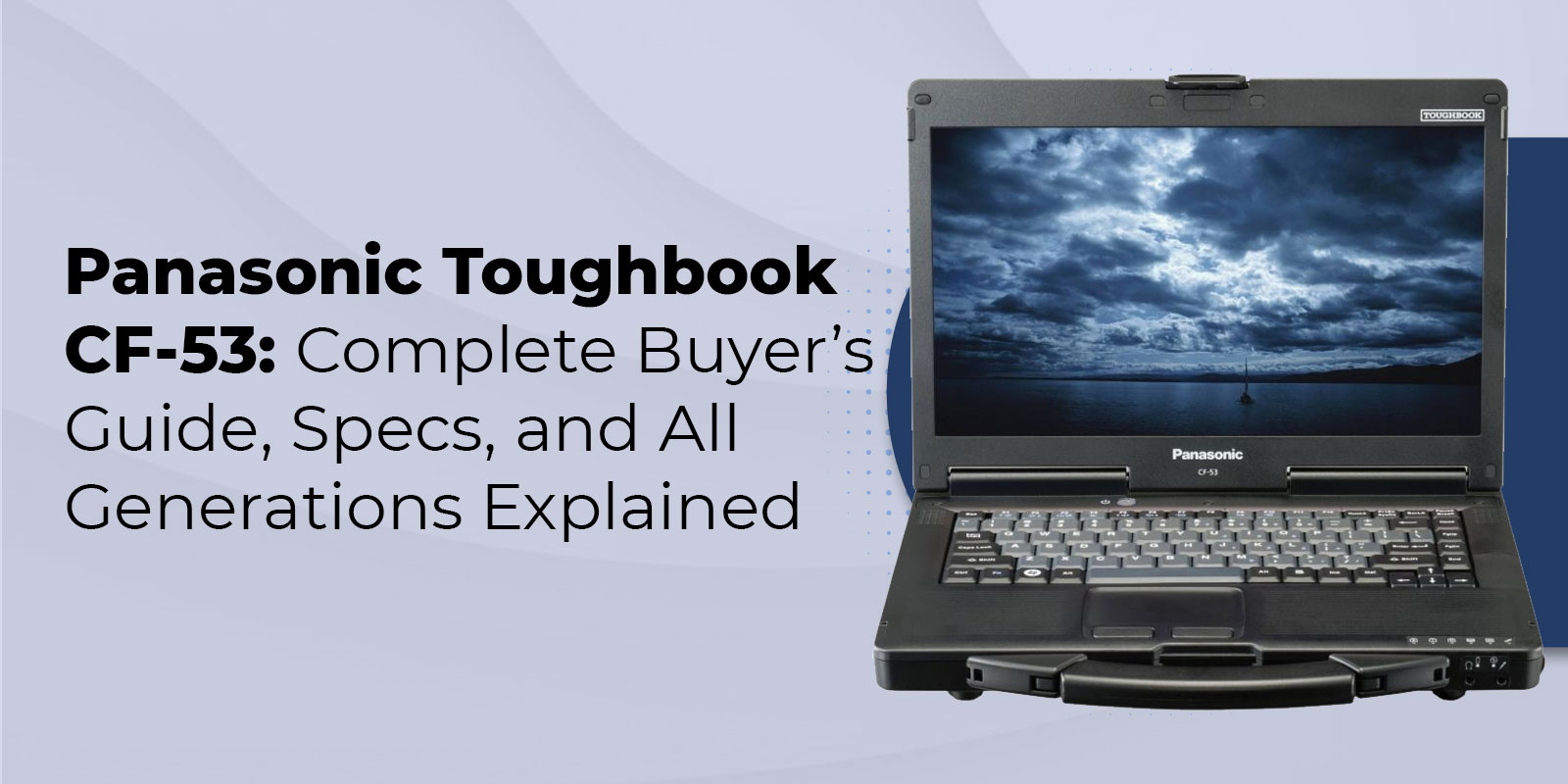
The Panasonic Toughbook CF-53 is a semi-rugged 14-inch laptop designed for mobile professionals who need field-ready durability without the weight and cost of a fully rugged device. Certified to MIL-STD-810G across nine tests and produced in four generations from 2011 to 2015, the CF-53 remains a practical and affordable choice for organizations equipping field teams today.
Discontinued in 2015 and replaced by the Panasonic Toughbook CF-54, the CF-53 now circulates primarily as a refurbished unit, with certified configurations available in the $149 to $299 range depending on generation and specifications. That price point makes it one of the most accessible entry points into genuine Toughbook durability, and demand remains steady among law enforcement agencies, utilities, construction companies, and field service organizations that need Windows 10 compatibility and a built-in serial port.
Browse our full selection of refurbished semi-rugged Toughbooks to see current availability and pricing, or visit our Panasonic Toughbook CF-53 product page to configure a unit for your specific requirements.
This guide covers everything you need to know before buying: full specifications, a breakdown of all four MK generations, real-world use cases by industry, and a head-to-head comparison with the CF-54 and FZ-55 to help you decide whether the CF-53 is the right fit or whether stepping up makes more sense.
What Is the Panasonic Toughbook CF-53?
Semi-Rugged Design and Build
The Panasonic Toughbook CF-53 is part of Panasonic’s semi-rugged product line, sitting between standard business laptops and the fully rugged machines designed for the most extreme field conditions. Semi-rugged devices can handle the everyday hazards of mobile work without the sealed enclosures and reinforced outer casings that add significant weight and cost to fully rugged units.
The CF-53 chassis is constructed from magnesium alloy, the same material used across Panasonic’s fully rugged lineup. This gives the body a rigid, impact-resistant structure that outperforms plastic enclosures without adding unnecessary bulk. Reinforced corners protect the most vulnerable areas of the case during drops, and a built-in carry handle on the front of the unit allows workers to carry the laptop with one hand while moving between a vehicle, a job site, and a work area throughout the day.
The keyboard is spill-resistant, rated to deflect up to six ounces of liquid contact. The hard drive is shock-mounted in a cushioned housing that absorbs vibration and impact rather than transmitting forces directly to the drive. Every port except the headphone jack has a protective flap to keep connectors clean in dusty and wet conditions. At 6.3 to 6.6 pounds, the CF-53 is heavier than a consumer laptop but noticeably lighter than the fully rugged Toughbook CF-31.
For a deeper comparison of how semi-rugged and fully rugged designs differ in real-world durability, protection levels, and total cost of ownership, read the semi-rugged vs. fully rugged laptops breakdown before making a final decision.
Production History and Market Position
Panasonic introduced the CF-53 in 2011 as the successor to the CF-52, a model that had served law enforcement, utilities, and field service organizations for several years. The CF-53 retained the CF-52’s established form factor while modernizing the internal hardware with current-generation Intel processors and updated connectivity options.
Over the four generations produced through 2015, Panasonic updated the processor architecture, USB port speeds, Bluetooth version, and wireless connectivity with each release. In 2015, the CF-54 replaced the CF-53 in the active product lineup, offering a lighter chassis and an optional FHD display. CF-53 units from the 2011 to 2015 production run have since entered the refurbished market, where specialist resellers certify and configure them to order. Because Toughbooks are engineered for well over a decade of operational life, CF-53 units purchased in 2014 and 2015 remain reliably serviceable in field deployments today.
Panasonic Toughbook CF-53 Full Specifications
The table below covers the core specifications that apply across the CF-53 family. Generation-specific processor and connectivity details are covered in the MK comparison section that follows.
|
Specification |
Details |
|
Display |
14-inch HD LED, 1366×768; optional 850-nit or 1000-nit sunlight-viewable touchscreen (CircuLumin technology) |
|
Processor |
Intel Core i5: Sandy Bridge (MK1/2), Ivy Bridge (MK3), Haswell ULV (MK4) (see generation table below) |
|
RAM |
2GB–16GB DDR3 (upgradeable at time of refurbishment) |
|
Storage |
160GB HDD to 2TB SSD; shock-mounted hard drive on all configurations |
|
Durability Rating |
MIL-STD-810G certified (9 test methods); 3-foot drop closed; spill-resistant keyboard (6oz); not IP-rated |
|
Ports |
4× USB (2.0/3.0 varies by MK); HDMI; VGA; 9-pin serial (RS-232); ExpressCard/54; PCMCIA; SD Card (SDXC); Gigabit Ethernet; SIM card slot |
|
Wireless |
802.11 a/b/g/n Wi-Fi; optional Bluetooth; optional 4G LTE (MK3/MK4); optional GPS |
|
Operating System |
Windows 10 Pro 64-bit (official); Windows 11 NOT officially supported on any MK version |
|
Battery Life |
MK1/2: ~5 hrs; MK3: ~6 hrs; MK4: ~7–8 hrs (extended batteries available) |
|
Weight |
6.3–6.6 lbs (2.85–3.0 kg) |
|
Dimensions |
13.4” × 11.1” × 1.8–2.2” |
|
Optional Add-ons |
720p webcam; fingerprint reader; SmartCard reader; backlit keyboard (chiclet or rubber); vehicle docking station |
MIL-STD-810G Certification Breakdown
The CF-53 is certified to MIL-STD-810G, the United States military standard for evaluating equipment durability across a defined set of environmental conditions. The certification covers nine test methods that directly reflect the hazards field workers encounter: drop testing from three feet while closed, mechanical shock, vibration, dust and sand exposure, altitude simulation, humidity, high temperature operation, low temperature operation, and temperature shock.
In practice, this means a CF-53 dropped from a standard desk onto a hard floor will start up and continue operating normally. The spill-resistant keyboard handles a full six-ounce cup of liquid poured directly onto it. The unit functions reliably across temperatures ranging from minus four degrees Fahrenheit to 140 degrees Fahrenheit, covering environments from refrigerated storage facilities to summer job sites in direct sun.
One clarification worth making for buyers: the CF-53 is not IP-rated. The protective port flaps and spill-resistant keyboard manage incidental moisture exposure, but the unit is not designed for sustained rainfall or submersion without additional protection.
For a complete explanation of what MIL-STD-810G test methods actually guarantee in field conditions, see our MIL-STD-810G certification explained guide. For a broader breakdown of which rugged laptop features matter most across different field deployments, the rugged laptops for field work guide covers the key criteria to evaluate before a purchase.
Display and Connectivity Highlights
The CF-53’s 14-inch display runs at 1366 by 768 resolution. While this falls short of the 1080p standard common on current devices, it handles forms, mapping applications, web-based tools, and general field computing tasks without issue. The optional sunlight-viewable touchscreen using Panasonic’s CircuLumin technology brings the panel to 850 or 1000 nits, which keeps the screen legible outdoors in direct sunlight without the glare that affects standard display coatings.
The port selection is one of the CF-53’s strongest advantages in the refurbished market. Four USB ports, HDMI, VGA, a nine-pin RS-232 serial port, ExpressCard/54, PCMCIA, an SD card reader, and Gigabit Ethernet are all present. Optional integrations include GPS, 4G LTE on MK3 and MK4, a 720p webcam, a fingerprint reader, and a SmartCard reader. The RS-232 serial port is particularly significant: many industries that deployed legacy diagnostic tools and monitoring equipment in the 2000s and early 2010s still require serial connectivity, and finding this port on a refurbished laptop at this price point is genuinely uncommon.
Toughbook CF-53 Generations: MK1 Through MK4 Compared
The CF-53 was produced across four generations, each designated with a mark number that identifies the hardware revision. When evaluating a refurbished CF-53, identifying the mark is the most important step in the process. The generations differ meaningfully in processor architecture, USB port configuration, Bluetooth version, 4G LTE availability, and battery life (a difference that affects day-to-day operational use).
|
Feature |
MK1 (2011) |
MK2 (2012) |
MK3 (2013) |
MK4 (2014–15) |
|
Processor |
i3-2310M / i5-2520M |
i5-2560M |
i5-3320M / 3340M |
i5-4310U (ULV) |
|
Clock Speed |
2.1–2.5GHz |
2.6GHz |
2.6–2.7GHz |
2.0GHz (ULV) |
|
CPU Generation |
Sandy Bridge (2nd) |
Sandy Bridge (2nd) |
Ivy Bridge (3rd) |
Haswell (4th ULV) |
|
USB 3.0 Ports |
1× USB 3.0 |
2× USB 3.0 |
2× USB 3.0 |
2× USB 3.0 |
|
Bluetooth |
Optional 2.1 |
Optional 2.1 |
Optional 4.0 |
Optional 4.0 |
|
4G LTE |
No |
No |
Limited |
Yes (multi-carrier) |
|
Battery Life |
~5 hours |
~5–6 hours |
~6 hours |
~7–8 hours |
|
Windows 11 |
Not supported |
Not supported |
Not supported |
Not supported |
|
Best For |
Tight budget, Windows 10 basics |
Price/performance balance |
Best overall stability |
LTE + all-day battery |
|
Refurb Price |
~$100–$149 |
~$120–$175 |
~$149–$220 |
~$175–$299 |
Which MK Version Should You Buy?
For buyers with budgets under $175 and straightforward Windows 10 requirements, the MK1 or MK2 provides solid CF-53 functionality at the lowest entry cost. Web applications, forms, CAD tools, and mapping software run acceptably on Sandy Bridge hardware with adequate RAM and an SSD upgrade.
The MK3 is the recommended generation for most buyers. The Ivy Bridge architecture delivers a performance step-up, Bluetooth 4.0 opens compatibility with current wireless accessories, and the Windows 10 driver support on MK3 units is the most stable across the CF-53 family. If you are equipping a fleet and want consistency and reliability over minimum per-unit cost, MK3 units in the $149 to $220 range represent the best overall value.
The MK4 is the right choice when 4G LTE connectivity or battery life are firm operational requirements. The ULV processor trades some clock speed for meaningfully better power efficiency, extending battery life to seven to eight hours on a standard pack. For patrol officers, technicians, and route-based field workers who spend full days in the field without consistent access to charging, the MK4’s advantages justify the higher price.
One important point across all four generations: Windows 11 is not officially supported on any CF-53. None of the MK versions meet the TPM 2.0 requirement that Windows 11 mandates. Units listed as running Windows 11 have been upgraded through unofficial workarounds, which can introduce driver instability (particularly for the touchscreen). For stable, supported operation, Windows 10 Pro is the right choice for any CF-53 generation.
Industries and Use Cases for the Toughbook CF-53
Law Enforcement and Public Safety
Law enforcement has been among the most consistent user bases for the CF-53 since its introduction. Patrol officers rely on in-vehicle laptops for real-time access to computer-aided dispatch systems, records management software, license plate databases, and incident reporting tools. The CF-53 integrates with Havis vehicle docking stations, allowing the laptop to be secured in a vehicle mount and removed at the end of a shift without tools. The MK4 has a certified Havis dock available for this purpose.
The built-in RS-232 serial port addresses a specific requirement that persists across many police departments: legacy CAD and RMS platforms built in the early 2000s communicate over serial connections, and replacing those backend systems to accommodate modern hardware is a costly undertaking that most agencies defer. The optional sunlight-viewable touchscreen keeps the display visible during outdoor calls and daytime vehicle use.
For more on how police agencies evaluate and deploy rugged computers, see why police departments choose rugged laptops. Our selection of vehicle mounts includes options compatible with the CF-53 for in-vehicle deployments.
Field Service, Utilities, and Inspection
Field service technicians and utility workers benefit from the CF-53’s GPS option, serial port, and practical carry handle. The optional integrated GPS enables GIS software, asset tracking, and route navigation directly from the laptop in locations where mobile phone GPS accuracy is insufficient. The RS-232 port connects legacy meters, diagnostic instruments, and monitoring equipment that still require serial communication — a set of tools common across utilities, telecom infrastructure teams, and industrial maintenance crews.
For a detailed look at the field-specific features that matter most in utility and inspection deployments, the rugged laptops for field work guide breaks down the criteria worth evaluating before a purchase decision.
Construction and Transportation
On active construction sites, the CF-53’s three-foot drop protection and sealed ports provide reliable daily durability against concrete dust, vibration from heavy equipment, and incidental moisture. Workers can carry the laptop from a truck cab to a trailer office and back without cases or covers that a standard laptop would require. The MK4’s 4G LTE option is well-suited for project sites where cellular connectivity is more reliable than establishing temporary Wi-Fi coverage.
For fleet managers equipping drivers and logistics coordinators, the MK4’s extended battery life is a practical advantage on long routes. For more on matching rugged specifications to construction site conditions, our guide to the best rugged laptops for construction workers covers the specific requirements by role.
CF-53 vs. CF-54 vs. FZ-55: Which Should You Choose?
The CF-53, CF-54, and FZ-55 represent three distinct positions on the price-performance curve for semi-rugged Toughbooks. Choosing the right model depends on budget, operating system requirements, weight constraints, display resolution, and how long the device needs to remain in active field service.
When to Choose the CF-53
The CF-53 is the right choice when budget is the primary consideration. At $149 to $299 for a certified refurbished unit, it provides genuine Toughbook build quality, MIL-STD-810G certification, and a built-in RS-232 serial port at a cost the CF-54 and FZ-55 cannot match. Organizations replacing aging CF-53 fleets also benefit from continuity, since existing Havis docking stations, vehicle mounts, and accessories carry over without modification.
If your IT environment requires Windows 10 for software compatibility, your team uses RS-232 serial equipment, and your per-unit budget is under $300, the CF-53 delivers everything necessary for reliable field computing.
When to Step Up to the CF-54 or FZ-55
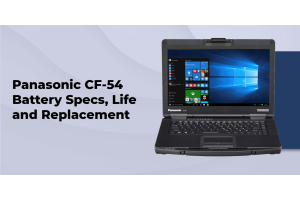
The Panasonic Toughbook CF-54 is the logical step up for buyers who need a lighter device, a Full HD display, or improved Windows 11 compatibility. With reduced weight (approximately 5.3 pounds) and an optional FHD 1080p panel, the certified refurbished CF-54 units run between $299 and $599. Buyers requiring Windows 11 should focus on CF-54 MK3 or later configurations.
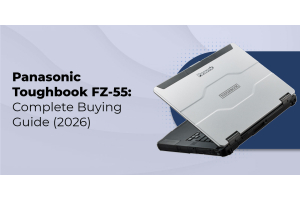
The Panasonic Toughbook FZ-55 is TRL’s current semi-rugged flagship. It fully supports Windows 11, delivers an FHD display as standard, and offers a modular expansion bay that accommodates barcode readers, secondary batteries, smart card readers, and other field accessories without modifying the base unit. For organizations building a rugged computing standard that will remain in service through the next decade, the FZ-55 is the appropriate long-term investment.
If you are still deciding between models or want a structured framework for matching Toughbook specifications to your team’s operational requirements, the rugged laptop buying guide provides a step-by-step approach to evaluating the right rugged computing solution.
Frequently Asked Questions
1. What is the difference between the Toughbook CF-53 MK3 and MK4?
The MK3 uses a third-generation Intel Ivy Bridge Core i5 running at 2.6 to 2.7GHz, delivering strong everyday performance and the most stable Windows 10 driver support in the CF-53 family. The MK4 switches to a fourth-generation Haswell ULV Core i5-4310U running at 2.0GHz. The lower clock speed is offset by significantly better battery life (seven to eight hours on a standard pack) and full multi-carrier 4G LTE support. For teams that focus on performance and Windows 10 reliability, MK3 is the stronger choice. For mobile workers who need all-day battery life and cellular connectivity in the field, MK4 justifies the additional cost.
3. What MIL-STD-810G tests does the CF-53 pass?
The CF-53 is certified to nine MIL-STD-810G test methods: drop from three feet while closed, mechanical shock, vibration, dust and sand exposure, altitude, humidity, high temperature, low temperature, and temperature shock. It is not IP-rated. The spill-resistant keyboard and protected ports handle incidental moisture, but the unit is not suitable for submersion or sustained rain exposure without additional protective measures.
4. What industries use the Toughbook CF-53?
The CF-53 is actively deployed in law enforcement for in-vehicle MDT use, utilities and field service for GPS and serial port connectivity, construction for job site durability, transportation and logistics for 4G LTE fleet connectivity on the MK4, aviation ground support, automotive service shops, and telecom field technicians. Its combination of carry handle, built-in serial port, and semi-rugged build addresses requirements that lighter consumer-grade laptops cannot meet without supplemental hardware.
5. Is the Panasonic Toughbook CF-53 still worth buying in 2026?
Yes, for the right buyer. At $149 to $299 for a certified refurbished unit, the CF-53 provides Toughbook-grade durability, MIL-STD-810G certification, and a built-in RS-232 serial port at a price that no current production laptop can match for the level of field protection delivered. It is the correct choice for Windows 10 environments, budget fleet replacements, and any operation that requires the serial port. For organizations that need Windows 11, Full HD displays, or modular expansion accessories, the CF-54 or FZ-55 is the better long-term investment.
7. What is the battery life on the Toughbook CF-53?
Battery life varies by generation. MK1 and MK2 units with standard batteries deliver four to six hours of active use. The MK3 extends this to approximately six hours. The MK4, using the more efficient Haswell ULV architecture, reaches seven to eight hours on a standard battery pack. Extended batteries are available as an upgrade option for all generations and can be configured at the time of refurbishment for teams requiring full-day field use between charges.
Conclusion
The Panasonic Toughbook CF-53 delivers a specific and well-defined value proposition in 2026: Toughbook-certified field durability, built-in RS-232 serial port support, and four generations of proven Windows 10 performance. Available in the refurbished market at $149 to $299 per unit.
Understanding the MK differences before purchasing is the most important step. The MK3 offers the best balance of performance and driver stability for most teams. The MK4 is the right choice for workers who need 4G LTE and extended battery life. All four generations run Windows 10 Pro reliably. None supports Windows 11 through official channels.
For organizations that need Windows 11, Full HD displays, or modular field accessories, the CF-54 and FZ-55 are the appropriate next steps in the Toughbook lineup. If you are weighing options across multiple models, our team at ToughRuggedLaptops.com has specialized in Panasonic Toughbooks since 1999 and can help match the right generation and configuration to your requirements.