Panasonic CF 33 Accessories
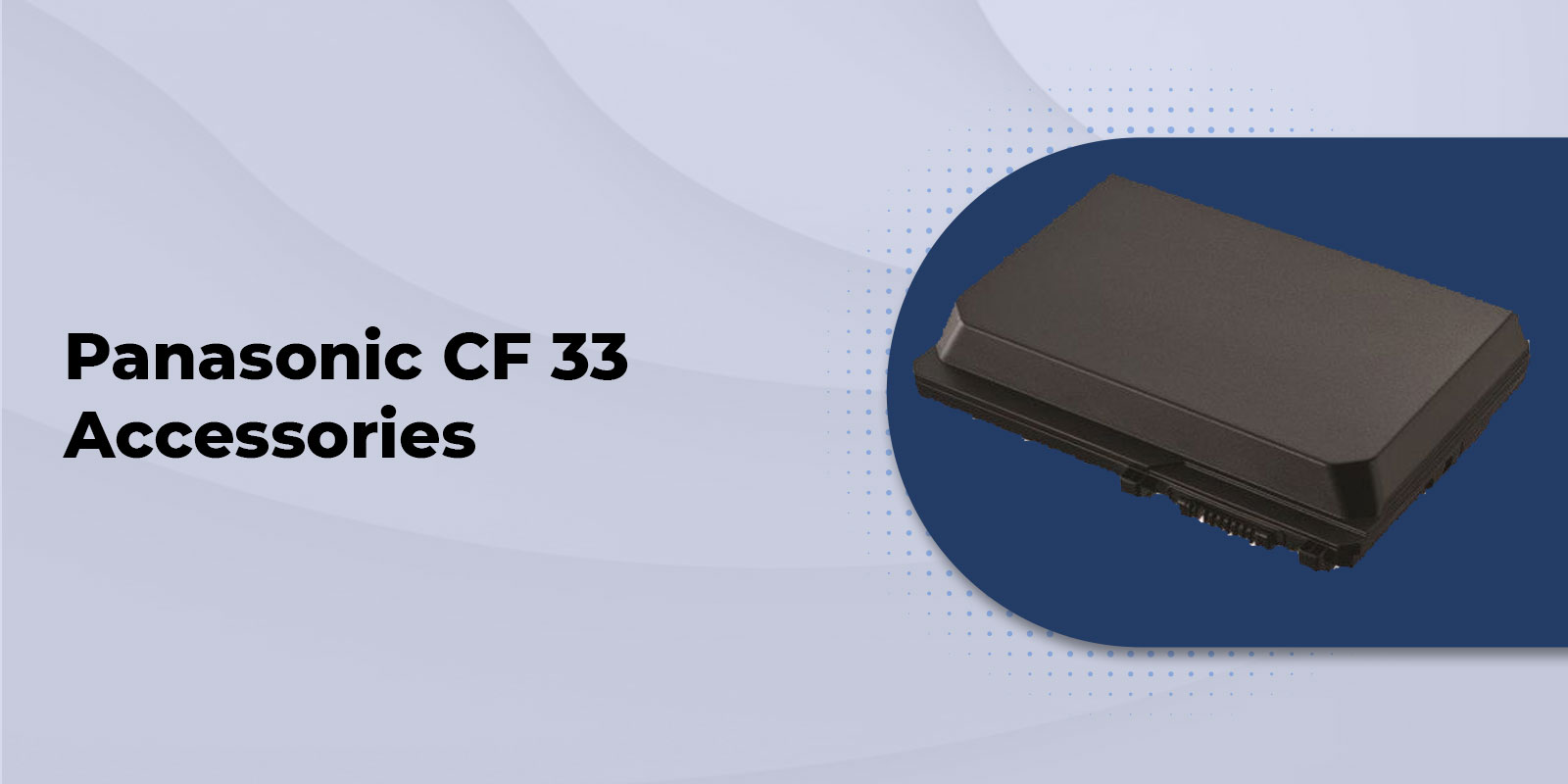
When you use a Panasonic Toughbook CF 33 in the field, the right accessories can make a big difference in how easily you work throughout the day.
You may need a longer battery life for an extended shift, a keyboard for typing reports, a vehicle dock for mobile work, or a stylus for precise tablet input. Instead of choosing accessories simply because they are available, we recommend starting with how you actually use your CF 33.
At Tough Rugged Laptops, we help customers match their Panasonic CF 33 with accessories that fit their equipment, workflow, and deployment requirements.
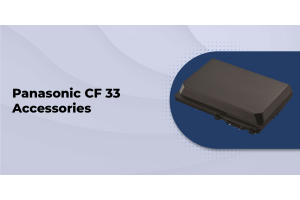
Our Panasonic CF 33 accessories collection includes batteries, keyboards, docking solutions, power adapters, screen protection, styluses, carrying solutions, connectivity accessories, and more.
Start With Your CF 33 Configuration
The first thing we recommend checking is your exact CF 33 configuration.
The Panasonic Toughbook CF 33 has been available across multiple MK generations and configurations. That means an accessory that works with one CF 33 may not necessarily be the right choice for another.
Before you order a battery, keyboard, dock, stylus, or power adapter, check your specific model and MK generation.
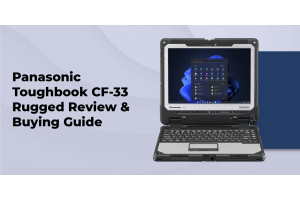
Our Panasonic Toughbook CF 33 can help you identify the available CF 33 configurations. You can also use our CF 33 buying guide when you are still deciding which system configuration is right for your work.
What Should You Check?
Before choosing accessories, we recommend confirming:
- Your exact CF 33 model and MK generation
- Whether you have a tablet-only or keyboard-equipped configuration
- The accessory part number if you are replacing an existing component
- The type of dock you need
- Your charger connector and power requirements
- Whether the equipment will be used primarily in a vehicle, office, or field environment
- Which accessories were included if you are purchasing refurbished equipment
Taking a few minutes to confirm these details can help you avoid ordering an accessory that does not match your system.
Choose the Right CF 33 Battery for Your Workday
If your CF 33 travels with you throughout the day, battery planning should be part of your setup.
We offer both standard CF 33 batteries and long-life CF 33 batteries, so you can choose according to how and where you work.
If you spend long shifts away from reliable power, a long-life battery may be the better option. If your CF 33 is normally used near an AC outlet, vehicle power, or another dependable charging source, a standard battery may provide what you need.
You can also explore our broader Toughbook accessories resource when planning a complete mobile setup.
How to Choose a CF 33 Battery
Ask yourself:
- How many hours will you typically work away from a power source?
- Will you have access to vehicle or desktop charging?
- Would carrying a spare charged battery help prevent downtime?
- Does the battery match your exact CF 33 generation?
For teams where downtime is difficult to manage, keeping a charged spare battery available can provide another practical option.
Find a CF 33 Keyboard That Matches Your Workflow
One of the advantages of the CF 33 is its detachable design. You can use it as a tablet when mobility matters and reconnect the keyboard when you need to type.
The right keyboard depends on how frequently you switch between these two working styles.
If you regularly complete reports, forms, dispatch work, documentation, or office applications, you may prefer a full keyboard configuration. If your CF 33 is primarily used as a tablet and the keyboard is only needed occasionally, a lighter configuration may be more suitable.
Our CF 33 accessory selection includes premium, lite, rubber, backlit, and rugged external keyboard options.
What Should You Look for in a CF 33 Keyboard?
Before ordering, we recommend checking:
- Which MK generation the keyboard supports
- Whether you prefer a premium, lite, rubber, or external rugged keyboard
- Whether backlighting would help with low-light vehicle work
- Your touchpad and USB requirements
- Whether your organization would benefit from standardizing keyboards across a fleet
For larger deployments, using a consistent keyboard configuration can also make replacements, training, and support easier.
Make Vehicle Work Easier With a CF 33 Vehicle Dock
If your CF 33 is part of a mobile workstation, a compatible vehicle dock can make your daily workflow much more convenient.
This can be especially useful when the computer is regularly used in patrol vehicles, service trucks, ambulances, utility vehicles, or other mobile work environments.
A vehicle dock can provide a consistent location for the CF 33 while supporting connections to vehicle power and other peripherals, depending on the specific dock.
At Tough Rugged Laptops, we offer multiple CF 33 vehicle docking options from established mounting solution providers. You can also browse our broader mounts and docks selection.
How to Choose the Right Vehicle Dock
We recommend looking at the entire vehicle workflow rather than choosing a dock based only on the computer model.
Consider:
- Whether you are using the CF 33 as a laptop or tablet
- Which pass-through connections your vehicle requires
- Your power requirements
- Whether a DC adapter is included
- How frequently the computer will be docked and undocked
- Whether you are adding the dock to an existing fleet installation
If you are replacing one component of an existing setup, confirm compatibility with the rest of the installation before ordering.
Create a Reliable Office Setup With a CF 33 Desktop Dock
Your CF 33 may spend part of the day in the field and part of the day at a desk.
A desktop docking station can make that transition easier by giving the computer a consistent workstation setup.
Our CF 33 accessories include desktop dock options for full CF 33 and tablet only configurations. This can be particularly useful when you want employees to use the same computer in the field and at an office instead of maintaining a separate system for each location.
If your workflow regularly takes you from a vehicle to a work site and then back to an office, a desktop dock can give your CF 33 a convenient home base.
Choose the Correct CF 33 Power Adapter
Reliable power is essential when you depend on your CF 33 for work.
Our CF 33 accessory selection includes Panasonic AC adapters, applicable 110 watt options, and vehicle power solutions from established accessory manufacturers.
When replacing a charger, we recommend checking more than the appearance of the adapter. Make sure the replacement matches your CF 33 generation, wattage, connector, and intended application.
Our Panasonic Toughbook charger guide provides additional information to help you choose the appropriate power accessory.
Protect Your CF 33 Display
Even though the CF 33 is designed for demanding work, its display still comes into contact with dust, grit, fingerprints, tools, and repeated handling.
If you regularly use your CF 33 around construction materials, vehicles, equipment, or other abrasive environments, a compatible CF 33 screen protector can be a practical addition.
We offer a 12-inch LCD protector film specifically listed for compatible CF 33 systems.
Before ordering, check the product description carefully to make sure the protector matches your particular CF 33 configuration.
Add a CF 33 Stylus for More Precise Tablet Input
When you use your CF 33 as a tablet, a stylus can make certain tasks easier.
If you are completing forms, selecting small items on screen, adding annotations, or working with detailed information, using a CF 33 stylus can provide more precise input than using your finger.
Tough Rugged Laptops lists a digitizer pen for compatible CF 33 MK1 and MK2 configurations with gloved multi touch and digitizer support.
Because touchscreen and digitizer configurations can vary, we recommend confirming your exact model before ordering.
Make Your CF 33 Easier to Carry
If your CF 33 moves constantly between vehicles, job sites, and offices, the way you carry it matters.
Our CF 33 accessories include options such as the ToughMate Mobility Bundle, rotating hand straps, shoulder straps, carry straps, backpacks, and cases.
Choose based on how your team actually handles the computer.
For One Handed Tablet Use
A hand strap can make the CF 33 easier to hold when you need to move around while using the tablet.
When You Need Both Hands Free
A shoulder strap can be useful when you need to carry the computer while moving between tasks.
When You Transport the CF 33 Between Locations
A backpack or protective case can make more sense when the computer is regularly transported between offices, vehicles, and work sites.
For larger teams, standardizing carrying accessories can also make equipment easier to manage across multiple users.
Add Connectivity Accessories When Your Work Requires Them
Some CF 33 users need more than standard office connectivity.
Our accessory selection includes options such as LTE hardware, GPS and LTE antenna solutions, and a USB serial adapter.
The best accessory depends on the equipment you need to connect.
For example, a field technician may need serial connectivity to communicate with specialized equipment, while a mobile team may prioritize cellular connectivity or GPS.
We recommend starting with the actual requirement and then choosing the accessory that addresses it. There is little benefit in adding hardware that your team will never use.
Which CF 33 Accessories Make Sense for Your Work?
You do not necessarily need every CF 33 accessory. The right combination depends on where and how you use your computer.
|
Your Work Environment |
Accessories to Consider |
Why They May Help |
|
Vehicle based work |
Vehicle dock, vehicle power adapter, keyboard, spare battery |
Helps create a repeatable mobile workstation and supports longer shifts |
|
Field service |
Long life battery, stylus, hand strap, screen protector |
Supports mobile tablet work and reduces interruptions away from power |
|
Office and field work |
Keyboard, desktop dock, AC adapter, carrying case |
Makes one CF 33 practical across different work locations |
|
Public safety |
Vehicle dock, cellular option, GPS, keyboard, spare battery |
Supports mobile workflows where connectivity and quick transitions matter |
|
Fleet deployment |
Standardized docks, batteries, keyboards, power adapters |
Makes procurement, replacement, training, and support easier |
Before You Order Your CF 33 Accessories
Compatibility is one of the most important things to check before placing your order.
Before visiting our CF 33 accessories page, we recommend having the following information available:
- Your CF 33 model and MK generation
- Whether your system is tablet only or has a keyboard configuration
- The part number of the accessory you are replacing
- Whether the accessory will be used at a desk, in a vehicle, or in the field
- The power requirements and connector type for chargers and vehicle adapters
- Any cellular, GPS, serial, barcode, SmartCard, or USB connectivity requirements
- Whether you are purchasing new or refurbished equipment
- The warranty coverage that applies to your purchase
If you are unsure about compatibility, checking first can save you the trouble of ordering the wrong component.
Choosing Accessories for a New or Refurbished CF 33
If you are putting together a complete CF 33 setup, we recommend considering the computer and accessories together.
Tough Rugged Laptops offers both new rugged laptops and refurbished Panasonic Toughbooks.
When purchasing refurbished equipment, pay particular attention to the exact MK generation and the accessories included with the system.
For example, having the right processor does not help if the configuration does not include the keyboard, battery, or dock your workflow requires.
Reviewing the complete configuration before ordering helps you build a system that is ready for the way you intend to use it.
Why Model-Specific CF 33 Accessories Matter
Rugged computers are rarely a one size fits all purchase.
The CF 33 is configurable, and its accessories reflect those different configurations. A keyboard may be designed for a particular generation. A vehicle dock may be intended for a specific form factor. A battery or power adapter may have a particular Panasonic part number.
That is why we recommend starting with the exact CF 33 you have or plan to purchase.
If you are unsure which Panasonic Toughbook accessories are compatible with your system, review the model specific listings or contact Tough Rugged Laptops before placing your order. We would rather help you confirm the right accessory first than have you deal with an unnecessary return or replacement.
FAQs
1. What accessories are available for the Panasonic CF 33?
Tough Rugged Laptops offers Panasonic CF 33 accessories including batteries, keyboards, docks, power adapters, screen protectors, styluses, carrying solutions, and connectivity accessories.
2. How do I choose the right CF 33 accessory?
Check your CF 33 model and MK generation first. Then confirm the accessory’s compatibility and part number, especially for batteries, keyboards, styluses, and docks.
3. Does the CF 33 have different keyboard options?
Yes. CF 33 keyboard options include premium, lite, and rugged external configurations. Choose based on how often you use your CF 33 for typing versus tablet work.
4. Can I use the CF 33 in a vehicle?
Yes. We offer CF 33 vehicle docks and mounting solutions. Choose one that matches your CF 33 configuration, power requirements, and vehicle setup.
5. Is a long life CF 33 battery worth it?
A long life battery is useful for extended shifts or situations where charging is limited. If you have regular access to AC or vehicle power, a standard battery may be sufficient.
6. Do I need a CF 33 screen protector?
A screen protector is not essential for every user, but it can help protect the display from dust, grit, tools, and frequent handling in demanding work environments.
7. Can the Panasonic CF 33 be used as a tablet?
Yes. The Panasonic Toughbook CF 33 is a detachable 2 in 1 system. You can use it as a Windows tablet or connect a compatible keyboard for laptop style work.
Where can I buy Panasonic CF 33 accessories?
You can browse our Panasonic CF 33 accessories for compatible batteries, keyboards, docks, power solutions, styluses, and carrying accessories.
Choose the Right CF 33 Accessories
The right Panasonic CF 33 accessories should make your work easier. Whether you need longer battery life, a vehicle dock, a keyboard, or a stylus, choose accessories based on how you use your CF 33.
At Tough Rugged Laptops, we recommend checking your CF 33 generation and configuration before ordering to ensure the accessory fits your system.
Browse our CF 33 accessories collection or explore the Panasonic Toughbook CF 33 if you are still choosing your device.
Not sure which accessory is right for your CF 33? Contact Tough Rugged Laptops, and we can help you find the right option for your setup.