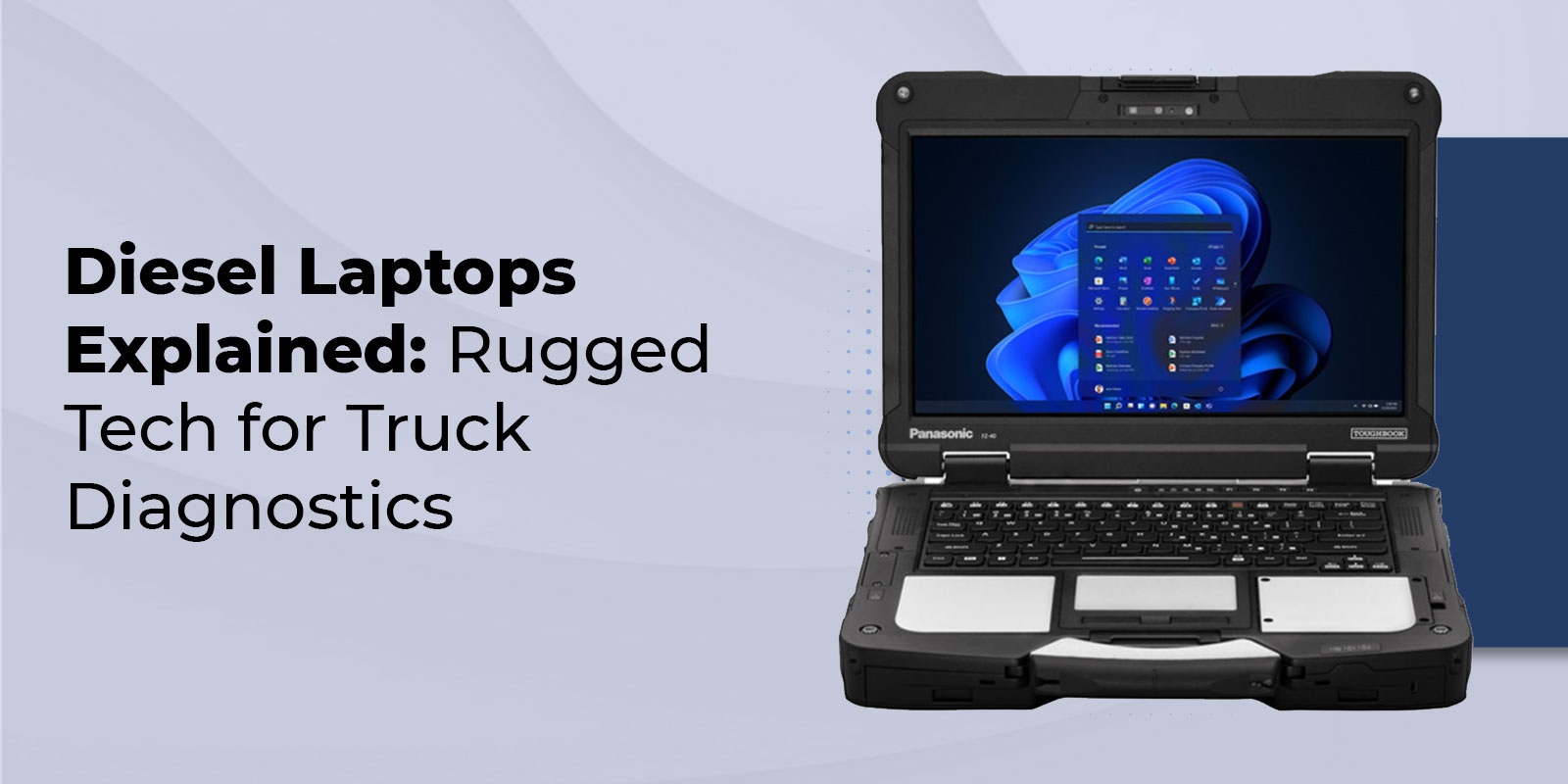
Diesel Laptops Explained: Rugged Tech for Truck Diagnostics
Imagine a heavy-duty truck pulling into the shop with a dashboard warning light on and a delivery schedule that can't afford delays. In today's trucking industry, diagnosing problems quickly isn't just about mechanical expertise; it's about accessing the vehicle's data and understanding what the truck's electronic systems are trying to tell you.
Modern commercial trucks rely on complex networks of sensors, control modules, and emissions systems that constantly monitor performance. When something goes wrong, technicians need the right tools to interpret that information and identify the issue before it leads to costly downtime. For fleet operators and repair shops, even a single day off the road can be expensive.
This is where a diesel laptop comes in.
Whether you're considering investing in a diesel diagnostic system or simply want to understand how these tools work, below we will explain what a diesel laptop is, how it works, and how to choose the right one for your needs.
Key Highlights
- A diesel laptop is a ruggedized computer + diagnostic software + VCI adapter, a complete system for heavy-duty diesel diagnostics.
- Entry-level diesel laptop kits start at $2,500–$4,000; professional all-makes kits run $5,000–$12,000; dealer-level systems can exceed $30,000.
- The Panasonic Toughbook, particularly the CF-54, Toughbook 55 (FZ-55), CF-33, and Toughbook 40, is the most widely used ruggedized laptop platform in heavy-duty diagnostics.
- A Vehicle Communication Interface (VCI) connects the laptop to the truck's data bus via its diagnostic port.
What Is a Diesel Laptop?
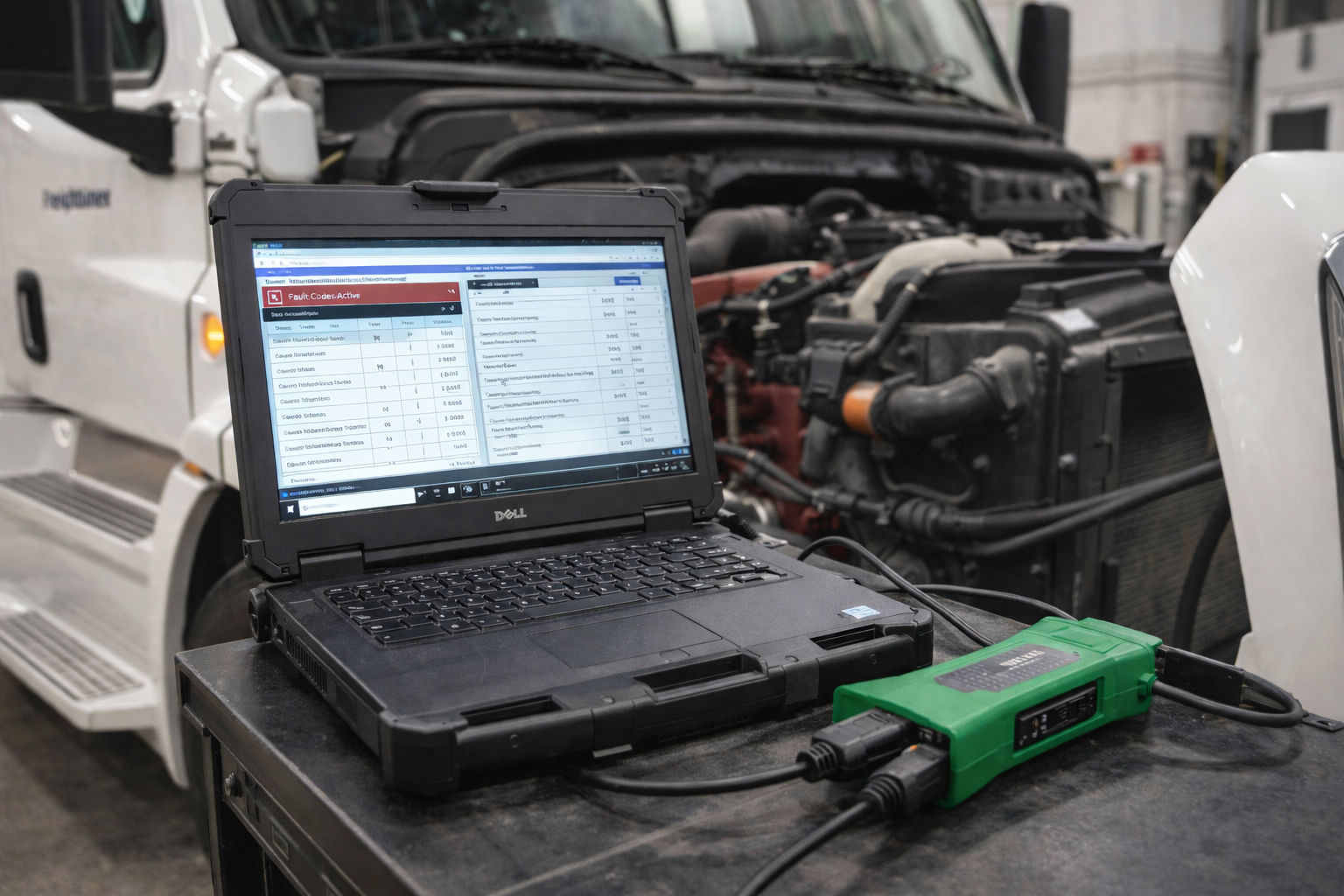
If you've ever watched a technician plug a cable into a truck's diagnostic port and pull up a screen full of live data, fault codes, and sensor readings, that's a diesel laptop at work.
A diesel laptop is a ruggedized computing system designed to diagnose, monitor, and program the electronic control modules (ECMs) of heavy-duty diesel trucks, buses, and construction equipment. Unlike basic scan tools, it runs on a full Windows platform, enabling professional diagnostic software, repair databases, and fleet record management from a single device.
The system has three core components: a ruggedized laptop, diagnostic software (all-makes or OEM), and a Vehicle Communication Interface (VCI) connecting the laptop to the truck's diagnostic port.
Think of it as the equivalent of a stethoscope and X-ray machine rolled into one, but for your Freightliner, Peterbilt, Kenworth, Volvo, or Mack. Instead of guessing at a problem, technicians can read fault codes, stream live sensor data, command actuators, force a DPF regeneration, and even reprogram engine parameters, all from a single screen.
Key Components of a Diesel Diagnostic System
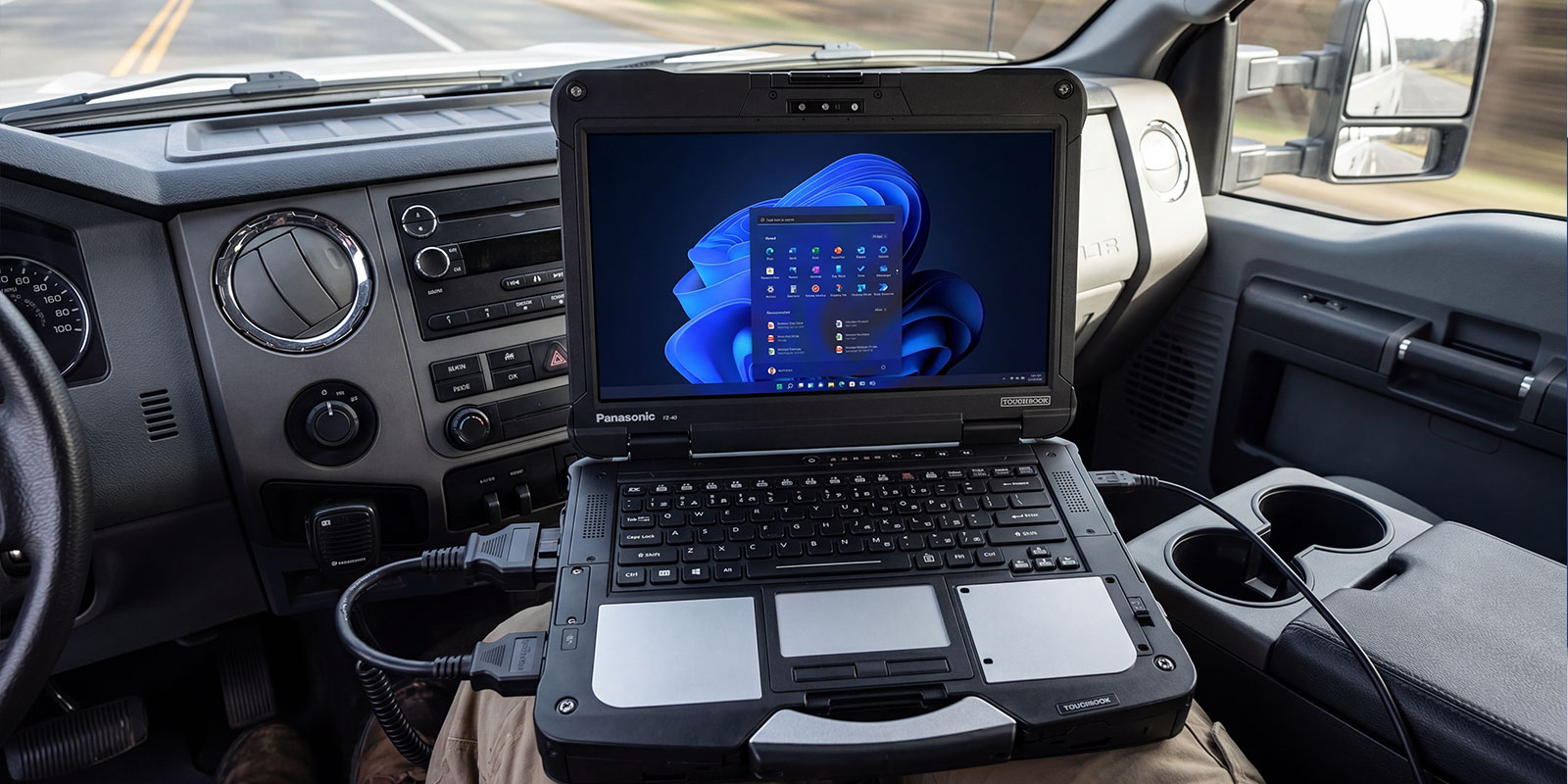
A diesel diagnostic system is not one piece of equipment; it's an ecosystem of three interconnected components working together.
1. Ruggedized Laptop Hardware: Built to Survive the Shop Floor
Rugged laptops are designed to handle the demanding conditions found in workshops and field environments, including dust, vibration, temperature changes, and accidental drops. Many models are tested to MIL-STD-810 durability standards and may include IP-rated protection against dust and water.
Common specifications include:
- Intel Core i5 or i7 processors
- 16GB+ RAM
- Solid-state storage (256GB or more)
- Sunlight-readable displays
- Legacy port support, such as RS-232
- Long-life or hot-swappable batteries
These features ensure reliable performance during diagnostics in both shop and field settings.
|
Model |
Form Factor |
Rugged Tier |
Best For |
|
Toughbook 40 |
Laptop |
Fully Rugged |
Field service, shop floor diagnostics |
|
Toughbook 55 (FZ-55) |
Laptop |
Semi-Rugged |
Workshop and mixed environments |
|
Toughbook CF-54 |
Laptop |
Semi-Rugged |
In-shop diagnostics |
|
Toughbook CF-33 |
2-in-1 Tablet/Laptop |
Fully Rugged |
In-cab and field diagnostics |
|
Toughbook FZ-G2 |
Tablet |
Fully Rugged |
In-cab use and tight workspaces |
|
Toughbook CF-31 |
Laptop |
Fully Rugged |
Heavy field service environments |
2. Diagnostic Software: All-Makes vs. OEM Applications
Diagnostic software interprets vehicle data and allows technicians to interact with electronic control modules.
There are two main types:
- All-Makes Software: Supports multiple truck brands from a single platform, commonly used by independent repair shops and fleets.
- OEM Software: Manufacturer-specific tools that provide deeper access for programming, calibration, and advanced diagnostics.
Pro Tip: Always verify that the software supports the specific truck brands and engine families you service.
3. Vehicle Communication Interface (VCI): The Bridge Between Laptop and Truck
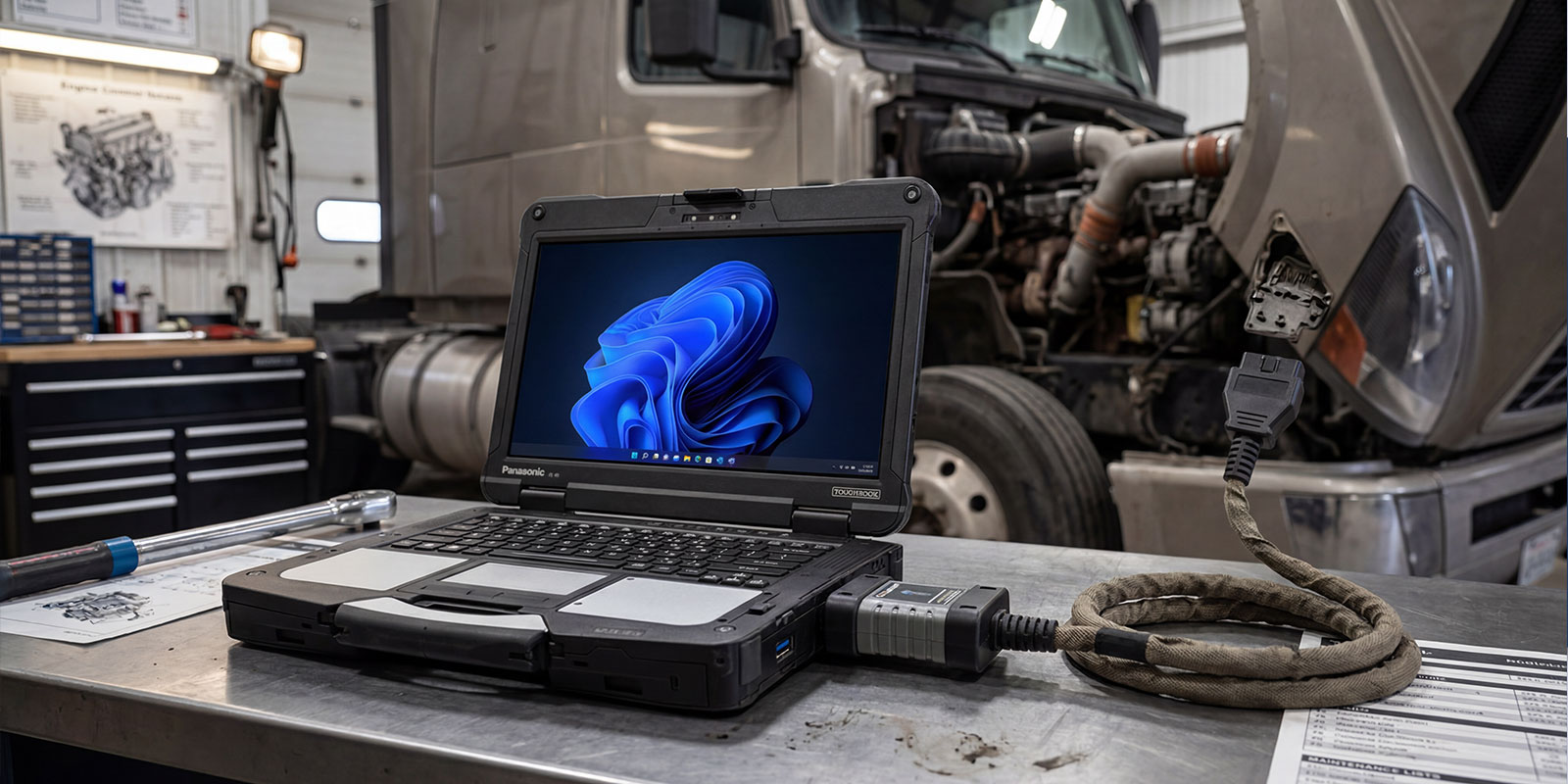
A Vehicle Communication Interface (VCI) connects the laptop to the truck’s diagnostic port (typically 6-pin or 9-pin connectors) using protocols such as J1939 and J1708.
The VCI translates vehicle data so diagnostic software can communicate with the truck’s electronic control modules.
Pro Tip: Choose an RP1210-compliant VCI to ensure compatibility with most heavy-duty diagnostic software platforms.
How a Diesel Laptop Works
The diagnostic workflow follows a consistent sequence that any technician can learn quickly:
- Connect: Plug the VCI adapter into the truck's diagnostic port (typically under the dash). Connect the VCI to the laptop via USB cable or pair it via Bluetooth.
- Identify the Vehicle: The software auto-detects the vehicle's make, model, engine, and ECU configuration via VIN or manual entry.
- Read Fault Codes: The software polls all ECUs (engine, transmission, ABS, ADAS, aftertreatment) and pulls active and historical Diagnostic Trouble Codes (DTCs) with descriptions and freeze-frame data.
- View Live Data: Technicians can stream real-time sensor values, boost pressure, EGR flow, DEF level, DPF soot load, fuel rail pressure, and hundreds more, graphed live on-screen.
- Run Tests and Commands: Bi-directional commands allow technicians to activate actuators, perform injector cutouts, command forced DPF regenerations, and run cooling fan tests without physically touching components.
- Program and Calibrate: Advanced software allows parameter adjustments (speed limiters, idle shutdown timers, cruise control settings) and ECM flash programming for software updates or repairs.
- Generate Reports: Diagnostic reports are saved and can be printed or emailed directly from the software.
Core Functions and Features
Reading and Clearing Fault Codes
Reading diagnostic trouble codes (DTCs) is usually the first step in identifying a problem. A diesel laptop can detect active faults currently affecting the vehicle, inactive faults stored from previous issues, and pending faults that may develop into confirmed problems. While clearing codes can reset warning indicators, technicians typically review the diagnostic data first to address the root cause before resetting the system.
Viewing Live Data Streams
Live data streaming allows technicians to monitor engine and system parameters in real time. This can include information such as EGR valve position, injector timing, turbo boost pressure, and aftertreatment temperatures. Observing these values as the engine operates helps identify irregular behavior or intermittent issues that may not immediately trigger a fault code.
Performing Forced DPF Regenerations
When a diesel particulate filter (DPF) becomes clogged and the vehicle’s automatic regeneration cycle does not complete successfully, technicians may initiate a forced regeneration using diagnostic software. This process raises exhaust temperatures to burn off accumulated soot and restore proper emissions system performance.
Running Actuator and System Tests
Many diesel diagnostic platforms support bi-directional control, which allows technicians to command specific components to operate independently. By activating parts such as injectors, EGR valves, cooling fans, or DEF dosing systems, technicians can verify whether those components are functioning properly and isolate faults more accurately.
Programming and Parameter Adjustments
Some advanced diagnostic systems allow technicians to access the engine control module (ECM) to modify certain operational parameters. These may include settings such as speed limiters, idle shutdown timers, or power take-off (PTO) configurations. In some cases, diagnostic tools can also assist with ECU software updates or calibration procedures when supported by the vehicle manufacturer.
Types of Diesel Laptop Kits
Entry-Level Kits: A Starting Point for Smaller Operations
Price Range: $2,500–$4,000
Entry-level diesel diagnostic kits typically include a Windows-based laptop, a basic vehicle communication interface (VCI), and a single diagnostic software license. Coverage is often limited to one or two engine manufacturers or vehicle systems. These kits are commonly used by owner-operators or small repair shops that work primarily with a single truck brand.
Limitations: Restricted software coverage, fewer advanced diagnostic functions, and limited technical support.
Professional All-Makes Kits: The Workhorse for Independent Shops
Price Range: $5,000–$12,000
Professional diagnostic kits typically combine a rugged laptop, an RP1210-compliant VCI adapter, and an all-makes diagnostic software platform capable of supporting multiple truck and equipment manufacturers. These systems are commonly used by independent repair shops and fleet maintenance teams that service mixed vehicle fleets.
Annual software subscription renewals typically range from $1,500–$3,000 per year, depending on the platform and coverage.
Strengths: Broad vehicle coverage, advanced diagnostic functions, and improved support for mixed fleets.
OEM / Dealer-Level Kits: Maximum Depth for Brand-Specific Shops
Price Range: $15,000–$30,000+
Dealer-level diagnostic systems are designed for deep access to manufacturer-specific vehicle systems. These platforms typically run official manufacturer software and provide capabilities such as ECU programming, injector coding, and advanced calibration procedures that may not be available in aftermarket diagnostic tools.
Because these systems are often used in demanding workshop or field environments, technicians frequently pair them with rugged laptops designed to withstand dust, vibration, and temperature fluctuations.
Cost Breakdown and Pricing Guide
|
Kit Tier |
Typical Hardware |
Software Coverage |
Est. Cost |
Best For |
|---|---|---|---|---|
|
Entry-Level |
Refurbished CF-54 or FZ-55, basic VCI, 1 software |
1–2 engine brands |
$2,500–$4,000 |
Small shops, occasional use |
|
Professional All-Makes |
Toughbook 55 (FZ-55) or CF-54, RP1210 VCI, all-makes platform |
100+ manufacturers |
$5,000–$12,000 |
Independent shops, mixed fleets |
|
OEM / Dealer-Level |
Toughbook 40 or CF-33, multiple OEM licenses, factory VCI |
Brand-specific deep access |
$15,000–$30,000+ |
Dealerships, brand specialists |
|
Annual Software License |
Renewal, all-makes platforms |
Ongoing |
$800–$3,000/yr |
All tiers |
|
Technical Support Plan |
Phone/remote diagnostic support |
Varies by provider |
$1,200–$4,000/yr |
Professional and dealer tiers |
*Pricing is approximate and varies by vendor, software subscriptions, and hardware configuration.
ROI Context: According to FleetOwner, unplanned truck downtime costs fleets $448–$760 per vehicle per day. A professional kit pays for itself after preventing fewer than 15–20 downtime days.
How Do You Choose the Right Diesel Laptop for Your Shop?
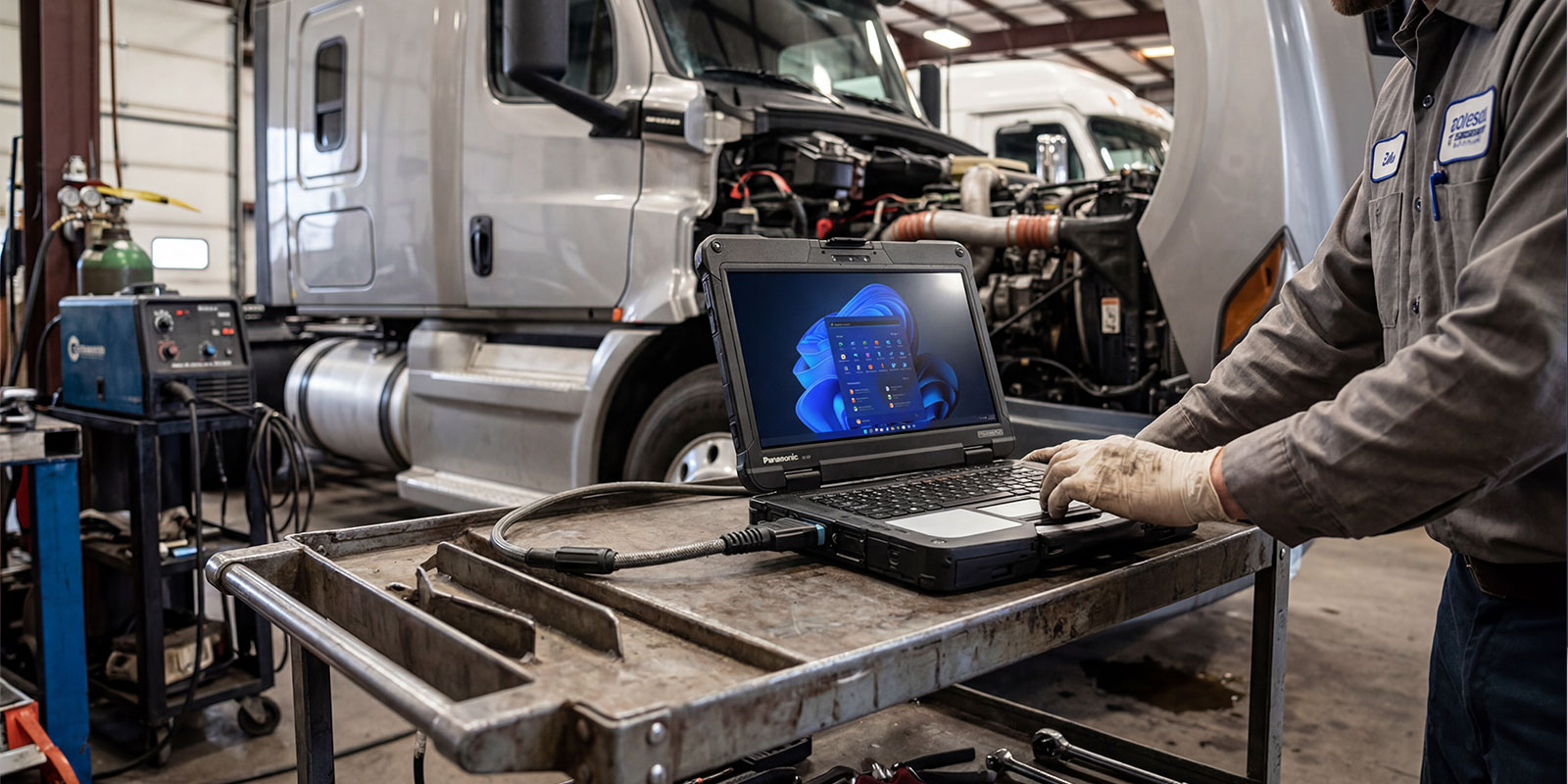
Work through these four checkpoints before committing to any kit:
Step 1: Define Your Vehicle Coverage
Identify the truck brands and engine families your shop services most often. Mixed fleets usually require an all-makes diagnostic platform, while shops specializing in one manufacturer may benefit from brand-specific software. Software compatibility will also determine the hardware and VCI requirements.
Step 2: Match Ruggedization to Your Environment
Think about where the laptop will be used, the shop floor, service truck, or field environment. Rugged laptops designed for harsh conditions and tested to standards like MIL-STD-810 help ensure reliability in dusty, high-vibration, or outdoor settings.
Step 3: Evaluate Software Support and Training
Choose diagnostic software that receives regular updates and offers reliable technical support. Training resources can also help technicians use the system more effectively.
Step 4: Calculate Your Total Cost of Ownership
Look beyond the initial price. Factor in hardware, software licenses, update subscriptions, support plans, and warranty costs to understand the long-term investment.
Buyer's Checklist
- Vehicle coverage: Confirm the makes, models, and engine families the diagnostic software supports.
- Environment: Determine where the laptop will be used, on the shop floor, service truck, or field, and choose an appropriate ruggedization level.
- Software: Decide between all-makes or OEM platforms and verify VCI compatibility.
- Support: Check whether technical diagnostic support is included or offered as an add-on.
- Updates: Review software subscription costs and update frequency.
- Training: Look for vendors that provide onboarding or training resources.
- Total Cost of Ownership: Estimate a 3-year cost including hardware, licenses, updates, support, and warranty.
Tips for Getting the Most from Your Diesel Laptop
- Keep software updated: New truck model years often introduce updated ECUs and fault codes. Outdated diagnostic software may lack coverage for newer vehicles.
- Invest in technician training: Understanding how to interpret live data and system behavior is critical for accurate diagnostics.
- Use RP1210-compliant VCI adapters: These interfaces support heavy-duty communication protocols and provide reliable access to advanced diagnostic functions.
- Document diagnostic sessions: Saving reports with fault codes, live data, and repair notes helps build vehicle history and speeds future troubleshooting.
- Verify coverage before purchasing: Confirm that the diagnostic software supports the specific truck brands, engines, and functions your shop requires.
Frequently Asked Questions
1. What does a diesel laptop do?
A diesel laptop performs diagnostics on diesel engines and related systems. It can read and clear fault codes, stream live sensor data, run actuator tests, perform forced regenerations, and adjust engine parameters, helping technicians diagnose issues without dealership tools.
2. What is the best diesel diagnostic laptop?
It depends on the use case. For fully rugged, front-line shop environments, the Panasonic Toughbook 40 or CF-33 is the top choice. For semi-rugged workshop use, the Toughbook 55 (FZ-55) offers excellent performance at a lower cost.
3. How much does a diesel laptop cost?
Entry-level kits typically cost $2,500–$4,000, professional all-makes kits range from $5,000–$12,000, and dealer-level systems can exceed $15,000–$30,000. Software licensing and updates may add $1,500–$5,000 annually.
4. Can you use a regular laptop for diesel diagnostics?
Yes, if it runs compatible diagnostic software and connects through a VCI adapter. However, rugged laptops like the Panasonic Toughbook are strongly preferred because they withstand dust, vibration, and drops common in workshop environments.
5. What is a VCI adapter?
A Vehicle Communication Interface (VCI) connects the laptop to the truck's diagnostic port (J1939 or J1708) and allows the software to communicate with vehicle control modules.
6. What trucks can a diesel laptop diagnose?
Most all-makes systems support major commercial truck brands such as Freightliner, Kenworth, Peterbilt, International, Volvo, Mack, and Western Star, along with engines from manufacturers like Cummins, Detroit Diesel, and Caterpillar. Coverage varies by software platform.