Best Rugged Laptops for Construction Workers in 2025

|
The best laptop for construction is a fully rugged device rated MIL-STD-810H and IP65 or higher, with a sunlight-readable touchscreen, hot-swappable battery, and enough processing power to run CAD and BIM software. The Panasonic Toughbook FZ-55 and Toughbook 40 are the top choices for most construction professionals in 2025 — combining proven field durability with the performance and connectivity modern job sites demand. |
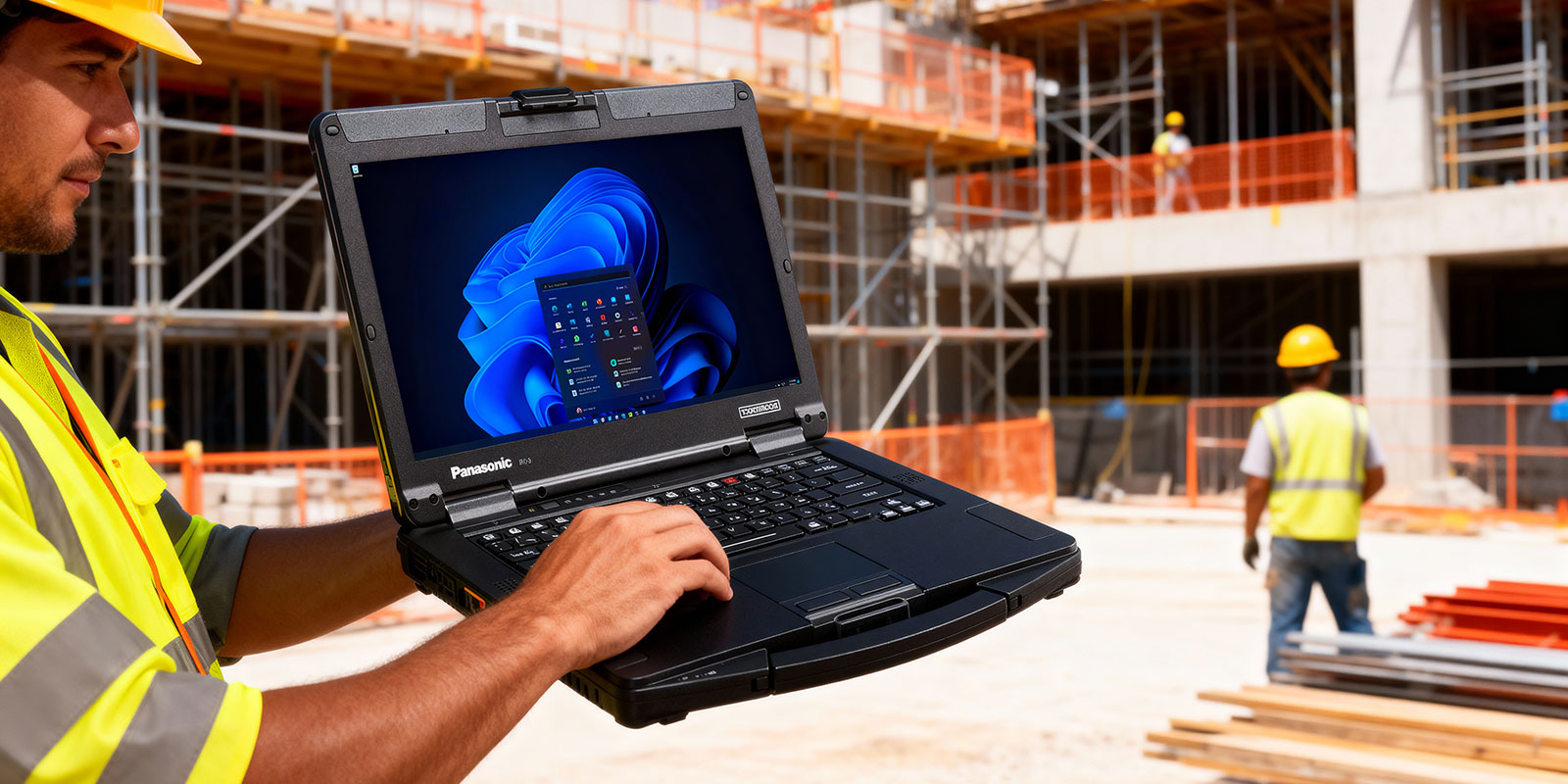
Construction sites are among the harshest environments any laptop will ever face. Concrete dust settles into every gap. Tools and equipment vibrate platforms constantly. Rain falls without warning, and the workday runs from before sunrise to after sunset with no reliable access to a power outlet. Standard business laptops are not built for any of this.
That reality is why more construction companies, contractors, and field engineering teams are moving to purpose-built rugged laptops rather than accepting the cost and disruption of replacing standard units every two or three years. According to industry research, 73% of construction contractors plan to expand technology use on job sites in the next three years. The equipment they choose needs to keep pace with that investment.
This guide covers everything you need to make the right choice: what certifications matter, which models lead the field in 2025, which laptop best fits each role on your crew, and how to evaluate the true cost of ownership between new and certified refurbished units. For a broader introduction to the category, see our rugged laptop buying guide.
What Makes a Laptop Truly Rugged for Construction Use
Not every laptop marketed as 'durable' or 'business-grade' is built to survive a construction environment. True rugged computing is defined by verified third-party certifications — not marketing language. Here is what those certifications actually mean and why they matter on a job site.
MIL-STD-810H Certification — What It Actually Tests
MIL-STD-810H is a United States Department of Defense testing standard covering 29 environmental procedures including drop resistance, vibration, humidity, altitude, temperature shock, dust, and explosive atmosphere. Devices that carry this certification have been physically tested against these conditions, not just designed to survive them. Our full MIL-STD-810G/H explainer breaks down the specific test methods and what they mean for field use.
MIL-STD-810H (the current revision) updated the drop test protocols and added new vibration and temperature cycling requirements compared to the older MIL-STD-810G. If you are comparing laptops, always confirm which revision the device is certified to — 810H is the current standard.
Key performance outcomes from a MIL-STD-810H certified laptop: drop survivability from at least 4 feet on concrete, operational range from -20C to 60C in many models, vibration resistance for vehicle-mounted use, and shock-mounted storage that survives sudden impacts without data loss.
IP Ratings — IP65 vs IP67 vs IP68 for Job Sites
Ingress Protection (IP) ratings define how well a device resists dust and liquid. The two numbers that follow 'IP' correspond to solid particle protection (first digit) and liquid protection (second digit). For construction use, both digits matter. See our detailed IP65 explainer for the full breakdown.
|
Rating |
Dust Protection |
Water Protection |
Best Construction Use |
|
IP54 |
Partial (not fully sealed) |
Splash resistant only |
Indoor/light outdoor — semi-rugged laptops |
|
IP65 |
Fully dust-tight |
Low-pressure water jets |
Most outdoor construction environments |
|
IP67 |
Fully dust-tight |
1m immersion / 30 minutes |
Wet sites, muddy terrain, trench work |
|
IP68 |
Fully dust-tight |
Extended depth immersion |
Extreme exposure — underwater or flood-prone sites |
IP65 is the practical minimum for outdoor construction use. It protects against concrete dust, rain, and hose-down cleaning. If your crew works in consistently wet or muddy conditions, IP67 or better is worth the upgrade.
Fully Rugged vs Semi-Rugged — Which Does Your Crew Need?
The difference between fully rugged and semi-rugged laptops comes down to the degree of environmental sealing, structural reinforcement, and the price and weight tradeoffs that follow. Neither is universally better — the right choice depends on where your device will actually be used.
|
Feature |
Fully Rugged |
Semi-Rugged |
|
IP Rating |
IP65 or higher |
IP54 (partial protection) |
|
MIL-STD Standard |
MIL-STD-810H (current) |
MIL-STD-810G (older) |
|
Drop Rating |
4-6+ feet on concrete |
3-4 feet |
|
Operating Temp |
-20C to 60C (typical) |
0C to 40C (typical) |
|
Battery |
Hot-swappable, 20-38 hrs |
8-15 hrs, standard |
|
Weight |
6-8 lbs (typical) |
4-6 lbs (typical) |
|
Price (New) |
$3,000-$5,000+ |
$1,800-$3,500 |
|
Best For |
Outdoor crews, field ops |
Project managers, office-to-site |
Best Laptop for Construction by Job Role
One of the most common mistakes construction teams make when buying laptops is buying the same model for every role. A heavy equipment operator and a project manager have completely different requirements. Here is how to match the device to the job.
Project Managers — Mobile Office Meets Job Site Durability
Project managers move between the site trailer, the field, and the main office. They run scheduling and communication software more often than graphics-intensive applications, but they still need a device that survives the site. Semi-rugged is usually sufficient — provided IP65 protection is present.
Key requirements: 4G/5G LTE for connectivity on remote sites, a 14-inch or larger display for reviewing plans in the field, at least 8 hours of battery life, and a glove-compatible touchscreen. Software typically includes Procore, Autodesk Construction Cloud, Microsoft Project, and Teams. The Panasonic Toughbook FZ-55 is the top pick for this role: 14-inch FHD display, MIL-STD-810H certified, IP65 rated, modular expansion bays for LTE and barcode readers, and up to 38 hours of battery life with a second hot-swap battery.
Field Engineers and Site Supervisors — Power for CAD and BIM
Field engineers running rugged laptops for technical field work need the most demanding specs on this list. CAD files, BIM models, and rendering tasks require a dedicated GPU, 16-32GB of RAM, and a fast SSD. A sluggish laptop when reviewing 3D plans on a job site is not just an annoyance — it costs billable hours.
Key requirements: Intel Core i7 (minimum), dedicated NVIDIA GPU, 16-32GB RAM, 512GB+ SSD, sunlight-readable display at 1,000 nits or above, and full IP65 sealing. The Panasonic Toughbook 40 is built precisely for this profile: fully rugged, MIL-STD-810H, IP65, modular MK2 design, optional Wi-Fi 6 and 5G, and an extended temperature range of -20C to 60C for work in extreme outdoor conditions.
Heavy Equipment Operators and Outdoor Field Crew
Workers operating machinery or performing tasks on open job sites need maximum ruggedness. Drops happen from vehicle cabs. Devices are exposed to sustained vibration. Displays need to be readable in direct sunlight. Gloved operation is required. Many of these crews also benefit from vehicle mounts that secure the laptop to equipment cabs while maintaining full usability.
Key requirements: IP65 minimum (IP67 preferred for site conditions involving water or mud), MIL-STD-810H, glove-compatible multi-touch, 1,000+ nit display, and a form factor that fits vehicle mount systems. The Panasonic Toughbook CF-33 offers a 12-inch convertible design with detachable tablet mode — ideal for operators who switch between vehicle cab use and walking the site.
Safety Inspectors and Compliance Officers
Safety inspectors move constantly through the site, documenting conditions, capturing photos, logging compliance data, and generating reports. They need a compact, glove-friendly device with reliable battery life and enough ruggedness to survive a drop during an active walkthrough. The Panasonic Toughbook FZ-G2 fits this role well: a 10.1-inch rugged tablet-laptop hybrid with IP65 protection, MIL-STD-810H certification, barcode scanner expansion support, and an ergonomic form factor for one-handed field use.
Top Rugged Laptops for Construction in 2025 — Model Comparison

Here are the leading models available through ToughRuggedLaptops.com for construction use. Each has been selected based on certification standards, field-proven reliability, and fit for the environments construction teams actually work in.
Panasonic Toughbook FZ-55 — Best Semi-Rugged for Construction
Panasonic Toughbook FZ-55 | MIL-STD-810H | IP65 | 14-inch FHD | Up to 38-hour battery (dual hot-swap)
The FZ-55 is the most versatile Toughbook in the lineup for construction use. Its modular expansion bay system lets you add or swap LTE cards, barcode readers, smart card readers, or second batteries without tools — critical for teams whose technology requirements vary by project. The 14-inch FHD touchscreen is glove-compatible and sunlight-readable. Intel Core i5 or i7 configurations are available, with RAM options up to 64GB.
The dual hot-swap battery configuration is a standout feature for all-day fieldwork: swap a depleted battery without powering down, and the FZ-55 keeps running through a full 10-hour shift without needing a charger. This is particularly valuable on large sites where the nearest power source may be a construction trailer a quarter-mile away.
Best for: Project managers, field engineers, construction teams that need a semi-rugged device with premium performance. Also available as a certified refurbished Toughbook at significant savings.
Panasonic Toughbook 40 — Best Fully Rugged Construction Laptop
Panasonic Toughbook 40 | MIL-STD-810H | IP65 | 14-inch FHD | Modular MK2 Design
The Toughbook 40 is Panasonic's current flagship fully rugged laptop. Built on the MK2 platform, it features an updated modular design with user-accessible expansion slots, Wi-Fi 6 connectivity, optional 5G, and an Intel Core i5 or i7 processor with support for up to 32GB RAM and 512GB SSD. The extended operating temperature range of -20C to 60C makes it one of the few laptops suited for true winter construction work in cold-climate regions.
The 14-inch FHD display is sunlight-readable with a glove-compatible multi-touch panel. Sealed ports prevent dust and moisture infiltration even in high-particulate environments like demolition sites or concrete pours. For construction teams doing government or defense-related work, the Toughbook 40 is also available in TAA-compliant configurations.
Best for: Outdoor field crews, equipment operators, government/municipal construction projects, and any team that needs maximum protection with current-generation processing power.
Panasonic Toughbook CF-54 — Proven Semi-Rugged for Construction Teams
Panasonic Toughbook CF-54 | MIL-STD-810G | IP54 | 14-inch FHD | Magnesium Alloy Body
The CF-54 remains a practical choice for construction teams that need proven semi-rugged reliability without the cost of the latest fully rugged models. The full magnesium alloy chassis is spill-resistant and shock-absorbing, and the device comes in four configurations to match different workload and budget requirements. While its IP54 rating falls short of IP65 for sustained outdoor exposure, it handles most office-to-site transitions without issue.
Best for: Project management teams, site administrators, and construction professionals who move between controlled and light-exposure environments. Excellent value as a certified refurbished unit.
Getac B360 — Alternative Fully Rugged Construction Laptop
Getac B360 | MIL-STD-810H | IP65 | 13.3-inch Sunlight-Readable | Up to 28-hour Battery
ToughRuggedLaptops.com carries Getac as a validated alternative for teams that need fully rugged protection with a different form factor than the Toughbook line. The B360 runs on Intel 12th Gen Core i7, features a 13.3-inch sunlight-readable display, and supports modular expansion for barcode scanners and RFID readers — useful for construction teams managing materials tracking or asset inventory alongside field operations. The 28-hour battery life (dual system) rivals the Toughbook FZ-55 for all-day endurance.
Best for: Teams requiring IP65-level protection in a slightly lighter chassis, or organizations standardized on Getac for procurement reasons.
Durabook S15 — Best Large-Screen Option for Construction
Durabook S15 | MIL-STD-810H | IP53 | 15.6-inch FHD Anti-Glare | Swappable Battery
For construction professionals who spend significant time reviewing plans, analyzing site data, or running engineering calculations, the 15.6-inch FHD display of the Durabook S15 provides meaningful workspace over a 14-inch unit. The magnesium alloy chassis, swappable battery (up to 12 hours), and MIL-STD-810H certification deliver solid ruggedness at a more accessible price point than top-tier Toughbooks.
Its IP53 rating is the limitation — adequate for light outdoor use but not the choice for sustained outdoor field work. ToughRuggedLaptops.com sells Durabook as an accessible entry point into rugged computing for teams that need the durability step-up from consumer hardware without the full cost of a Toughbook. Also available fully refurbished.
Full Model Comparison
|
Model |
Class |
IP |
MIL-STD |
Battery |
Display |
Best Role |
|
Toughbook FZ-55 |
Semi-Rugged |
IP65 |
810H |
Up to 38 hr (hot-swap) |
14-in FHD |
PM / Field Engineer |
|
Toughbook 40 |
Fully Rugged |
IP65 |
810H |
Hot-swap |
14-in FHD |
Field Crew / Outdoor |
|
Toughbook CF-54 |
Semi-Rugged |
IP54 |
810G |
Up to 11 hr |
14-in FHD |
Site Teams / Admin |
|
Getac B360 |
Fully Rugged |
IP65 |
810H |
Up to 28 hr |
13.3-in SR |
Field / Asset Mgmt |
|
Durabook S15 |
Semi-Rugged |
IP53 |
810H |
Up to 12 hr |
15.6-in FHD |
Budget / Office-Site |
Construction Software Requirements — Why Specs Matter
The software your team runs on a job site determines the minimum hardware specs your laptop must meet. Here is what the most common construction applications actually demand.
CAD and BIM Applications
AutoCAD, Revit, and ArchiCAD are CPU and RAM intensive during rendering and model manipulation. Revit in particular is known for high RAM demand — Autodesk recommends 16GB as a minimum for complex models, with 32GB preferred for large projects. A dedicated NVIDIA GPU significantly reduces rendering time versus integrated graphics.
Required specs for CAD/BIM: Intel Core i7 or AMD Ryzen 7 or higher, 16-32GB RAM, NVIDIA or AMD Radeon dedicated GPU, 512GB+ NVMe SSD, and a high-resolution anti-glare display for detailed plan review.
Construction Management Platforms
Procore, Autodesk Construction Cloud, PlanGrid, and Fieldwire are cloud-connected platforms used for scheduling, RFIs, submittals, and real-time site documentation. These applications are less demanding on raw processing power but require reliable 4G LTE or 5G connectivity on remote sites. A modular Toughbook with an integrated LTE card eliminates the need for external hotspots, which are easy to lose or forget on a busy site.
Software like Bluebeam Revu — widely used for PDF plan markup and construction document management — benefits from a high-brightness, anti-glare display that reduces eye strain during extended review sessions.
Field Data Collection and Inspection Apps
Applications like iAuditor (SafetyCulture), Fieldwire, and custom inspection platforms run on both tablet and laptop form factors. For safety inspectors and compliance officers, the key hardware requirement is a glove-compatible touchscreen that works reliably in cold weather and with work gloves on. Barcode scanner and camera expansion modules available on the Toughbook FZ-55 and Toughbook 40 extend these devices into full data-capture platforms without requiring separate handheld devices.
New vs Certified Refurbished Rugged Laptops — The Total Cost of Ownership Case
The sticker price of a new fully rugged Panasonic Toughbook can give any procurement manager pause. But cost analysis that stops at the purchase price misses most of the picture.
Consider the true comparison over five years:
|
Consumer Laptop |
New Rugged Toughbook |
Certified Refurb Toughbook |
|
|
Average unit cost |
$800-$1,200 |
$3,000-$5,000+ |
$1,200-$2,500 |
|
Expected field lifespan |
2-3 years |
7-10 years |
5-8 years |
|
Replacements over 10 yrs |
3-4 units |
1 unit |
1-2 units |
|
Downtime risk |
High |
Low |
Low |
|
Technical support |
Manufacturer only |
TRL lifetime support |
TRL lifetime support |
|
10-year cost per device |
$2,400-$4,800 |
$3,000-$5,000+ |
$1,200-$5,000 (1-2 units) |
Certified refurbished Toughbooks from ToughRuggedLaptops.com deliver 30-50% savings compared to new units. Every refurbished unit goes through a rigorous inspection, testing, and reconditioning process before shipping, backed by a warranty and TRL's lifetime technical support. For fleet purchases — equipping 10, 20, or 50 workers — the savings are significant without compromising the field reliability your crew depends on. Browse our refurbished Toughbook inventory including certified refurbished fully rugged models.
|
Ready to Equip Your Crew? Have a fleet to configure? Our specialists can match the right Toughbook to each role on your site at factory-direct pricing — with same-day shipping on in-stock units. Call 800-441-9165 — ToughRuggedLaptops.com | 25+ years of rugged computing expertise. |
How to Choose the Best Construction Laptop — 5-Step Buying Guide
- Step 1 — Define your role and environment. Determine whether you are equipping outdoor field crew (fully rugged required) or professionals who transition between office and site (semi-rugged may suffice). This single decision narrows the field significantly.
- Step 2 — Match certification to site conditions. IP65 is the minimum for most outdoor construction environments. If your crew works in consistently wet or muddy conditions — pours, trenching, site drainage work — specify IP67 or higher. For shock protection, MIL-STD-810H is the current standard; avoid 810G-only devices for new purchases.
- Step 3 — Spec for your primary software. CAD and BIM applications require Intel Core i7 or AMD Ryzen, 16GB+ RAM, and a dedicated GPU. Project management and communication tools run acceptably on a Core i5 with 8GB RAM. Do not overspend on GPU if your crew only runs Procore and Teams.
- Step 4 — Evaluate your battery strategy. Hot-swappable batteries are essential for crews that work through full shifts without access to power. A modular Toughbook with a second battery bay eliminates charger dependency entirely. For mixed office-site roles, a standard 8-12 hour battery is often sufficient.
- Step 5 — Calculate 5-year total cost of ownership before committing. Compare the full 5-year cost of a rugged laptop against the replacement cycle of a consumer device. Factor in downtime costs, repair expenses, and data loss risk. A certified refurbished Toughbook often delivers the best TCO — rugged lifespan at a fraction of the new unit price.
Browse our full new Panasonic Toughbook lineup to configure the right unit for your team's specific role and environment.
Frequently Asked Questions — Laptops for Construction Work
1. What makes a laptop suitable for construction work?
[SPEAKABLE] A construction-suitable laptop must carry MIL-STD-810H certification for drop, shock, vibration, and temperature resistance, an IP65 or higher ingress protection rating for dust and water exposure, a sunlight-readable display of at least 800 nits, hot-swappable battery capability for all-day fieldwork without outlets, and a glove-compatible touchscreen for use with work gloves. The Panasonic Toughbook series meets all of these requirements and has been the industry standard for construction computing for over two decades.
2. What specs do I need for a construction laptop running CAD or BIM software?
For CAD or BIM workloads, look for at minimum an Intel Core i7 processor, 16GB of RAM (32GB is recommended for Revit on complex models), a dedicated NVIDIA or AMD Radeon GPU for rendering, and at least 512GB NVMe SSD storage. A high-resolution, anti-glare display makes reviewing detailed plans easier in both office and field conditions. The Panasonic Toughbook FZ-55 and Toughbook 40 both support these configurations across multiple build options.
3. Do I need a fully rugged laptop or will a semi-rugged laptop work on a construction site?
It depends on your role and how much field exposure your device will actually see. Outdoor crew members, equipment operators, and workers on active job sites typically need a fully rugged device with IP65 protection and MIL-STD-810H certification. Project managers and supervisors who primarily work from site trailers or transition regularly between office and site can usually manage with a semi-rugged option like the Toughbook FZ-55 (IP65) or CF-54 (IP54), which offer meaningful protection without the full weight and cost of a fully rugged unit.
4. Is a MacBook good for construction site use?
MacBooks are generally not recommended for construction site use. The majority of construction management software — including Procore, AutoCAD, Revit, and Bluebeam Revu — is designed and optimized for Windows operating systems. MacBooks also carry no MIL-STD certifications and no IP-rated ingress protection, meaning they are not designed to withstand the drops, dust, and moisture that are routine on active job sites. For construction professionals who prefer macOS for personal use, a Windows rugged laptop for the field is the practical choice.
5. Can I save money by buying a refurbished rugged laptop for construction?
Yes. Certified refurbished Panasonic Toughbook laptops from ToughRuggedLaptops.com offer 30-50% savings compared to new units while delivering the same field-proven durability. Every refurbished unit goes through a rigorous inspection, testing, and reconditioning process and ships with a warranty and lifetime technical support. For fleet purchases, the savings per unit compound significantly. Browse our refurbished rugged laptop inventory to see current availability.
6. What is the difference between IP65 and IP67 for construction laptop use?
IP65 provides full dust protection and resistance to low-pressure water jets from any direction — adequate for rain, concrete dust, and hose-down cleaning on most construction sites. IP67 adds full immersion protection to 1 meter depth for up to 30 minutes, which matters for crews working in wet trenches, near heavy rain runoff, or on sites where devices may be temporarily submerged. IP68 extends that protection further for devices subjected to prolonged immersion. For most construction environments, IP65 is the practical minimum; IP67 is worth specifying for consistently wet site conditions.
7. Are gaming laptops a good substitute for rugged laptops on construction sites?
No. Gaming laptops offer strong raw processing power and dedicated GPUs, but they are consumer-grade hardware not designed for field conditions. They carry no MIL-STD certifications, no IP ingress protection ratings, no sealed ports, and no glove-touch screens. A gaming laptop dropped from belt height onto a concrete surface or exposed to sustained concrete dust ingress will fail — potentially losing project data in the process. Construction sites require purpose-built rugged hardware, not consumer performance hardware.
Find the Right Construction Laptop at ToughRuggedLaptops.com
The best laptop for construction is the one that matches the actual conditions your team works in, the software your operation depends on, and the budget your organization can sustain over the long term. For most construction professionals in 2025, that means a Panasonic Toughbook — either the semi-rugged FZ-55 for project management and mixed-use roles, or the fully rugged Toughbook 40 for outdoor field crews and equipment operators.
ToughRuggedLaptops.com has been placing rugged computing into field environments since 1999 — 25+ years of expertise in matching the right device to the right job. We carry the full Panasonic Toughbook lineup new and certified refurbished, plus Getac and Durabook alternatives for teams with specific requirements. Every purchase includes lifetime technical support and same-day shipping on in-stock units.
For government and law enforcement construction-related procurement, see our government laptops and police laptops pages for TAA-compliant options.
|
Get a Custom Quote for Your Construction Fleet Whether you need 1 unit or 100, our specialists will configure the right Toughbook for every role on your job site — at factory-direct pricing with lifetime support included. Call 800-441-9165 or visit ToughRuggedLaptops.com to request a quote. |