Laptop in Car Mount: The Fleet and Field Professional's Buyer's Guide
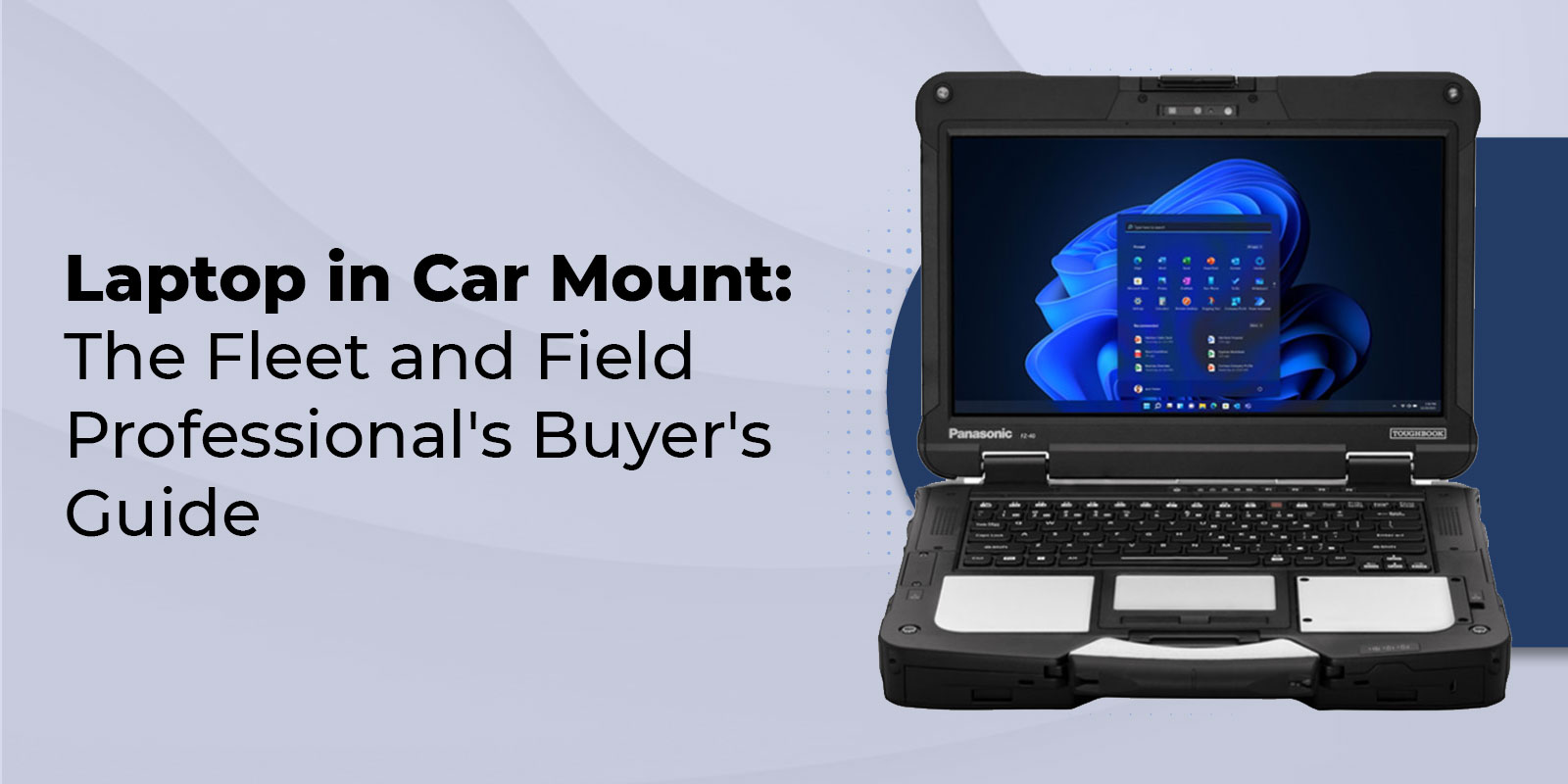
Laptop in Car Mount: The Fleet and Field Professional's Buyer's Guide
A laptop in car mount is a vehicle-mounted stand that secures a laptop inside a car, truck, or van for use while parked. Most systems attach to the passenger seat bolts with a no-drill installation and hold laptops up to 17 inches with full tilt and swivel adjustment.
What Is a Laptop in a Car Mount?
A laptop in car mount is a piece of vehicle hardware that holds a laptop securely inside the cabin so it can be used as a mobile workstation. Also called a car laptop holder, vehicle laptop mount, or laptop car bracket, these systems range from simple portable laptop stands to heavy-duty mounting arms built for fleet vehicles.
The core job of any mount is to convert the passenger-side interior of a car, truck, or van into a stable, usable workspace. A laptop resting on the passenger seat slides and shifts every time the vehicle moves, which damages hardware, breaks concentration, and wastes time. A properly installed mount locks the laptop in place at a viewing angle the user chooses, keeps the keyboard within easy reach, and maintains access to ports and cooling vents.
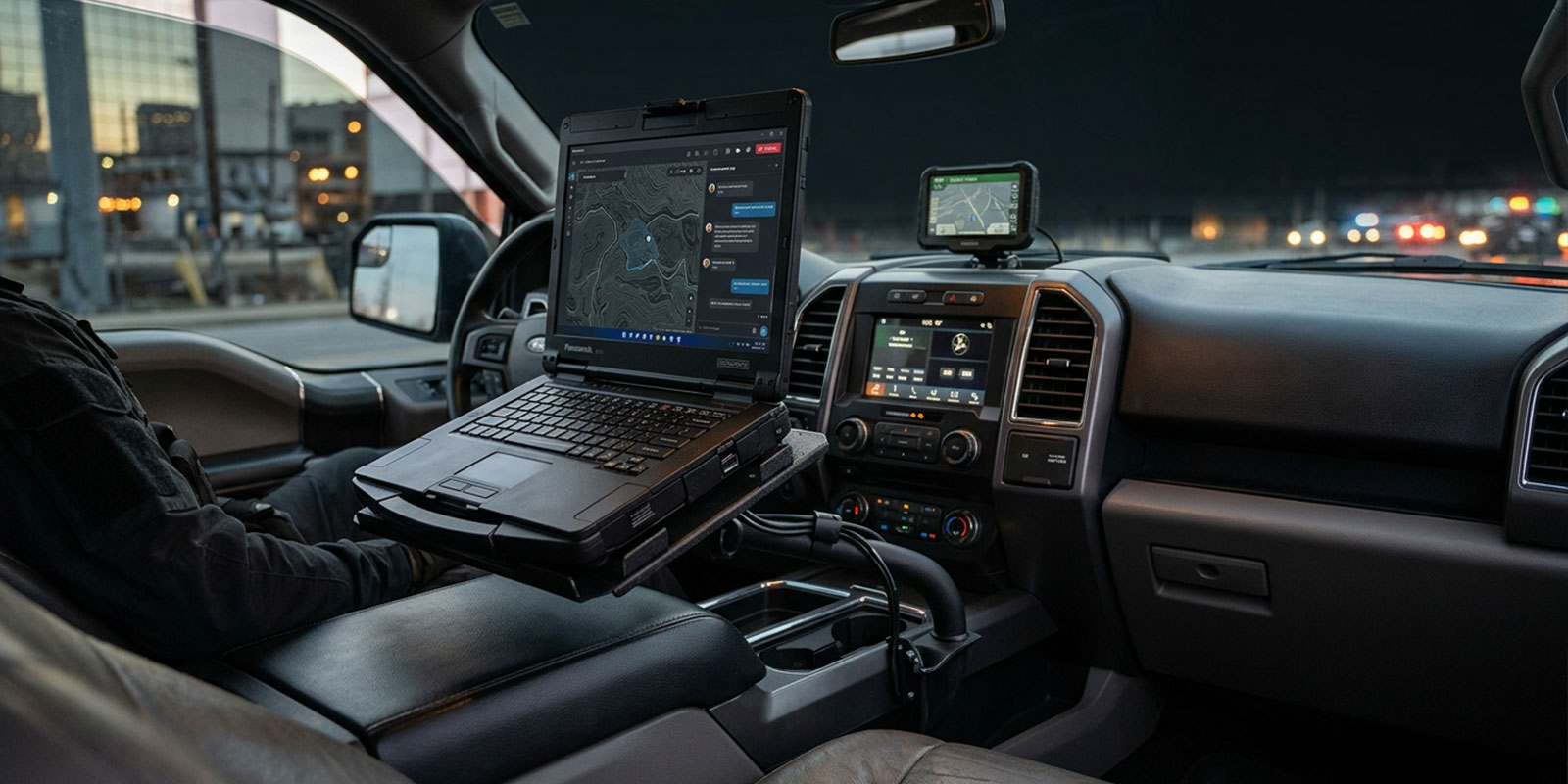
Laptop mounts are standard equipment in police cruisers, ambulances, utility trucks, HVAC vans, surveying rigs, and any other work vehicle where a field professional runs dispatch software, updates work orders, or captures data. For agencies and fleet operators, they are part of a larger mobile computing setup that typically includes a ruggedized laptop, a powered docking station, and antenna pass-through hardware.
The Five Main Types of Car Laptop Mounts
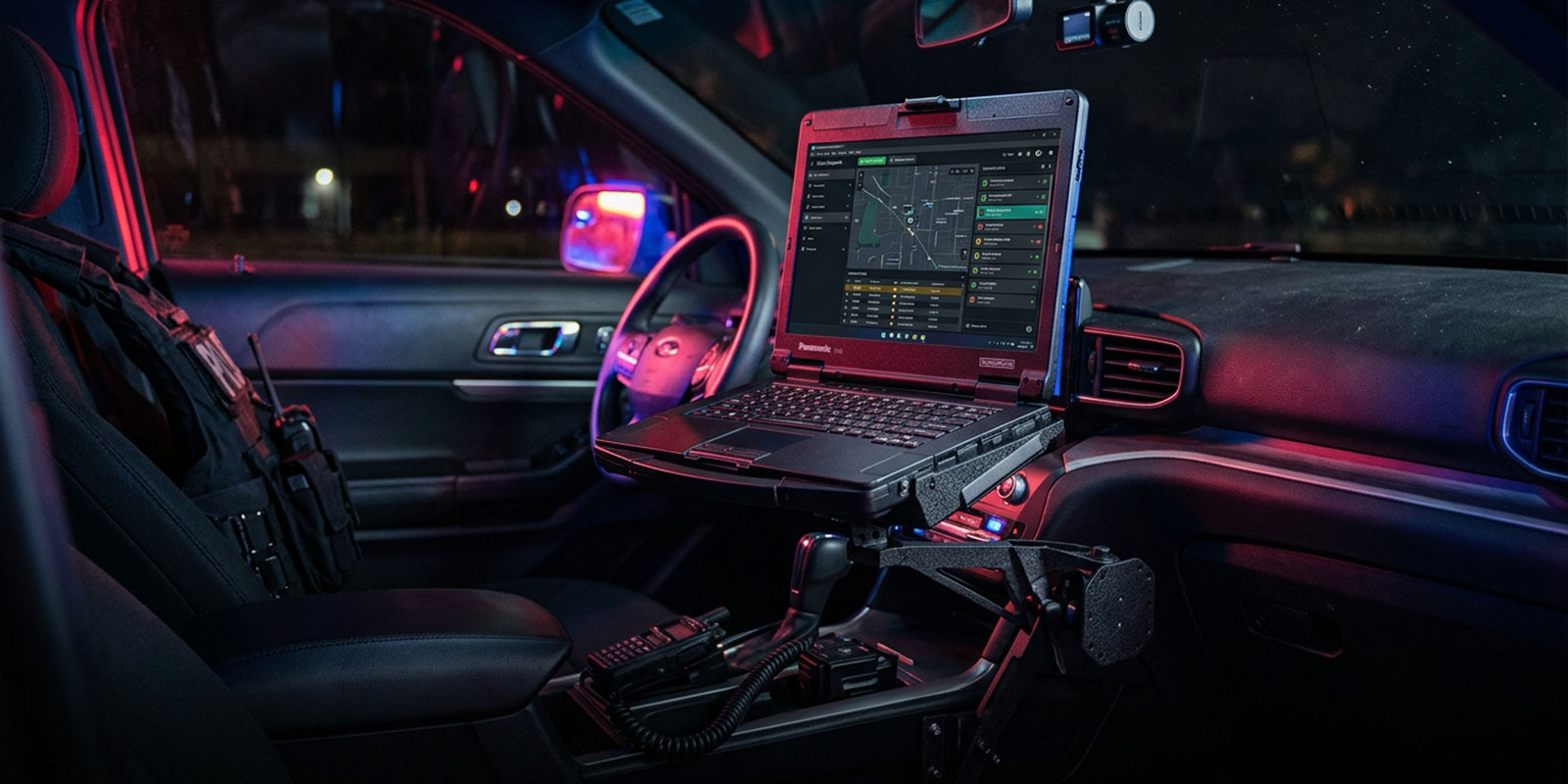
The vehicle laptop holder category covers five distinct mount styles. Each solves a different problem, and the right choice depends on the vehicle, the laptop, and how often the mount is used.
No-Drill Seat-Bolt Mounts
The most common commercial mount type attaches to the existing bolts under the front passenger seat. A no-drill base, telescoping pole, and articulating swing arm are installed using only the vehicle's factory hardware. Installation typically takes 10 to 20 minutes and requires no modification to the vehicle. These mounts are the standard for police, EMS, and field service fleets because they can be removed without damage when a vehicle is rotated out of service. Weight capacity is generally 17 to 20 pounds when parked and 8 to 11 pounds in motion.
Drill-In Floor or Console Mounts
For heavier rugged laptops, permanent fleet installations, or vehicles without accessible seat bolts, drill-in mounts provide the strongest possible anchor. These systems are bolted directly to the floor pan or center console and typically support heavier docking stations with antenna pass-through and ignition-sense power. Drill-in mounts are common in law enforcement vehicles like the Ford Police Interceptor Utility, Chevy Tahoe, and Dodge Durango, where the laptop stays installed for the life of the vehicle.
Cup Holder Mounts
Cup holder mounts use a pole that inserts into the cup holder and supports a tray or clamp at the top. They install in seconds and cost a fraction of seat-bolt systems, but the cup holder socket was never engineered to carry the torque of a full laptop. For a small 11 to 13 inch laptop used occasionally, a cup holder mount works. For anything heavier, it wobbles and eventually pops loose.
Steering Wheel and Dashboard Desks
Steering wheel desks are flat trays that rest on top of the steering wheel when the vehicle is parked. They offer a large work surface at a natural seated height and install in zero seconds. The limitation is obvious: the mount cannot be used while driving, which makes it a poor fit for fleet operations that require real-time dispatch access.
Rear-Seat and Passenger-Tray Mounts
Rear-seat trays attach to the back of the front seat headrest or seat frame and provide a workspace for a back-seat passenger. These are designed for travel and rideshare use rather than work vehicles. Load-bearing capacity is usually lower than a seat-bolt system, and the setup is not suitable for heavy, rugged laptops.
Passive Mounts vs. Powered Docking Stations
This is the distinction nobody explains clearly in mainstream laptop in car mount content, and it is the single most important decision for fleet buyers.
A passive mount is a tray, clamp, or strap system that physically holds the laptop in place. Power, connectivity, and peripherals still need to be plugged in and unplugged every time the user enters and exits the vehicle.
A powered docking station replaces the passive tray with a purpose-built dock that the laptop slides into and locks to. The dock provides power pass-through from the vehicle battery, ignition-sense shutdown to prevent battery drain, port replication for USB, serial, Ethernet, and VGA, antenna pass-through for mobile data and GPS, and often a secondary keyboard connection. Brands such as Gamber-Johnson, Havis, and Jotto Desk manufacture model-specific docking stations matched to particular rugged laptops.
For a Panasonic Toughbook, Getac, or Dell Latitude Rugged user running mapping software, CAD dispatch, or continuous data logging, a dock is not optional. Rotating a laptop between office and vehicle without a dock means reconnecting five cables every trip, draining the laptop battery in traffic, and losing cellular signal because the external antenna is disconnected. For casual users on consumer laptops, a passive mount is usually enough.
Tough Rugged Laptops stocks vehicle docking stations [→ /vehicle-mount-hardware] matched to every current Toughbook model (FZ-55, CF-33, Toughbook 40, FZ-G2), including the Gamber-Johnson TrimLine and Dual Pass dock platforms that police and fire agencies deploy across entire fleets.
How to Choose a Laptop Mount for Your Vehicle
Five criteria drive the buying decision. Use the decision framework below to match the mount to the use case.
Laptop in Car Mount Decision Framework
|
Criterion |
Occasional personal use |
Light commercial (field service) |
Heavy fleet (public safety, utility) |
|---|---|---|---|
|
Recommended mount type |
Cup holder or portable stand |
No-drill seat-bolt mount |
Drill-in + powered docking station |
|
Laptop weight tolerance |
Up to 5 lbs |
6 to 11 lbs |
11 to 17 lbs rugged |
|
Install complexity |
Under 1 minute |
15 to 20 minutes, no drilling |
1 to 2 hours, pro install |
|
Power pass-through |
Not needed |
Optional 12V adapter |
Required (ignition-sense dock) |
|
Typical budget per vehicle |
$30 to $80 |
$200 to $450 |
$800 to $1,800 |
|
Durability standard |
Consumer |
Commercial grade |
MIL-STD ready, shock-dampened |
Beyond this framework, fleet buyers should verify three things before purchasing:
- Vehicle-specific base compatibility. Most no-drill systems use model-specific base plates. A mount for a 2019 Ford Explorer does not fit a 2024 Chevy Silverado.
- Airbag clearance. Every mount installation must stay outside the vehicle's airbag deployment zone per the vehicle manufacturer's manual.
- Laptop size envelope. Measure the laptop with its carrying handle and any protective case attached; the mount tray must accommodate the full footprint.
Mount Compatibility with Rugged Laptops
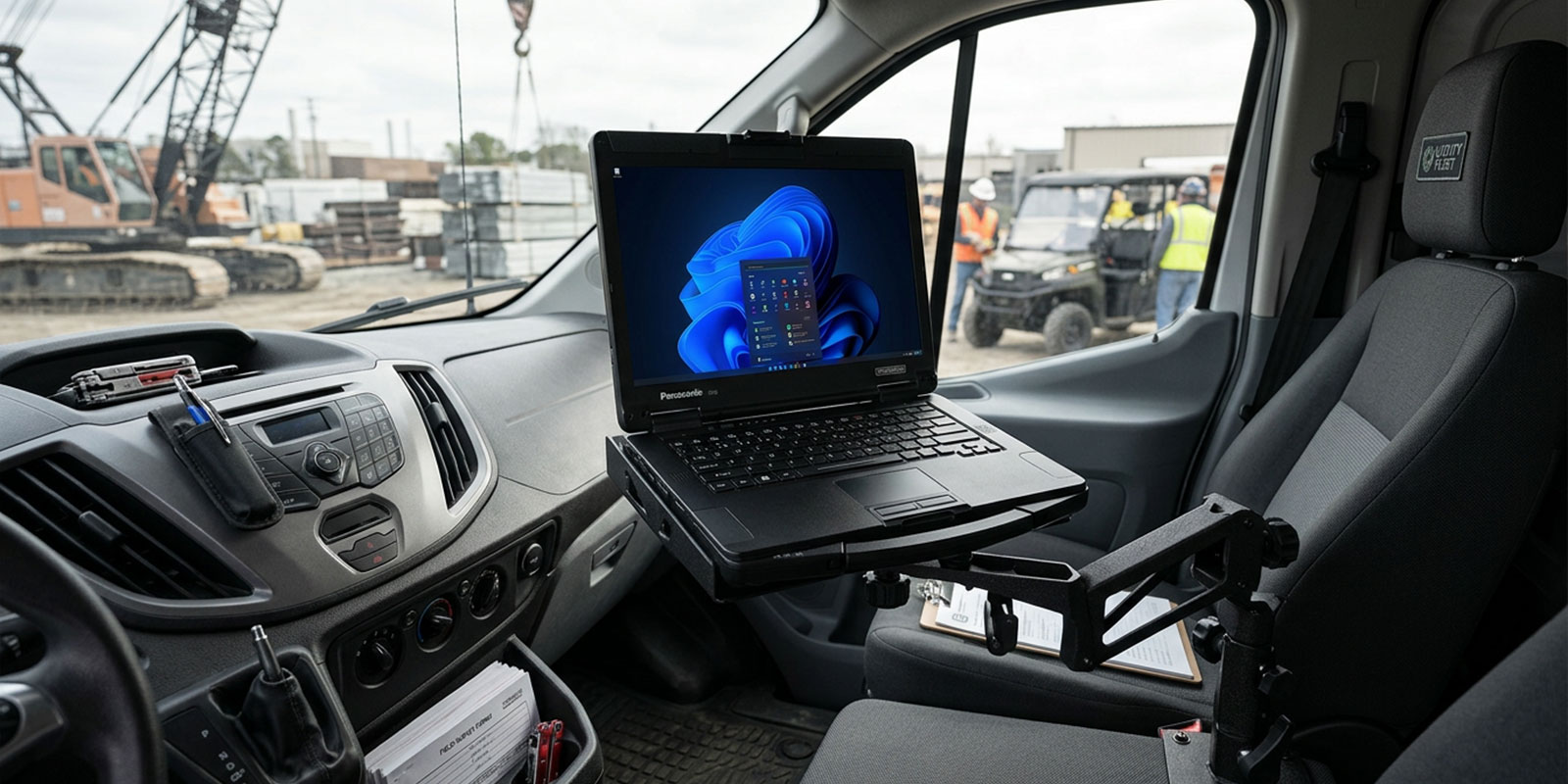
Rugged laptops are heavier, thicker, and ported differently than consumer notebooks, so mount compatibility cannot be assumed from a product photo. The table below maps common rugged laptops to recommended mount configurations.
Rugged Laptop to Mount Compatibility
|
Rugged Laptop |
Weight |
Recommended Mount |
Dock Required? |
|---|---|---|---|
|
Panasonic Toughbook FZ-55 |
4.6 lbs |
No-drill seat-bolt + FZ-55 dock |
Yes for powered fleet use |
|
Panasonic Toughbook 40 |
8.4 lbs |
Drill-in + Toughbook 40 dock |
Yes |
|
Panasonic Toughbook CF-33 (2-in-1) |
5.5 lbs |
Vehicle Dock Adapter (VDA) bundle |
Yes |
|
Panasonic Toughbook FZ-G2 (tablet) |
2.7 lbs |
Tablet-specific dock |
Yes |
|
Getac B360 |
5.9 lbs |
No-drill + Getac-compatible dock |
Recommended |
|
Dell Latitude 5430 Rugged |
5.3 lbs |
No-drill seat-bolt + Dell dock |
Recommended |
|
Consumer laptop (13 to 15 inch) |
3 to 5 lbs |
Universal no-drill tray |
No |
Weight matters because a mount rated for an 11-pound dynamic load handles a 4.6 lb Toughbook easily but may shake at highway speeds with an 8.4 lb Toughbook 40 [→ /panasonic-toughbook-40] attached. Port position matters equally: a rugged laptop that puts its power connector on the back edge needs a mount tray with rear clearance, which some universal mounts do not provide.
How to Install a No-Drill Laptop Mount in Your Car
Installation time for a typical no-drill seat-bolt mount is 15 to 20 minutes. The HowTo schema at the end of this document mirrors these steps for markup.
Airbag Safety and Installation Warnings
This is the most overlooked topic in the vehicle laptop mount category, and it matters because a mount installed into an airbag deployment zone becomes a projectile in a collision.
Three hard rules apply to every installation:
- No part of the mount, laptop, or docking station may enter the passenger airbag deployment zone. The zone is listed in the vehicle's owner manual.
- The mount must not interfere with seat belt function or seat adjustment travel.
- The laptop must be removable without tools so that first responders can access a vehicle occupant in an emergency.
Professional installers certified by the mount manufacturer are required for most public safety and government fleet purchases. For individual field service vehicles, users can self-install but must follow the manufacturer's airbag clearance specifications exactly.
Is It Legal to Have a Laptop Mount in Your Car?
Yes. A laptop mount is legal to install in any private vehicle in the United States, provided the installation does not block the driver's view, interfere with vehicle controls, or enter the airbag deployment zone.
Using the laptop while the vehicle is in motion is a different question and is regulated under distracted driving laws that vary by state. As of 2026, all 50 states prohibit texting while driving, and 25 states ban any hand-held device use behind the wheel. Operating a laptop while driving would qualify as a distracted driving violation under all of these statutes.
For fleet operators, OSHA's general duty clause also applies to mobile workers. Employers are expected to provide equipment and policies that prevent foreseeable harm, which means laptops used in work vehicles should only be operated while the vehicle is parked and in park.
What Laptop Mount Do Cops Use?
Law enforcement agencies typically use one of three mount platforms, matched to the fleet vehicle and the rugged laptop model deployed:
- No-drill seat-bolt mounts with powered docks for patrol Ford Police Interceptor Utility, Chevy Tahoe, and Dodge Durango vehicles. Common platforms include Gamber-Johnson and Havis drill-base systems paired with a TrimLine or Dual Pass dock.
- Floor-mounted consoles for motorcycles and specialized vehicles, which position the laptop and dock on a custom bracket between the seats rather than on a passenger seat.
- Vehicle Dock Adapter (VDA) bundles for agencies running Panasonic Toughbook CF-33 or FZ-55 units. The VDA allows the same dock to be used across multiple vehicle body styles, which simplifies fleet logistics.
Nearly every agency pairs the mount with a ruggedized laptop such as the Toughbook FZ-55 [→ /panasonic-toughbook-fz-55] or Toughbook 40, both of which are MIL-STD-810H rated for shock and vibration. Consumer laptops do not survive the duty cycle of a cruiser console, regardless of how well they are mounted.
Protecting Your Laptop from Temperature and Theft
Two environmental risks reduce the life of any vehicle-mounted laptop: temperature extremes and theft.
Temperature
Most consumer laptops are rated for 50°F to 95°F (10°C to 35°C) operating temperature. A parked car in direct summer sun reaches 140°F (60°C) in under 30 minutes. A parked car in winter can drop to 0°F (-18°C) overnight. Leaving a consumer laptop mounted in a vehicle between shifts accelerates battery degradation and can warp the display. Rugged laptops such as the Toughbook 40 and FZ-55 are rated from -20°F to 140°F operational and are designed to survive in-vehicle storage across full temperature ranges.
Theft
A laptop visible through the passenger window is one of the most commonly stolen items from work vehicles. Mitigation options include dark-tinted passenger windows, a locking laptop mount clamp, quick-release arms that let the user stow the laptop in a trunk or toolbox when the vehicle is unattended, and vehicle tracking on the laptop itself through software such as Absolute or Prey. For high-theft areas, a quick-release dock that can be pulled in under 10 seconds is the single most effective deterrent.
Frequently Asked Questions
1. What is the best laptop mount for a car?
The best laptop mount for a car is a no-drill seat-bolt mount with a swing arm, matched to the specific vehicle model and the laptop's weight class. For occasional personal use a cup holder mount is adequate, but for daily field work, seat-bolt systems with quick-release heads provide the stability, adjustability, and longevity professionals require.
2. What laptop mount do cops use?
Police agencies typically use no-drill or drilled seat-bolt mounts paired with powered docking stations from manufacturers such as Gamber-Johnson, Havis, or Jotto Desk. The dock locks a rugged laptop such as a Panasonic Toughbook FZ-55 or Toughbook 40 to the mount, delivers power from the vehicle battery, and connects to external antennas for reliable mobile data.
3. How do you mount a laptop in a car without drilling?
No-drill laptop mounts use the existing bolts on the passenger seat rails as their anchor. Remove the factory seat bolts, install the mount's base plate using the supplied hardware, attach the telescoping pole, connect the swing arm, and clamp the laptop tray. Total install time runs 15 to 20 minutes using standard hand tools.
4. Is it legal to have a laptop mount in your car?
Yes, installing a laptop mount in a private vehicle is legal throughout the United States. The mount cannot obstruct the driver's view, interfere with airbag deployment, or block vehicle controls. Operating the laptop while driving is prohibited under distracted driving laws in all 50 states, so use should be limited to when the vehicle is parked.
5. Where is the safest place for your laptop while travelling in a car?
The safest place for a laptop in a vehicle is secured to a seat-bolt mount in the passenger area with the lid closed when not in active use. For long trips, a padded case in the trunk protects against temperature swings and reduces visible-theft risk during stops. A mounted laptop stays ready for quick access at destinations.
6. What temperature is too cold for a laptop in a car?
Consumer laptops begin to suffer below 32°F (0°C), and lithium-ion batteries lose 20 to 40 percent of their charge capacity below freezing. Leaving a standard laptop in a vehicle overnight in winter can cause display warping and battery damage. Rugged laptops designed for field use, such as the Panasonic Toughbook 40, operate reliably down to -20°F (-29°C).
7. Can RAM mounts be used in any vehicle?
RAM-brand mounts and similar no-drill systems use vehicle-specific base plates that match the passenger seat bolt pattern of each supported make and model. A base designed for a 2023 Ford F-150 does not fit a 2024 Chevy Silverado. Always verify the base plate's vehicle fit list before ordering, or contact a rugged computing specialist for a vehicle-matched bundle.
8. What is the best way to use a laptop in a car?
The best way to use a laptop in a car is with the vehicle parked in a safe location, the laptop secured to a properly installed mount with clear airbag clearance, and a 12V power adapter or docking station supplying power. For mobile work throughout a shift, a rugged laptop with a vehicle dock provides the longest-lasting and safest setup.