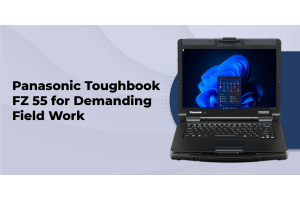
Panasonic Toughbook FZ 55 for Demanding Field Work
A field laptop should do more than run your software. It should keep working when the environment is less forgiving, when you need a port that consumer laptops no longer include, and when your configuration has to match a specific job. That is where the Panasonic Toughbook FZ 55 earns its place.
At Tough Rugged Laptops, we focus on Panasonic Toughbooks because rugged computing often comes down to details. You may need a bright touchscreen, a second battery, true serial connectivity, a barcode reader, additional storage, or a particular authentication option. The FZ 55 gives you a modular platform that can be configured around those requirements rather than forcing you to work around a fixed consumer laptop design.
Rugged design for real working conditions
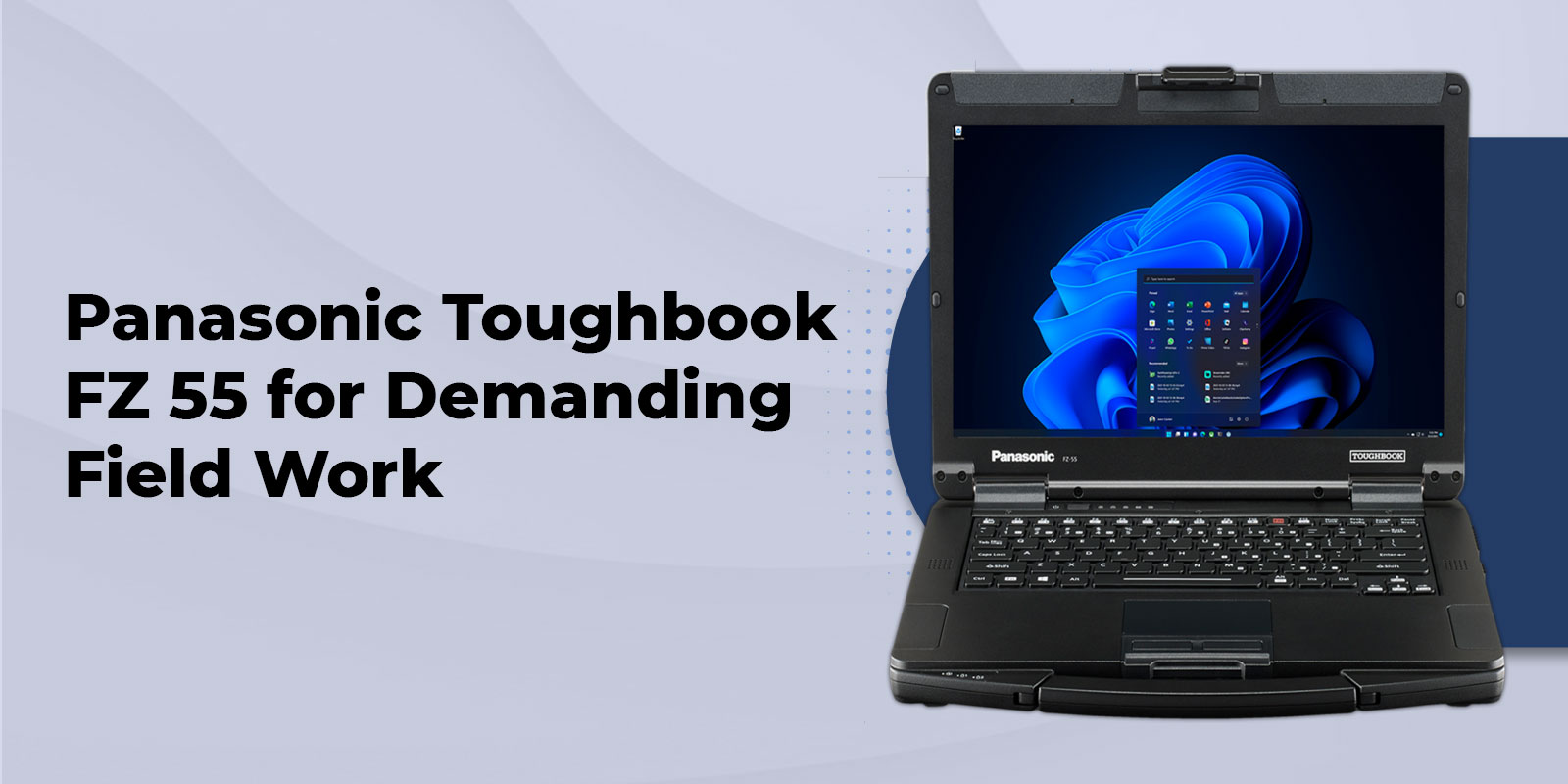
The FZ 55 is a semi-rugged laptop, which makes it a strong fit when you need more protection than a standard office notebook without moving to a much heavier fully rugged platform. Panasonic rates the Mk3 for MIL STD 810H testing and IP53 protection, with a 3-foot drop rating. The magnesium alloy chassis, raised display bezel, spill-resistant keyboard, and replaceable screen protector are all designed around the realities of mobile work.
That distinction matters. IP53 is not the same as full waterproofing, so the FZ 55 is better suited to field service, transportation, utilities, public safety, manufacturing, and similar work than situations where equipment is routinely exposed to heavy water jets or immersion. Choosing the right rugged rating starts with understanding the conditions your team actually faces.
If you need a more heavily protected platform, we also carry Panasonic Toughbook FZ 40 options for applications that call for a fully rugged design.
Performance that fits demanding workflows
The current FZ 55 Mk3 configurations listed by TRL use Intel Core i5 1345U vPro or Intel Core i7 1370P vPro processors. That gives you a practical performance range for applications such as field service software, diagnostics, inventory systems, mapping, documentation, communications, and multitasking between business applications.
Memory and storage are just as important when a laptop is part of a long-term deployment. Current configurations support up to 64GB of DDR4 memory, while the product page offers SSD choices up to 2TB. Because the FZ 55 is designed with serviceability in mind, you can also configure additional storage and selected expansion components to better match your workload.
For a team that needs a consistent hardware platform across different roles, this flexibility can be especially useful. One technician may need more storage and a barcode reader, while another may benefit more from cellular connectivity and GPS.
A modular design built around your work
The modular design is one of the strongest reasons to consider the FZ 55. Instead of treating every laptop as a fixed specification, Panasonic provides user-removable expansion areas that let you select capabilities around the job.
Expansion options can include
- Second SSD storage through the Universal Bay
- Smart Card and contactless Smart Card reader options
- Fingerprint reader options
- Barcode reader options
- DVD or Blu-ray drive options
- Second battery for longer field use
- VGA, true serial, additional LAN, or rugged USB options
The practical advantage is simple. If your workflow depends on equipment that uses legacy ports, authentication hardware, or specialized peripherals, you do not necessarily have to replace that workflow just because laptop design has moved toward fewer physical connections.
Before ordering, we recommend checking the exact combination of expansion modules you need. Some options occupy the same expansion area, so configuration should be based on your actual workflow rather than simply selecting every available upgrade.
A display made for field visibility
A laptop can have plenty of processing power and still be frustrating to use outdoors if the display is difficult to read. The FZ 55 gives you a choice between a 14-inch HD display and a 14-inch Full HD capacitive touchscreen configuration with brightness up to 1,000 nits.
The gloved multi-touch configuration is particularly useful when you need to interact with the screen without removing work gloves. For technicians, inspectors, public safety personnel, and other mobile workers, this can make everyday tasks easier when conditions are not ideal for a traditional office keyboard and mouse setup.
Connectivity for vehicles, equipment, and networks
Field computing often means connecting to more than Wi Fi. The FZ 55 can be configured with a range of ports and wireless options, including Ethernet, USB connections, HDMI, optional true serial connectivity, optional additional LAN, Bluetooth, Wi Fi, and cellular options on supported configurations.
Current Mk3 specifications from Panasonic list Intel Wi Fi 6E and Bluetooth 5.3, with optional 4G or 5G depending on the configuration and market. TRL also lists FZ 55 configurations with 4G LTE and GPS options. Always confirm the exact radio and port configuration before ordering because available options vary by model.
For vehicle-based teams, the FZ 55 can also work with compatible mounting and docking solutions. Our mounts and docks resources can help when the laptop needs to become part of a mobile workstation rather than simply a device carried from one location to another.
Battery options for longer field shifts
Battery life becomes a different calculation when your laptop is used away from a desk. Panasonic lists strong battery performance for the FZ 55, with a second battery option that supports hot-swap capability on supported configurations.
TRL offers a second battery option for the FZ 55 and also carries FZ 55 batteries and accessories. If your team spends long periods away from power, planning the battery configuration at the time of purchase can be more useful than treating extra battery capacity as an afterthought.
Security and serviceability
Field laptops can carry sensitive operational information, which makes security features important alongside physical durability. FZ 55 configurations can include TPM 2.0, secure core features, Windows Hello support through the infrared camera on supported configurations, and optional fingerprint or Smart Card readers.
Serviceability is another practical advantage. Panasonic designed the platform around user-removable components including memory, storage, keyboard, battery, and expansion modules. That can help organizations keep hardware useful for longer and reduce the need to replace an entire laptop when a specific component or capability needs to change.
Who should consider the Panasonic Toughbook FZ 55?
The FZ 55 makes sense when you need a balance of rugged protection, portability, performance, and configuration flexibility. It can be a strong fit for teams working in:
- Field service and maintenance
- Utilities and infrastructure
- Manufacturing and industrial environments
- Transportation and logistics
- Construction and inspection
- Public safety and emergency response
- Government and other mobile operations
- Vehicle-based diagnostics and technical service
If your work is primarily desk-based, a standard business laptop may be a better fit. The value of the FZ 55 becomes clearer when durability, modularity, physical connectivity, and field serviceability are part of the requirement.
How to choose the right FZ 55 configuration
Start with your environment: Identify exposure to drops, dust, moisture, temperature changes, vibration, and outdoor visibility.
Choose the display: Select HD for a straightforward non-touch setup or Full HD touch when screen visibility and gloved interaction matter.
Match the processor to the workload: Choose the Core i5 configuration for many standard field workflows and consider Core i7 when heavier multitasking or processing needs justify it.
Plan memory and storage: Use 16GB as a practical starting point for many workflows, then consider 32GB or 64GB when your software and datasets demand more headroom.
List required ports: Identify whether you need serial, VGA, additional Ethernet, rugged USB, barcode scanning, or other specialized connections before selecting expansion modules.
Plan battery requirements: If the laptop will be away from power for extended periods, consider the optional second battery and hot-swap capability.
Add security and connectivity options: Consider Smart Card, fingerprint, cellular, GPS, or other options based on how and where the laptop will be deployed.
Choose a configuration that works as hard as you do
The Panasonic Toughbook FZ 55 is not simply a laptop with a stronger shell. Its real advantage is the combination of rugged construction, modular expansion, field-friendly display options, practical connectivity, upgradeable components, and configuration choices that let you build around the job.
At Tough Rugged Laptops, we can help you compare available FZ 55 configurations and select the options that make sense for your application. View the Panasonic Toughbook FZ 55 to see current configurations, or request a quote when you need help specifying a system for your team.
FAQs
1. Is the Panasonic Toughbook FZ 55 fully rugged?
No. The FZ 55 is a semi rugged laptop rated for MIL STD 810H and IP53 protection. For fully rugged protection, consider the Panasonic Toughbook FZ 40.
2. How much RAM does the FZ 55 support?
The current FZ 55 Mk3 supports up to 64GB of user upgradeable DDR4 RAM, with 32GB and 64GB upgrade options available through Tough Rugged Laptops.
3. Does the FZ 55 have a touchscreen?
Yes. Select FZ 55 configurations feature a 14 inch Full HD capacitive touchscreen with up to 1,000 nits brightness and gloved multi touch support.
4. Can I add a second battery?
Yes. Supported FZ 55 configurations can include a second battery with hot swap capability, helping extend working time in the field.
5. Can I add a barcode or Smart Card reader?
Yes. Available options can include barcode, Smart Card, contactless Smart Card, and fingerprint readers. Compatibility depends on the selected configuration.
6. Does the FZ 55 have a serial port?
Yes. Select configurations offer true serial connectivity through the rear expansion area, making the FZ 55 suitable for equipment and diagnostic applications that require a physical serial connection.
7. Is the FZ 55 good for field service?
Yes. The FZ 55 is a practical choice for field service when you need rugged protection, portability, connectivity, upgradeability, and a bright display in one laptop.
8. Where can I find FZ 55 accessories?
You can find compatible batteries, screen protectors, keyboards, adapters, antennas, cases, and other accessories in the Tough Rugged Laptops FZ 55 accessories section.