Vehicle Laptop Computer Mounts- Secure Solutions for Field Use
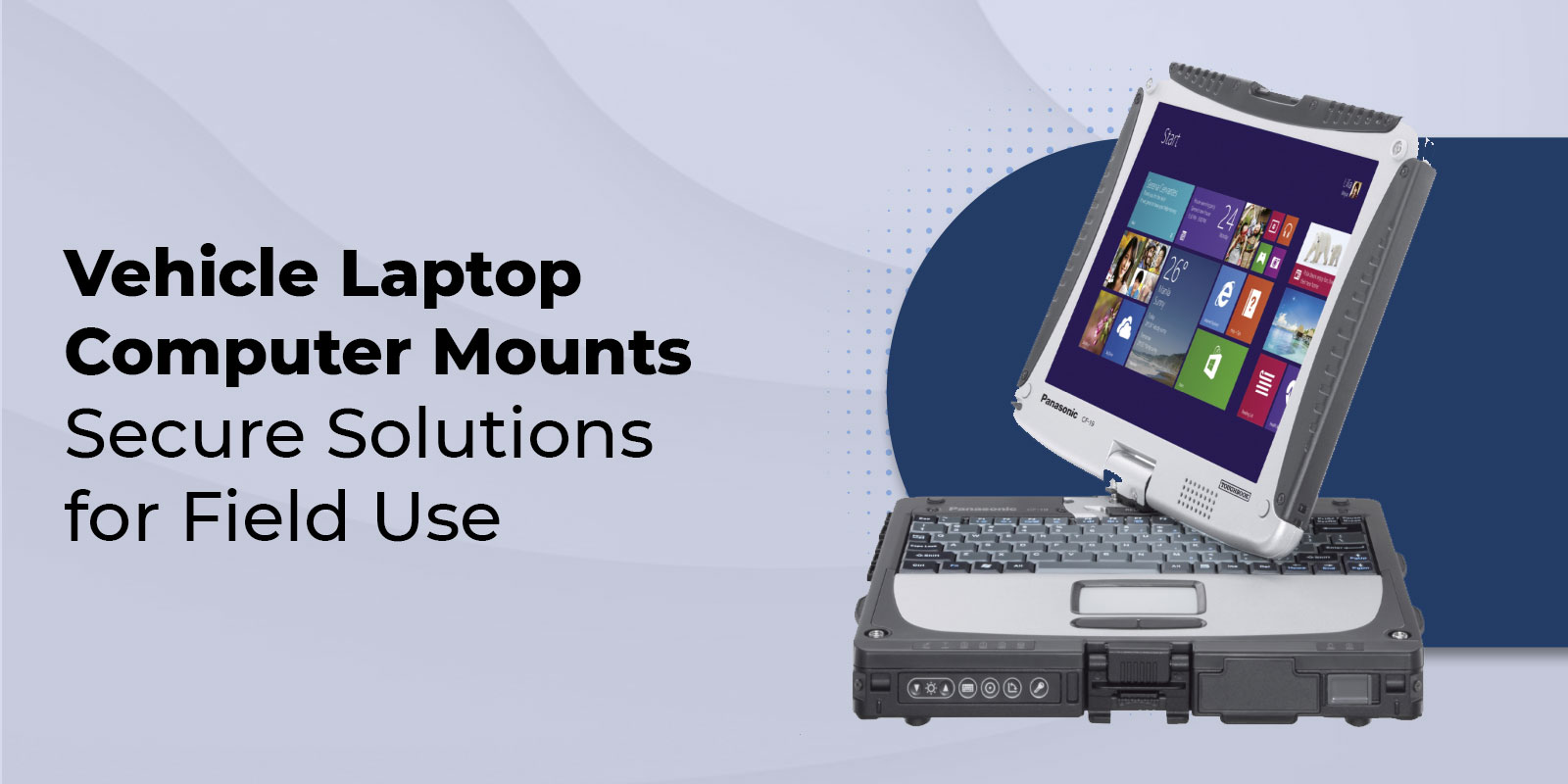
A Panasonic Toughbook is built to operate in the field — but without the right vehicle mount, it becomes a liability rather than an asset. An unsecured laptop slides off seats during hard braking, blocks sightlines, and forces officers or technicians to stop what they're doing to retrieve it. The right mount keeps your rugged laptop locked in position, accessible from the driver's seat, and connected to vehicle power — through a pursuit, over rough terrain, and across an entire shift.
This guide covers every in-vehicle mounting option for Toughbook laptops and tablets: RAM No-Drill mounts, drill-down mounts, and docking stations. It includes a compatibility table by Toughbook model, industry-specific setup guidance for law enforcement and fleet professionals, the complete no-drill installation process, and the buying criteria that matter for professional deployments. Browse TRL's full selection of vehicle mounts or call 800-441-9165 to get a recommendation for your specific vehicle and Toughbook model.
Why Rugged Laptops Need Purpose-Built Vehicle Mounts
Consumer laptop stands designed for the passenger seat of a commuter vehicle are not appropriate for professional field deployments. The differences matter:
- Vibration absorption: RAM Mounts use a patented rubber ball-and-socket joint that isolates the laptop from vehicle vibration — protecting the internal components of a Toughbook that may already be operating in high-shock conditions outside the vehicle.
- Weight capacity: Fully rugged Toughbooks weigh 6 to 9 pounds. Most consumer mounts are rated for 5 pounds or less. A CF-31 or Toughbook 40 will exceed that limit and risk bracket failure during hard stops or off-road driving.
- Airbag compliance: Professional mounts like RAM's No-Drill series are designed around passenger-side seat rail attachment points specifically to avoid airbag deployment zones. Consumer mounts provide no such guidance.
- Shift-length durability: A mount in a police patrol car or utility truck operates 8 to 12 hours per day, 365 days a year. RAM mounts are backed by a lifetime warranty. Consumer mounts are not.
- Port and power access: Docking stations designed for specific Toughbook models provide integrated vehicle power, port replication, and antenna pass-throughs — eliminating the cable-management issues that come with generic trays.
The global Mobile Office market was valued at USD 33 billion in 2022 and is projected to reach over USD 103 billion by 2030. As mobile workforces expand, the difference between a laptop that's secured and accessible and one that isn't is a direct productivity and safety variable.
The Three Types of Toughbook Vehicle Mounts
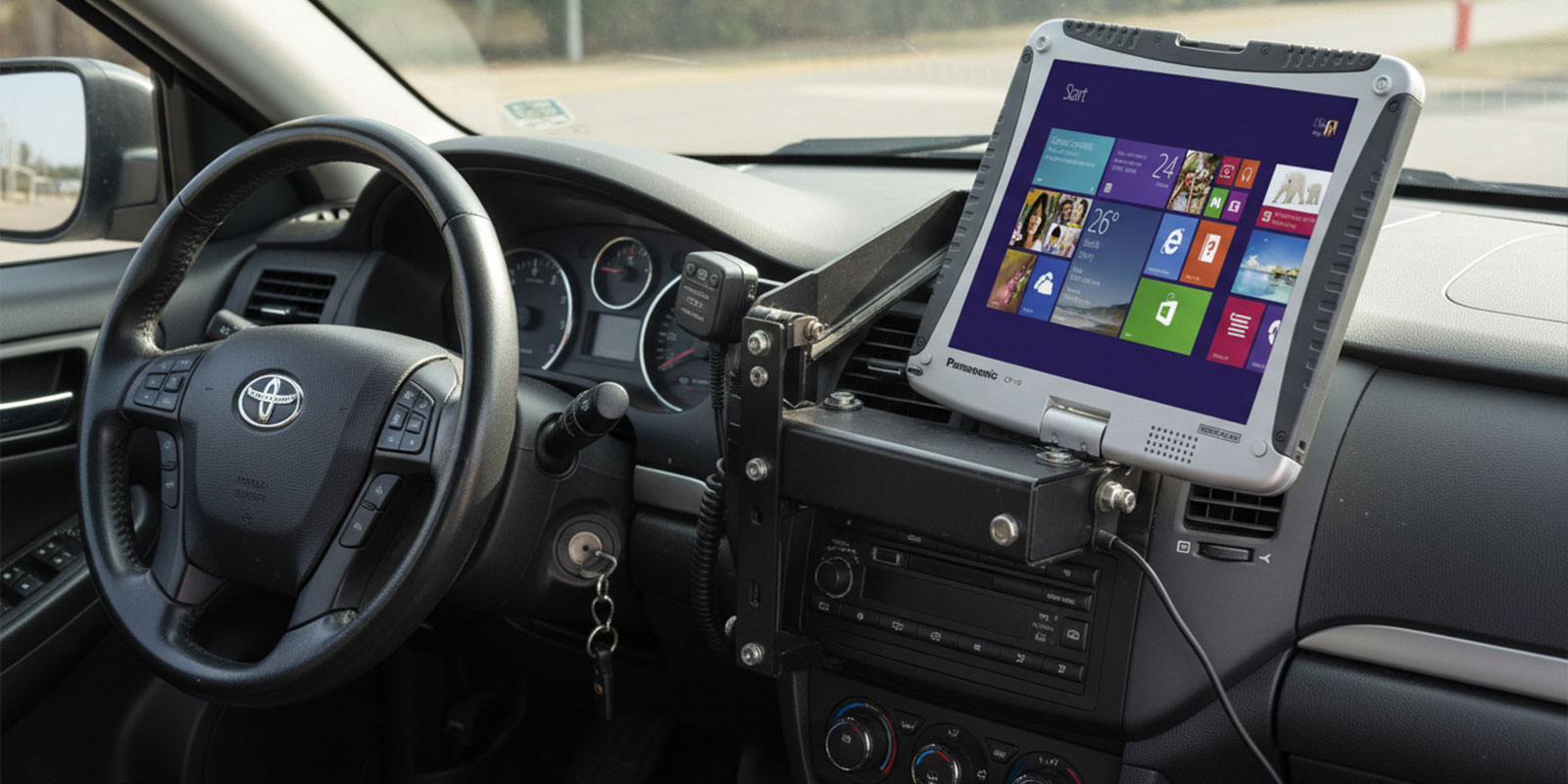
RAM No-Drill Mount
The RAM No-Drill mount attaches to the existing passenger-side seat rail bolts — no drilling, no permanent modification to the vehicle. The steel pedestal base telescopes from 12 to 18 inches in height. Dual aluminum swing arms provide articulation and 12 inches of reach toward the driver. The patented ball-and-socket joint at each connection point absorbs shock and vibration independently, protecting the laptop from road impact.
The RAM Tough-Tray at the top is spring-loaded and adjustable to fit laptops from 10 to 17 inches. Four retaining arms with rubber grips can be moved vertically and horizontally for a custom fit around any Toughbook chassis without blocking ports. This is the most widely deployed configuration for law enforcement, utilities, and field service fleets because it works across virtually any car, SUV, or pickup truck and can be moved between vehicles.
Drill-Down Mount
Drill-down mounts bolt directly to the vehicle floor or center console. They provide maximum rigidity and are the correct choice for heavy commercial vehicles — semis, fire engines, utility trucks, ambulances — where vibration levels exceed what a seat-bolt mount can reliably absorb. The trade-off is permanent installation: drill-down mounts cannot be easily moved between vehicles.
For fleet operators running the same vehicle configuration across a large number of identical trucks (utility companies, delivery fleets, construction contractors), drill-down mounts provide the most stable platform and can be pre-configured with power management, cable routing, and accessory mounts as part of a standardized build.
Docking Station
A docking station is a model-specific cradle that the Toughbook slides directly into and locks. Where a tray mount holds the laptop physically, a docking station also connects it electrically — providing vehicle power, full port replication (USB, serial, Ethernet, RF antenna pass-throughs), and in some configurations, a built-in screen support arm. Gamber-Johnson and Havis manufacture the primary docking station lines for Toughbook models.
The operational advantage of a docking station for law enforcement and EMS is significant: an officer or paramedic can slide their Toughbook into the cradle in a single motion and it is immediately powered, connected, and accessible — without reconnecting any cables. At end of shift, the laptop slides out just as quickly. For departments running hot-swap Toughbook deployments across multiple vehicles, this dramatically reduces per-shift setup time.
RAM No-Drill vs Drill-Down vs Docking Station: Side-by-Side Comparison
Use this table to select the right mount configuration for your deployment:
|
Criterion |
RAM No-Drill |
Drill-Down |
Docking Station |
|---|---|---|---|
|
Installation |
No-drill, seat bolt |
Permanent floor/console bolt |
Model-specific cradle |
|
Stability |
High — ball-socket isolation |
Maximum — bolted chassis |
Maximum — locked cradle |
|
Flexibility |
Move between vehicles |
Single vehicle only |
Single model only |
|
Connectivity |
Power via separate cable |
Power via separate cable |
Full port replication, charging |
|
Best For |
Fleet, patrol, multi-vehicle |
Delivery, utility trucks |
Law enforcement, EMS, fire |
|
Cost |
$ (low-moderate) |
$$ (moderate) |
$$$ (higher, all-in-one) |
|
Quick-release |
Yes — swing arm folds |
No |
Yes — slide in/out cradle |
|
Airbag safe |
Yes (seat-bolt position) |
Verify per vehicle |
Yes (model-specific design) |
|
Not sure which mount type is right for your fleet? ToughRuggedLaptops.com has configured vehicle setups for law enforcement, utilities, and construction organizations for 25+ years. Call 800-441-9165 for a free recommendation based on your Toughbook model and vehicle type. |
Toughbook Vehicle Mount Compatibility by Model
Not all mounts fit all Toughbooks. The table below maps each current Toughbook model to compatible mount configurations, primary industries, and common vehicle types. For model-specific product pages and mount accessories, visit TRL's vehicle mounts page.
|
Model |
Category |
Compatible Mounts |
Common Industries |
Common Vehicles |
|---|---|---|---|---|
|
CF-31 |
Fully Rugged |
RAM No-Drill + Tough-Tray / RAM Tough-Dock (CF-31 specific) |
Law enforcement, utilities |
Ford Interceptor, Chevy Tahoe PPV |
|
Toughbook 40 |
Fully Rugged |
RAM No-Drill / Gamber-Johnson model-specific dock |
Military, construction, field service |
Trucks, SUVs, utility vehicles |
|
FZ-G2 |
Fully Rugged |
RAM Tab-Lock cradle / Gamber-Johnson G2 dock |
Public safety, EMS, military |
Patrol cars, ambulances, vans |
|
CF-33 |
Fully Rugged |
Gamber-Johnson CF-33 dock / RAM No-Drill + universal tray |
First responders, field service |
SUVs, fire apparatus, vans |
|
FZ-55 |
Semi-Rugged |
RAM No-Drill + Tough-Tray / Gamber-Johnson FZ-55 dock |
Field service, logistics, enterprise |
Pickup trucks, fleet vans, SUVs |
|
CF-54 |
Semi-Rugged |
RAM No-Drill + Tough-Tray / universal mount |
Healthcare, enterprise field |
Cars, vans, light fleet vehicles |
Browse the individual Toughbook product pages for detailed specifications: CF-31 | Toughbook 40 | FZ-G2 | CF-33 | FZ-55 | CF-54.
In-Vehicle Setup by Industry
Law Enforcement — Patrol Cars and SUVs
The standard law enforcement in-vehicle setup pairs a fully rugged Toughbook — most commonly the CF-31 — with a vehicle-specific RAM No-Drill base for the patrol vehicle model. Common patrol vehicle bases include the Ford Police Interceptor Utility (RAM-VB-206-SW1), Chevy Tahoe PPV, Dodge Charger, and Chevy Impala Police Package.
Departments that require officers to move their Toughbook between a patrol car and a supervisor station, or between shifts on the same vehicle, typically specify a RAM No-Drill setup with a quick-release swing arm. Departments that want maximum connectivity — MDC integration, radio antenna pass-throughs, in-vehicle charging — specify a docking station. See our dedicated guide on why police departments choose rugged laptops for full context, or browse police laptops at TRL.
Construction and Utilities — Pickup Trucks and Fleet Vehicles
Construction superintendents and utility technicians operating from pickup trucks (Ford F-150/F-250, Chevy Silverado, RAM 1500) typically use RAM No-Drill bases specific to the truck model, paired with the Tough-Tray and a screen support arm. The key requirements in this environment are stability on rough terrain, airbag clearance in work trucks, and the ability to access the laptop without leaving the vehicle during site check-ins.
For utility fleets operating bucket trucks, line trucks, or heavy equipment — where vibration from hydraulic systems and off-road driving is continuous — drill-down mounts provide better long-term stability than seat-bolt configurations. Pre-configured mount builds can be standardized across an entire fleet for consistent installation.
EMS and Fire — Ambulances and Apparatus
Emergency medical and fire response vehicles require mounts that withstand sustained high-vibration environments and allow rapid deployment of the device when the vehicle stops at a scene. The FZ-G2 tablet and the CF-33 2-in-1 are both commonly deployed in EMS and fire apparatus because their quick-release mount compatibility allows the device to be undocked and carried to the patient or scene. A docking station in the ambulance cab provides full connectivity during transit, and the device detaches in a single motion when responders exit the vehicle.
For tablet-form-factor devices like the FZ-G2, the RAM Tab-Lock cradle provides locking mounting compatible with any RAM arm or base system — the same infrastructure used for the laptop mounts. This allows a department to standardize on RAM mounting components across both laptop and tablet deployments. For more on the tablet vs laptop decision, read rugged laptop vs rugged tablet.
|
Configuring a multi-vehicle fleet deployment? TRL works with fleet IT managers and public safety procurement teams to standardize Toughbook and mount configurations across entire fleets. Call 800-441-9165 or browse our certified refurbished Toughbooks for volume pricing. |
How to Install a RAM No-Drill Laptop Mount: Step-by-Step
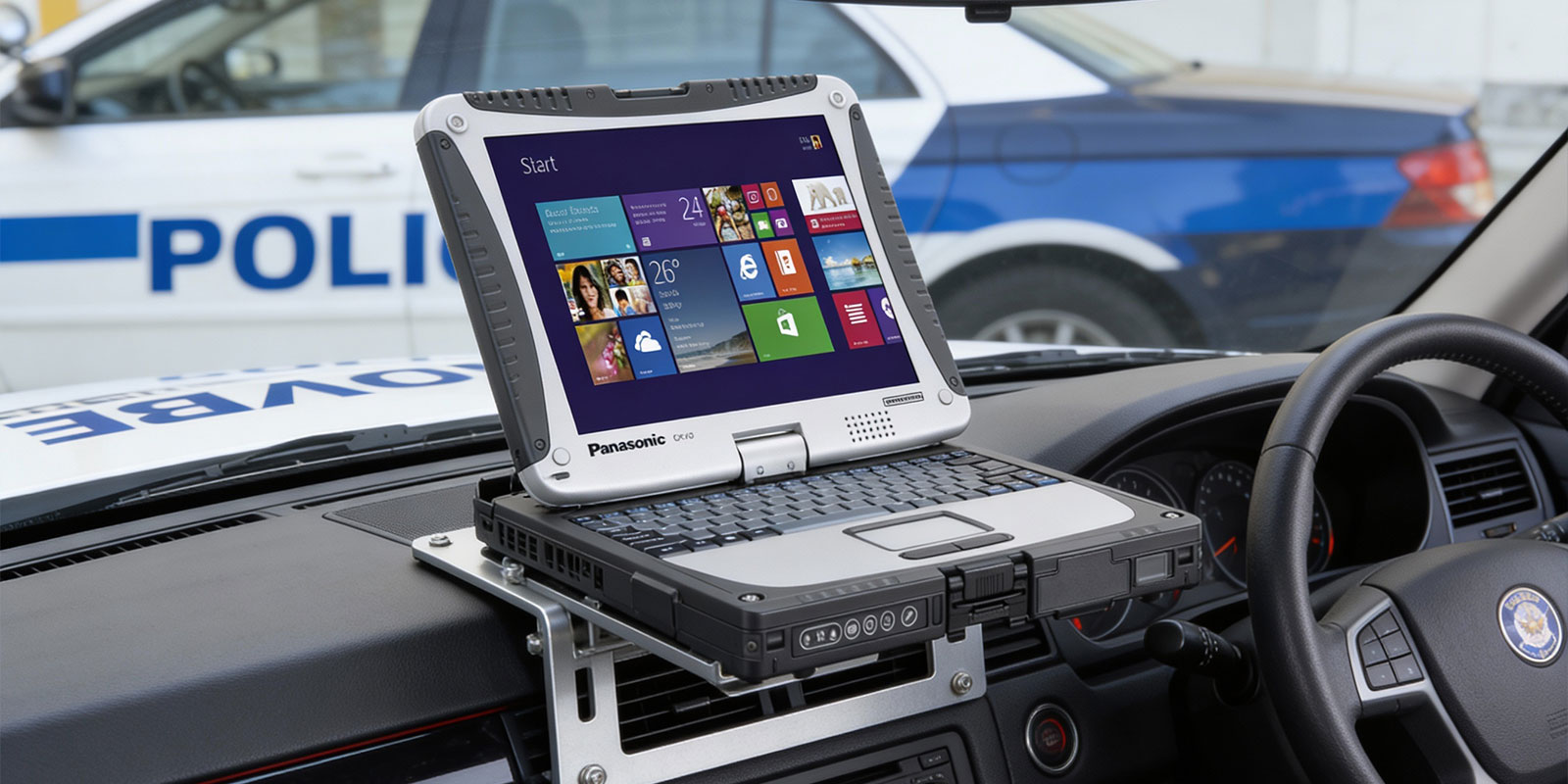
The RAM No-Drill mount installs in under 30 minutes in most vehicles using only basic hand tools. No drilling. No permanent modification. The following steps apply to the standard seat-bolt configuration.
- Locate the Seat Bolt. Find the passenger-side seat bolt near the base of the front seat. Slide the seat forward or back as needed for comfortable access. This bolt is the anchor point for the entire mount system.
- Remove the Seat Bolt. Using the appropriate socket wrench or spanner, remove the bolt. Keep it — it gets reused in the next step.
- Position the Mount Base. Place the RAM No-Drill steel base plate flat over the bolt hole. Confirm the base is centered and the bolt hole aligns before proceeding. Vehicle-specific bases are pre-formed to fit the seat rail geometry of your vehicle model.
- Reinsert and Torque the Bolt. Thread the original seat bolt through the mount base plate and into the floor bolt hole. Tighten to the vehicle manufacturer's torque spec. The base is now secured without any drilling.
- Assemble the Telescoping Pole. Attach the steel telescoping pole to the base. Adjust to the desired height — RAM poles extend 12 to 18 inches — and lock the height collar. The pole positions the laptop at the correct height for driver-seat access.
- Attach the Dual Swing Arms. Connect the aluminum swing arms to the top of the pole using the ball-and-socket joint. The arms provide 12 inches of reach toward the driver and can be adjusted to any angle. Tighten the knob to hold position.
- Install the Tough-Tray and Secure the Toughbook. Attach the RAM Tough-Tray to the swing arm end. Adjust the four spring-loaded retaining arms to the width and thickness of your Toughbook. Place the device in the tray, confirm it is gripped securely on all four sides, and connect the power cable. Route cables using any included clips for a clean install. Test by gently pressing on the laptop from multiple angles before driving.
For screen-closure issues on rough terrain, add the RAM Adjustable Laptop Screen Support Arm (RAM-234-S2U). For vehicles with high vibration (diesel trucks, heavy equipment), a secondary locking mechanism on the swing arm knob is recommended.
What to Look For When Buying a Toughbook Vehicle Mount
Vehicle Compatibility
The most important selection criterion is vehicle-specific fit. RAM manufactures model-specific bases for hundreds of vehicle configurations — Ford F-Series, Chevy Silverado, Dodge Charger, Ford Police Interceptor Utility, Chevy Tahoe, and more. A vehicle-specific base ensures the mount fits the seat rail geometry of your vehicle, positions the laptop in the correct zone relative to airbags, and provides a stable anchor point without modification.
Weight Capacity
Verify the mount's rated capacity against the actual weight of your Toughbook. Fully rugged models — CF-31, Toughbook 40 — weigh 6 to 9 pounds. Adding a power brick or docking cradle adds further weight. RAM No-Drill mounts with the standard Tough-Tray support up to 8 pounds. Heavier setups require the RAM Tele-Pole heavy-duty configuration.
Airbag Zone Compliance
All vehicle mounts must be installed outside airbag deployment zones. RAM No-Drill mounts, by design, anchor to the passenger-side seat rail — a position that keeps the mount arm and laptop tray clear of both front passenger airbags and side curtain airbags in most vehicle models. Always confirm airbag zone locations with the vehicle manufacturer before finalizing installation, particularly for non-standard vehicle configurations or aftermarket interiors.
Quick-Release for Multi-Shift Deployments
For law enforcement and EMS deployments where multiple officers or paramedics use the same vehicle across shifts, quick-release capability reduces per-shift setup time. RAM swing arm mounts fold away quickly. Docking stations allow the Toughbook to slide in and out in seconds. Both are significantly faster than disconnecting and reconnecting a laptop from a consumer mount.
Cable Management and Power
A clean in-vehicle setup requires routing the power cable and any peripheral cables away from the driver's footwell and control areas. RAM mounts include cable management clips on the pole. Docking stations eliminate most individual cables by integrating power, USB, Ethernet, and RF connections into the cradle dock. For vehicles without a convenient 12V power source near the mount, the RAM USB Tough-Hub provides 6-port USB power and Ethernet in a ruggedized housing.
Safety and Legal Considerations
Before installing any in-vehicle laptop mount, confirm three things:
- Distracted driving compliance: Using a laptop while a vehicle is in motion is illegal in most states. Mounts must be positioned so the laptop does not become a primary visual focus while driving. The mount is for access when parked or stationary — not for active use while moving.
- Sightline clearance: The mounted laptop must not obstruct the driver's view of the road, mirrors, or instrument panel. RAM No-Drill mounts are designed to position the laptop in the center-console area accessible to the driver without intruding on the windshield sightline.
- Airbag zone verification: No part of the mount — base, pole, arms, or tray — should be positioned within an airbag deployment zone. RAM's vehicle-specific bases are designed with this in mind, but always confirm with your vehicle manufacturer for non-standard configurations.
Summary
The right vehicle mount for a Toughbook is determined by three things: your Toughbook model, your vehicle type, and whether your deployment requires tray-based mounting or docking station connectivity. RAM No-Drill mounts cover the majority of professional deployments — they work across virtually any vehicle, install in under 30 minutes, and are backed by a lifetime warranty. Docking stations add integrated connectivity for law enforcement, EMS, and fleet deployments where daily in-and-out speed matters.
ToughRuggedLaptops.com carries RAM mount components and can advise on compatible configurations for every current Toughbook model. If you're setting up a single vehicle or configuring a fleet of 50 patrol cars, the right mount is as important as the laptop itself.
|
ToughRuggedLaptops.com — Vehicle Mount and Toughbook Specialists Since 1999 Browse our vehicle mounts at toughruggedlaptops.com/mounts.html or call 800-441-9165. We advise on mount compatibility for every Toughbook model and common fleet vehicles including the Ford Police Interceptor, Chevy Tahoe PPV, F-250, Silverado, and Dodge Charger. |
Frequently Asked Questions
1. What is the difference between a vehicle laptop mount and a docking station?
A vehicle laptop mount (RAM No-Drill or drill-down) holds the laptop physically in the vehicle using an adjustable tray and arm system. A docking station is a model-specific cradle that the laptop slides into, providing physical mounting plus full port replication, integrated vehicle power, and antenna pass-throughs — eliminating individual cable connections every time the device is deployed. Docking stations are preferred for law enforcement and EMS where daily in-and-out speed matters.
2. What RAM mount is compatible with the Panasonic Toughbook CF-31?
The RAM Tough-Dock with RAM No-Drill base (RAM-VB-106-PAN1P) is the purpose-built docking solution for the CF-31. For a tray-based setup, any RAM No-Drill vehicle-specific base paired with the spring-loaded Tough-Tray works reliably. Vehicle-specific bases are available for the Ford Police Interceptor, Chevy Tahoe PPV, Dodge Charger, and more. Call 800-441-9165 for the right configuration for your patrol vehicle.
3. Is it legal to have a laptop mount in a police car?
Yes. In-vehicle laptop mounts are standard equipment in law enforcement vehicles across the United States. The mount must not obstruct sightlines or be placed in an airbag deployment zone. RAM No-Drill mounts attach to the passenger-side seat rail bolts, which positions the laptop in a zone that is clear of front airbag deployment paths. Always verify airbag placement with your vehicle manufacturer before installation. See our police laptops guide for full law enforcement deployment context.
4. Do I need to drill to install a laptop mount in my vehicle?
No. RAM No-Drill mounts attach to existing seat rail bolts with no modification to the vehicle floor or console. They are ideal for leased fleet vehicles, rental vehicles, and any situation where permanent modification is not permitted. Drill-down mounts are available for heavy commercial vehicles requiring maximum stability.
5. What is the best vehicle mount for a Toughbook in a patrol car?
For law enforcement, the recommended setup is a vehicle-specific RAM No-Drill base for the patrol vehicle model paired with either the RAM Tough-Tray or a Gamber-Johnson docking station. Departments that want officers to quickly deploy and retrieve their Toughbook between shifts typically specify a docking station. TRL can advise on the right configuration for your fleet. Call 800-441-9165 or browse vehicle mounts.
6. How do I choose between a RAM No-Drill mount and a drill-down mount?
Choose RAM No-Drill if the vehicle is leased, shared across a fleet, or a standard car, SUV, or pickup truck. Choose drill-down if the vehicle is a heavy commercial vehicle — semi, fire engine, utility truck — where vibration levels are high, or the mount will be permanently deployed in a single vehicle. Both are compatible with the same RAM Tough-Tray and swing arm accessories.