Rugged Laptop Drop Tests: How They Are Certified

One wrong slip can send a laptop crashing to the floor, and in that split second, you find out whether your device was built for real life or just for a showroom. We all carry laptops through airports, job sites, classrooms, and crowded offices. They get knocked off desks, slide out of bags, and get bumped by accident. That is why rugged laptops are not judged by looks or promises. They are judged by what happens when they hit the ground and keep working.
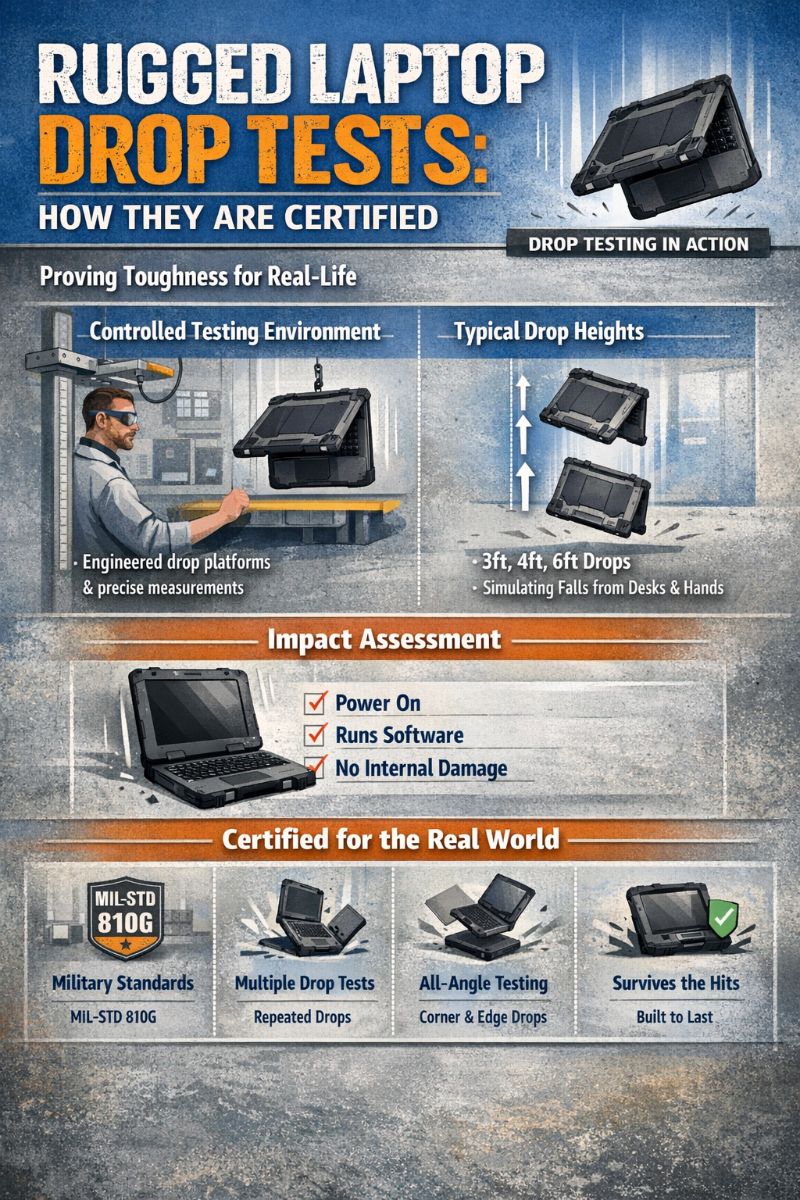
We rely on drop testing to prove that a rugged laptop can survive those moments. These tests are not staged stunts. They are repeatable, measured, and verified by engineers who check whether the machine still powers on, runs software, and protects its internal parts after impact. When we talk about a device being certified for drops, we mean it has passed a controlled process designed to mirror the way you actually use it every day.
Key Highlights
- Drop tests show how a laptop handles real falls, not just lab handling
- Devices are tested in a ready-to-use state with the battery installed, and the lid closed
- Concrete and steel surfaces reveal weak points fast
- A laptop only passes if it still works after every drop
What Is a Laptop Drop Test?
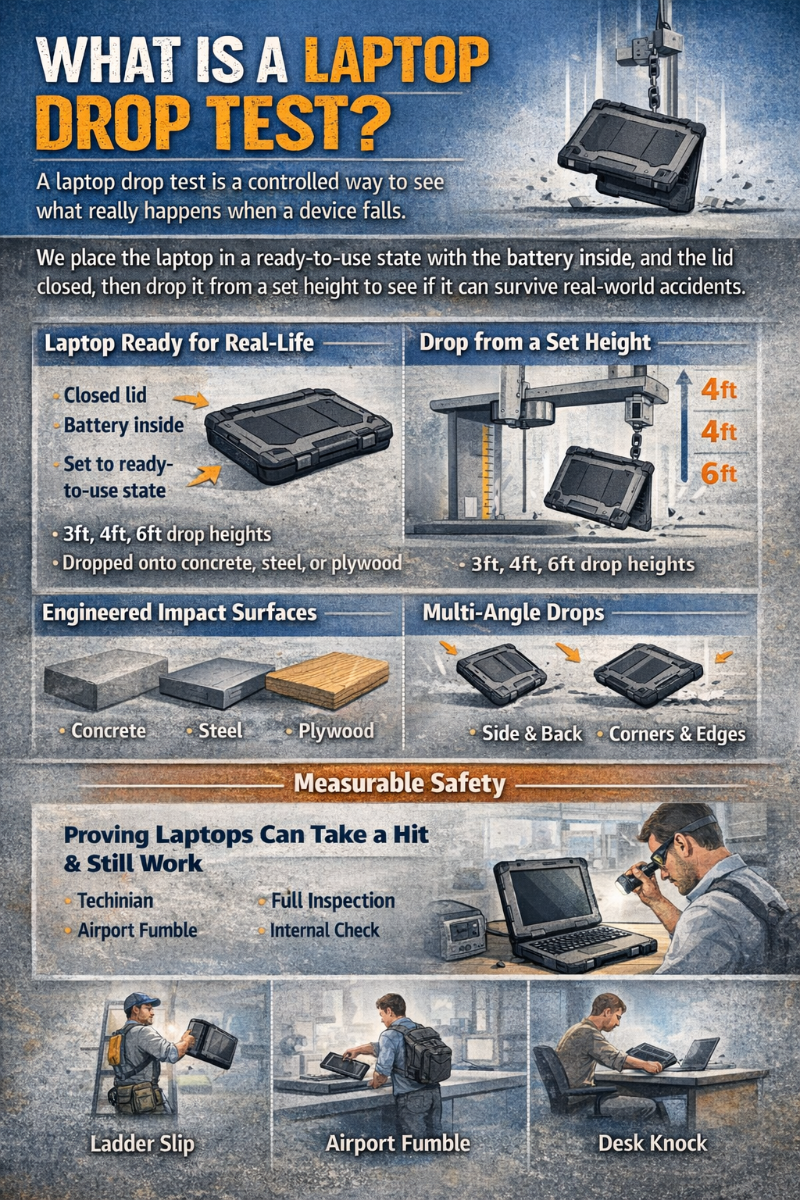
A laptop drop test is a controlled way to see what really happens when a device falls. We place the laptop in a ready-to-use state with the battery inside, and the lid closed, just like how you carry it. It is then dropped from a set height onto surfaces such as concrete, steel, or plywood. After every drop, we inspect the laptop for visible damage and for hidden failures that could affect how it works.
The purpose is simple. We want to know if your laptop can take a hit and still do its job. Screens must turn on, hinges must hold, and internal electronics must keep running. This matters in the real world because laptops fall in ways that are never gentle. A technician might drop one while climbing a ladder. A traveler might fumble it at airport security. A student might knock it off a desk.
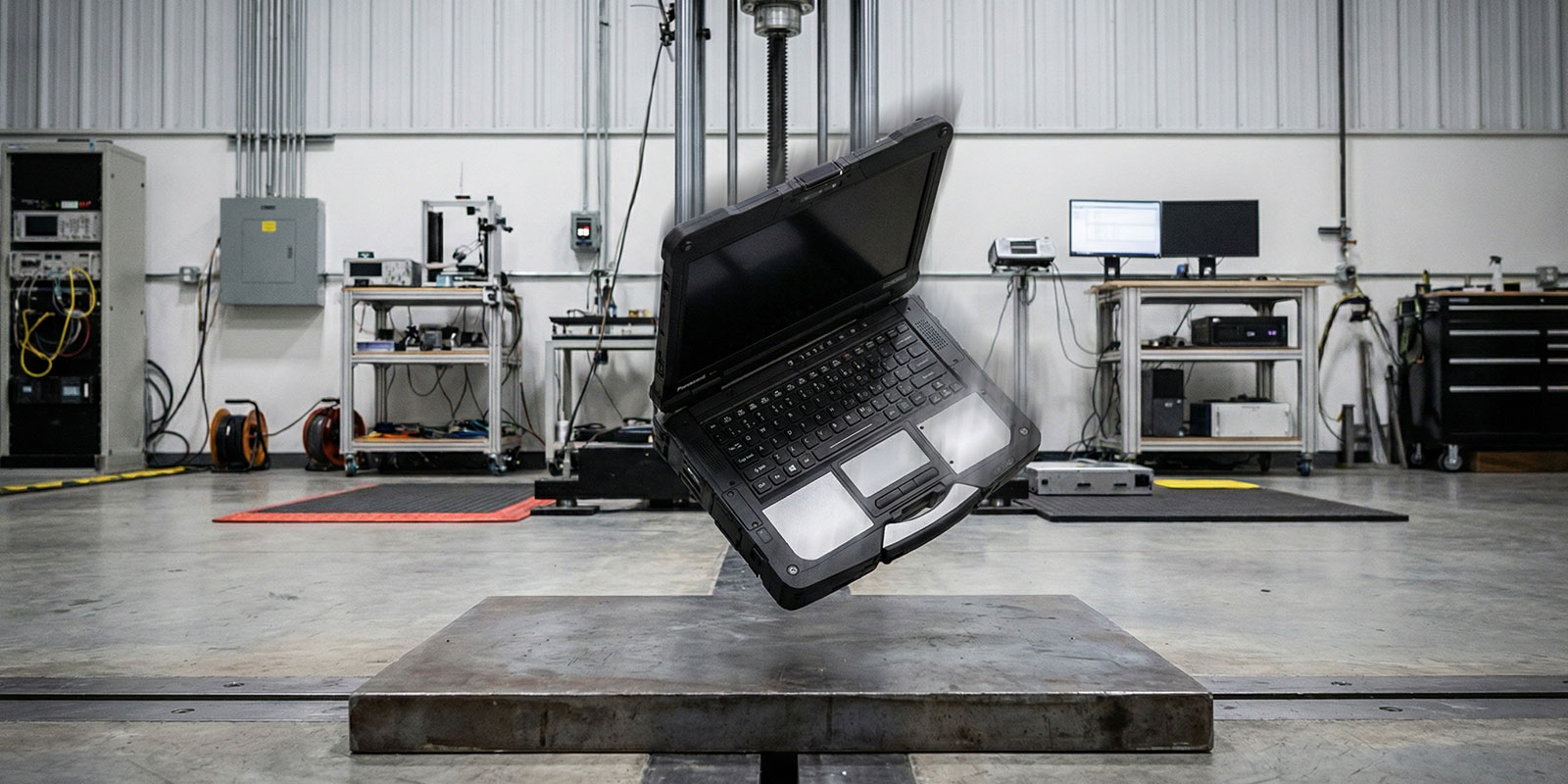
By running these tests, we turn those everyday accidents into measurable results. That is how manufacturers and buyers know whether a rugged laptop is truly built to survive your work, not just look tough on paper.
Why Drop Tests Matter
Devices fall while being carried, slide off carts, or get knocked over in busy spaces. That is why drop testing is critical if you need your laptop to keep working.
The numbers tell the story. About 1.5 million computer accidents were recorded in one year, with losses of nearly 1.2 billion dollars, and roughly one in four came from simple drops. When a laptop does break, the average repair runs about $ 649 dollars, not counting lost work time.
A fall can damage screens, hinges, ports, and internal parts. Hard drives are especially fragile, but even solid-state systems can suffer from broken connectors or warped boards. That is why laptops that pass MIL STD drop testing deliver fewer failures, fewer repairs, and less downtime.
Drop Heights and Orientations
Most real drops happen from desk and hand height, so labs use 1.2 to 1.5 meters. Devices are dropped on faces, edges, and all four corners, with corners being the most likely to cause serious damage.
Number of Drops and Surface Types
One fall means little. We run multiple drops and often test several identical units. Impacts are done on concrete, steel, and plywood so the laptop, not the floor, absorbs the shock.
Drop Test Standards and Certifications
A rugged label only matters when it is backed by real testing. The benchmark most manufacturers and buyers rely on is MIL STD 810 (MIL-STD-810 PDF), a military standard that measures whether equipment can survive shock, vibration, and rough handling. When a laptop claims MIL STD compliance, it means it has been dropped in a controlled way that reflects how you actually use it.
For laptops, the key part is the transit drop test. It covers the same accidents you see in real life, like falling from a desk, slipping out of a bag, or being dropped while carried.
MIL STD 810 Drop Test Details
Devices under 36 inches on their longest side must survive drops from about 48 inches or 1.2 meters. The laptop has not dropped once. It is dropped 26 times on:
- Six faces
- Twelve edges
- Eight corners
Corners matter most because they concentrate force and often cause screens, frames, and hinges to fail. MIL STD 810H, released in 2019, keeps this same method because it closely matches real-world drops.
Drop heights and surfaces
A four-foot drop delivers enough energy to break weak designs. MIL STD 810G used plywood over concrete. MIL STD 810H made the test tougher by using a steel plate on reinforced concrete, sending nearly all the impact into the device. A laptop that passes has survived 26 hard drops and still works.
Other Industry Standards
MIL STD is not the only standard, but it is the only one that measures real durability.
IEC 60950 1 and IEC 62368 1 focus on safety, not whether a laptop still works after a fall. They check that the case does not shatter, parts are not exposed, and the device remains electrically safe.
ASTM and ISTA tests, such as ASTM D527,6 measure how well shipping boxes protect a laptop. A boxed unit may be dropped from about one meter, but this only proves the packaging works, not the laptop itself.
Why MIL STD 810 leads
Rugged and business-class laptops point to MIL STD 810G or 810H because these tests check the actual device. They prove the laptop:
- Survives repeated drops
- Keeps working
- Protects its screen, ports, and internal parts
Consumer laptops are not automatically compliant. Only models that are tested and listed as such go through the full process. When you see MIL STD certification, you are seeing a laptop that has taken dozens of hard hits and kept running.
How Drop Tests Are Conducted
Test Setup and Conditions
A drop test starts before the laptop ever leaves the fixture. We prepare each unit exactly as you would use it in real life. The laptop is fully assembled with the battery installed, the lid closed, and all ports secured. It is powered and set in a normal operating state, so the test reflects a real accident, not an empty shell.
Drop height and environment
Most certified tests use 1.2 to 1.5 meters, which matches desk height and how you hold a laptop when standing. Under MIL STD 810G and 810H, units may be conditioned in heat, cold, or high humidity before or between drops. This shows whether plastics become brittle in cold or adhesives weaken in heat. Many lab tests are also done at room temperature to match everyday office use.
Impact surface
Drops are done on hard, non-yielding surfaces such as reinforced concrete or steel plates. These surfaces do not absorb energy, so the laptop must take the full force of the impact just like it would on a warehouse or office floor.
Sample size and repeatability
Labs do not rely on one lucky unit. They run many drops on each device and often repeat the same sequence on multiple identical laptops to confirm the design is consistently strong.
Drop Mechanisms and Procedures
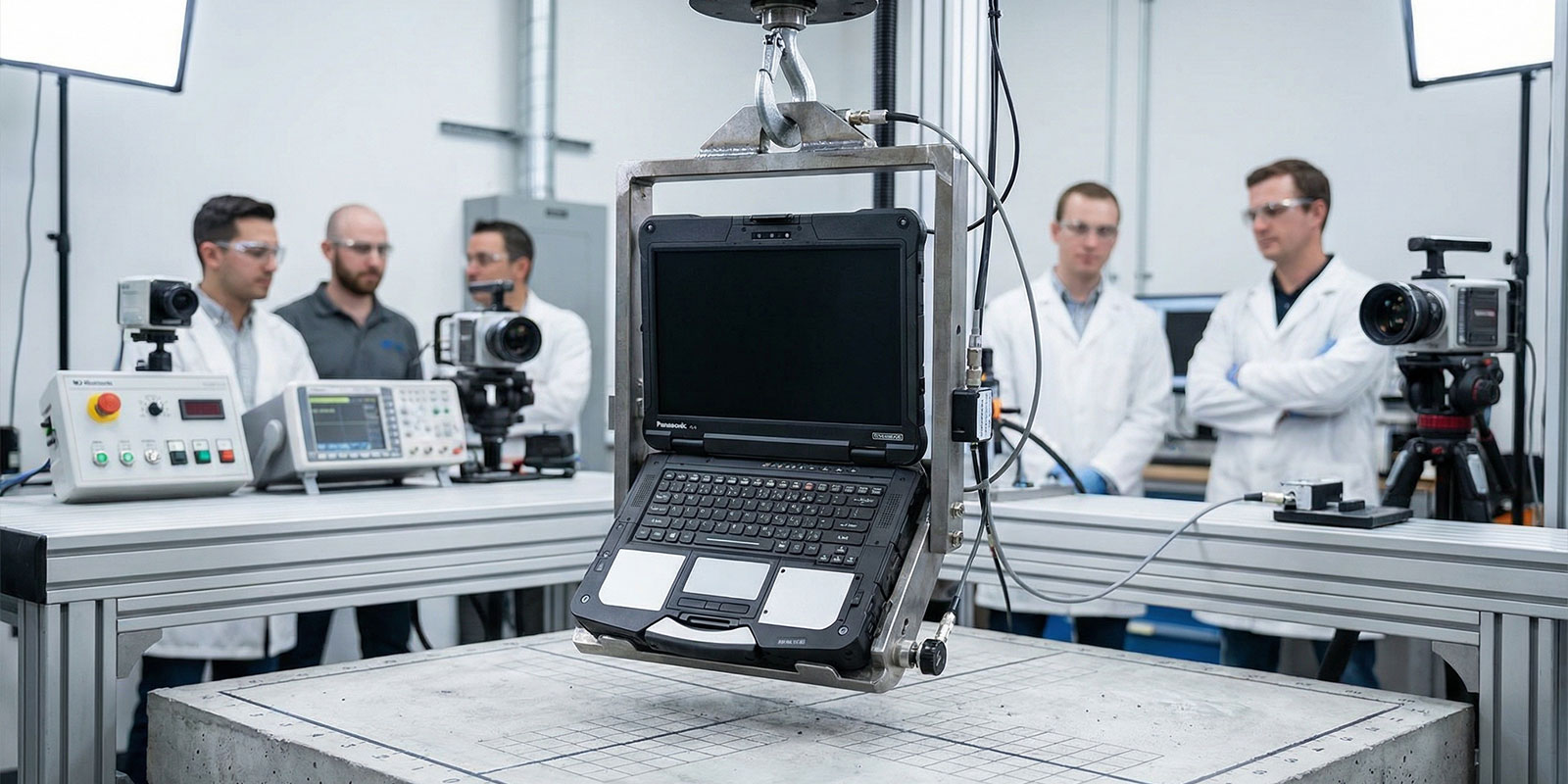
Modern labs do not throw laptops by hand. They use precision fixtures that remove human error and make every drop consistent.
How laptops are released: The laptop is held in a metal guide or clamp set to a specific orientation, such as face, edge, or corner. The fixture releases it, so it falls only under gravity with no push or spin. MIL STD 810H allows these guidance systems as long as they do not affect the fall.
Common systems include:
- Gravity drop towers
- Pneumatic or motorized release arms
- Programmable robotic rigs
Some labs, such as those used by Dell, drop laptops from heights up to six feet, rotating the device between drops so all sides are tested.
Orientation control: After each impact, the laptop is repositioned so the next drop hits a different face, edge, or corner. Corners are especially important because they concentrate force and cause most failures.
What happens after each drop: Engineers inspect the laptop for cracks, dents, loose parts, and screen damage. They then power it on and check that it still boots, accepts input, connects wirelessly, and works through its ports. If any function fails, the tester records which drop caused it and what broke. That data is used to improve designs and strengthen weak points.
Interpreting Drop Test Results
A laptop can look fine after a fall and still be broken inside. That is why drop testing is judged by how the machine works, not how it looks.
Under MIL STD 810H, there are no cosmetic scorecards. The rule is simple. If the laptop still operates normally after all drops, it passes. If it does not, it fails.
After the full drop sequence, engineers run an operational checkout. We power the system on, let it boot, and test every critical function. A rugged rating only counts if you can keep working.
What counts as a pass
A laptop passes when it:
- Powers on and boots into the operating system
- Shows a clear, usable display
- Responds to the keyboard, touchpad, and buttons
- Keeps working Wi Fi, ports, and charging
Small scuffs, scratches, or worn paint are expected after hitting concrete or steel. These do not matter as long as the laptop still works normally.
What counts as a failure
Anything that affects normal use is a failure, including:
- Cracked or dead screens
- Frames that will not open or close
- Broken hinges or loose parts
- Systems that will not boot
- Dead ports, wireless problems, or power faults
As rugged computing engineers often say, what matters is not how the laptop looks after a drop. What matters is whether it still works.
Why are multiple units tested?
One tough unit proves nothing. To rule out flukes, manufacturers usually require several identical laptops to pass the same drop sequence. Often, five or more units must all remain fully functional. That shows the design is truly rugged, not just lucky.
Common Failure Modes
When laptops fail drop tests, the same weak points show up again and again.
- Screens and lids crack because large glass panels flex under impact.
- Hinges and frames bend or shift, which can tear display cables or stop the lid from closing.
- Ports and connectors can break loose on corner hits.
- Hard drives are especially vulnerable because moving parts can crash during a fall, while solid-state drives usually survive.
Any of these failures can stop the system from booting or make it unreliable, which means the laptop fails the drop test even if the outside only shows a small dent.
Real-World Implications
One bad drop can shut down your entire workday. That is why falls and impacts remain one of the top causes of laptop failure, often linked to about 40 to 60 percent of all physical device damage across schools, offices, and field teams.
- Students carry them between classes.
- Technicians roll them on carts and climb ladders.
- Office workers crowd them onto desks.
- Field crews use them in trucks, warehouses, and job sites.
In active work settings, a device can see dozens of falls from 1 to 1.5 meters over its life. Without real drop testing and strong design, just one of those hits can end the machine and the work stored on it.
For you and your IT team, the impact goes far beyond hardware. One broken laptop leads to lost work time, missed deadlines, data recovery, and replacement delays. That is why drop certifications matter. They translate directly into uptime and lower costs, not just a badge on a spec sheet.
Impact of SSD vs. HDD
What happens to your storage during a drop often decides how bad the damage becomes.
Hard disk drives: HDDs use spinning platters and moving heads. When a laptop hits the ground, the head can slam into the disk surface, destroying data and stopping the system from booting. Some business laptops use free-fall sensors to park the heads, but fast or uneven falls can still cause failure. Warning signs include clicking sounds, slow starts, and corrupted files.
Solid state drives: SSDs have no moving parts, which makes them far more resistant to shock. A drop that would kill an HDD often does not affect it at all. That is why modern rugged and business laptops almost always use solid-state storage.
Why does this affect the cost?
Storage failures cost more than cracked plastic. A damaged hard drive can mean data recovery fees, compliance risks, and lost productivity. Even if the laptop case survives, failed storage can turn a small drop into a major incident.
Tips for Protecting Your Laptop

Even a rugged laptop lasts longer with smart handling. A few simple steps can cut your risk of damage.
- Use a case or sleeve: Pick one with reinforced corners and thick padding, and keep your laptop in a protected backpack pocket or hard case.
- Secure it in your bag: Use dedicated compartments or straps so it cannot slide or twist. On moving surfaces, keep it on a flat, stable spot.
- Protect the screen and keyboard: A tempered glass protector reduces cracking. A keyboard cover blocks spills and grit.
- Handle it carefully: Keep it away from table edges, never lift it by the screen, and use a pad or stand on uneven surfaces.
- Back up your data: Use cloud or external backups and run one right after any drop.
- Consider damage coverage: Accidental damage plans can cost less than repeated repairs.
- Watch for delayed issues: Listen for new noises, check hinges and ports, and look for screen problems over the next few days.
Future Trends and Innovations
Laptop durability keeps improving because real-world drops are not going away. Manufacturers are focusing on designs that survive accidents better and are easier to fix when damage does happen.
- Modular designs let you replace parts like screens, keyboards, and storage, so one drop does not end the whole device.
2. Smarter sensors already protect hard drives and may soon save data or enter safe modes when a fall is detected.
3. New standards like MIL STD 810H add tougher drop scenarios, and future models may carry simple impact ratings.
4. Stronger materials such as carbon fiber, magnesium, shock frames, and rubber bumpers help absorb impact, with some parts designed to break first to protect the core system.
Frequently Asked Questions
1. How do I know if my laptop is okay after dropping it?
Start by inspecting it before powering on. Look at the screen, corners, hinges, and ports for cracks, bending, or gaps. Gently shaking it means something came loose.
If nothing looks broken, power it on and listen for strange noises like clicking or grinding. Test the keyboard, trackpad, display, Wi-Fi, and ports. If it boots and works normally, it likely survived, but back up your data immediately in case hidden damage shows up later.
2. How do I run a diagnostic test on a laptop?
On Windows:
- Run Windows Memory Diagnostic (search “mdsched”)
- Check the drive: This PC → right-click C: → Properties → Tools → Check
- Or run chkdsk /f /r from an admin Command Prompt
- Many brands also offer BIOS diagnostics (press F2, F12, or Esc at boot)
On macOS:
- Intel Macs: restart and hold D
- Apple Silicon Macs: hold the power button → Options → Command + D
This runs Apple Diagnostics and reports any hardware errors.
3. Is a drop sensor or shock-proof case worth it?
Yes, especially for HDD-based systems. Drop sensors protect drives, but a good shock-absorbing case prevents damage from reaching the laptop at all, which is even better.
4. When should I seek professional help?
If the laptop won’t boot, makes new noises, has a damaged screen or hinge, or fails any diagnostic test, stop using it. A technician can inspect internal cables, cooling, and power systems before a small fault turns into total failure.